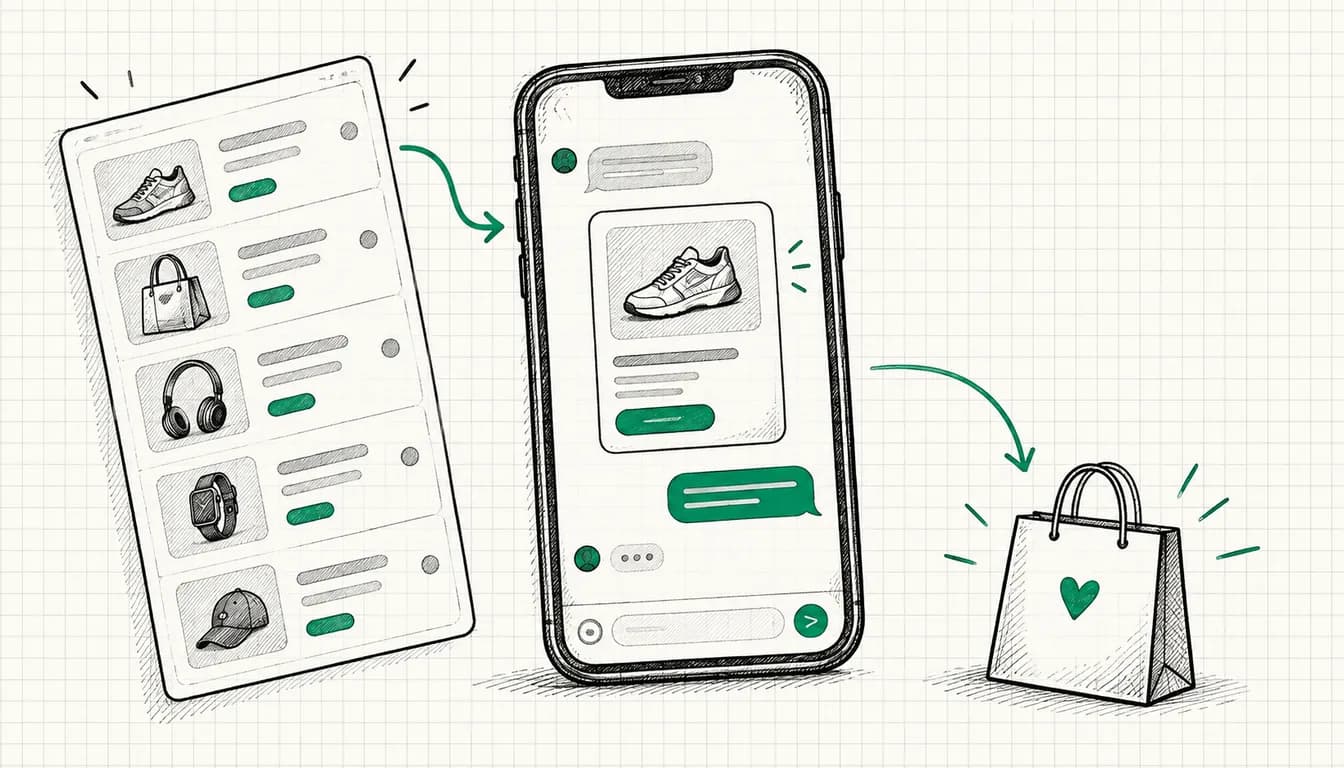
Reality: E-commerce and Google Ads fit together well. How much the channel carries depends on your margin, basket size and repeat purchase rate. This guide shows the levers.
Why Google Ads is essential for E-Commerce
From my practice: A large share of product searches still starts on Google, not just on Amazon. How large that share is for your assortment is something you only see in your own Search Console and search term reports.
Typical pattern in shops that start with Google Ads:
- Before: orders come from organic, newsletter and social
- After: Shopping and Search add plannable volume on top
- How much extra revenue that means depends on assortment, margin and competition
Why Google Ads works for e-commerce:
- High Intent: Users actively searching for products
- Visual Ads: Shopping Ads show product + price
- Measurable: Every cent is trackable
- Scalable: From €500 to €50,000/month budget
E-Commerce Google Ads Campaign Types
1. Shopping Ads (Standard Shopping)
What: Product ads with image, price, title
Example:
[Product Image: Nike Air Max]
Nike Air Max 2025 Men's
€89.99
Sprintwerk24.com
★★★★★ (234)
Setup:
- Google Merchant Center Account
- Product Feed (XML/CSV)
- Shopping Campaign in Google Ads
What performance reacts to:
- Feed quality (titles, images, price)
- Your price level compared to competitors in the Shopping results
- Margin and basket size, they decide which ROAS is viable for you at all
Best for: Large product catalogs (100+ products)
2. Performance Max (Shopping)
What: AI-powered shopping campaign across all Google placements
Difference to Standard Shopping:
- Shows ads on YouTube, Display, Search, Discover, Gmail and Maps
- AI optimizes automatically
- Requires asset group (images, videos, texts)
How to read it, from my practice:
- More reach than standard Shopping, but less insight into the individual placements
- Whether your cost per order drops only shows in a cleanly tracked comparison period
- The AI needs conversion data, with thin volume the campaign stays restless
Best for: Shops with steady conversion volume (the automation needs data to learn from)
3. Search Ads (Text Ads)
When to use:
- Brand keywords ("Nike shoes buy")
- Product keywords with high intent
- Complementary to Shopping
Example:
Nike Sale Until Sunday | Up to -40% Discount
Over 500 models in stock. Free shipping from €50.
Order now at Sprintwerk24.com
Best for: Brand protection, specific product queries
Why you should assess brand and new-customer traffic separately here is something I show with constructed examples in the online shop ad check.
4. Remarketing (Display/RLSA)
Goal: Bring back users who visited the shop but didn't purchase
Types:
- Standard Display: Banners on websites
- Dynamic Remarketing: Shows exactly viewed products
- RLSA (Search): Remarketing via search ads
How to read it:
- Remarketing reaches people who already know your shop, so closes are usually cheaper than from cold traffic
- Reach is capped, remarketing never scales on its own
Budget Share: a noticeable but small part of the total budget; the size follows from your list size
5. Video Ads (YouTube)
Usage:
- Product demos
- Brand awareness
- Remarketing
Format: 6-15 second Bumper Ads or Skippable Ads
Best for: High-ticket products (>€300) or products requiring explanation
The 15 E-Commerce Google Ads Strategies
Strategy 1: Shopping Feed Optimization
Problem: Poor feed = poor performance
Optimization:
Product Title (most important factor!):
- ❌ "Men's Running Shoe"
- ✅ "Nike Air Max 2025 Men's Running Shoes Black Size 42"
Title Structure:
[Brand] [Product Name] [Variant] [Color] [Size] [Extra]
Nike Air Max 2025 Men's Running Shoes Black 42 Sale
Product Description:
- Min. 500 characters
- Include keywords naturally
- Mention benefits
Images:
- White/light background
- Min. 800x800px (optimal: 1200x1200px)
- Product fills min. 75% of image
Price:
- Always current (automatic syncs!)
- Use sale price when available
Availability:
- "in stock" / "out of stock" / "preorder"
- Synchronize daily
Strategy 2: Segmentation by Product Profitability
Problem: Treating all products equally = burning money
Solution: Separate campaigns by margin
Segments:
High-Margin Products:
- Largest share of the budget
- A lower target ROAS is affordable because every order carries more contribution margin
- Bid aggressively
Medium-Margin:
- Medium share of the budget
- Derive the target ROAS from your contribution margin
- Bid moderately
Low-Margin:
- Smallest share of the budget
- Needs a high target ROAS, otherwise you pay on top of every order
- Bid conservatively or pause
Setup in Shopping:
Campaign: "Shopping - High Margin"
→ Product label in feed: "high_margin"
→ Filter in campaign on label
Strategy 3: Bestseller vs. Long-Tail Split
Strategy:
Bestseller Campaign:
- The products that carry most of your revenue
- The larger part of the budget
- Max Visibility (Impression Share strategy)
Long-Tail Campaign:
- The rest of the assortment
- The smaller part of the budget
- Efficiency focus (Target ROAS)
Why? Bestsellers have higher volume = more conversions = better AI optimization
Strategy 4: Dynamic Remarketing Setup
What: Shows users exactly the products they viewed
Example: User views "Nike Air Max 42" → leaves shop → later sees banner with this shoe + "Only 3 left in stock!"
Setup:
- Tracking:
// Google Tag on product page
gtag('event', 'view_item', {
  value: 89.99,
  currency: 'EUR',
  items: [{
    id: 'SKU123',
    name: 'Nike Air Max 2025',
    category: 'Shoes/Men/Running Shoes'
  }]
});
-
Merchant Center Feed link
-
Display Campaign with Dynamic Ads create
-
Audiences:
- Product page visited (last 30 days)
- Added to cart (last 7 days) ← Highest priority!
- Checkout started (last 3 days) ← Aggressive bids
Budget: reserve a fixed, rather small part of the total budget for remarketing
Strategy 5: Seasonal Budget Shifts
Problem: Fixed budgets miss seasonal peaks
Solution: Budget calendar
Example E-Commerce Fashion (a constructed budget plan, not measured data):
January: 100% Budget (Sale time)
February: 60% (Weak)
March: 80% (Spring starts)
April-May: 100%
June: 120% (Summer)
July: 140% (Sale)
August: 80%
September: 100% (Fall)
October: 110%
November: 150% (Black Friday)
December: 180% (Christmas)
Setup: Automated rules in Google Ads for budget adjustments
Strategy 6: AOV Optimization through Upselling
Goal: Higher Average Order Value
Tactics:
Landing Page Optimization:
- "Customers also bought" section
- Bundle offers ("Buy 2, save 15%")
- Free shipping threshold ("€15 more for free shipping")
Use Assets (formerly ad extensions):
- Promotion asset: "Free shipping from €50"
- Sitelinks: "Bundle Offers" → page with sets
Campaign Structure:
- Separate campaign for high-AOV keywords
- Example: "Nike running shoes set" vs. "Nike shoes"
Strategy 7: Mobile-First Optimization
Reality: Most e-commerce traffic comes from smartphones. Check the exact share in GA4 under devices, then align bids and landing page with it.
Mobile Shopping Ads Optimization:
Images:
- Product large and centered
- Text on image readable (mobile screens!)
Title:
- Most important info first ("Sale" / price / brand)
- Mobile shows fewer characters
Landing Page:
- Large buttons (min. 48px)
- Click-to-call option
- Fast loading time (<2 sec)
- One-click checkout (PayPal, Apple Pay)
Bid Adjustments:
Mobile: bid up if the conversion rate keeps up with desktop
Tablet: bid up slightly
Desktop: Baseline
Strategy 8: Leverage Product Reviews
From my practice: Products with reviews collect noticeably more clicks in Shopping Ads than identical products without stars.
Setup:
- Collect Product Reviews:
- Review tool (Trustpilot, Google Customer Reviews)
- Automatic review request after purchase
- Integrate Reviews in Feed:
<product_review_average>4.8</product_review_average>
<product_review_count>234</product_review_count>
- Google Merchant Center: Activate product reviews
Result: Shopping Ads show stars (★★★★★)
Check first: Google states its own minimum requirements in the Merchant Center for how many reviews and which average are needed before stars are shown.
Strategy 9: Competitor Targeting
Strategy: Bid on search terms that contain competitor brands, such as the name of another shop
What Google allows:
- ✅ Competitor brand as a keyword: Google does not restrict trademarks as keywords
- ⚠️ Competitor brand in ad text: Google restricts this once the trademark owner complains. There are exceptions, for example for resellers who sell that brand's products themselves
- ❌ Presenting yourself as the other brand or implying you are connected to it
Example:
User searches: "[Competitor shop] running shoes"
Your ad:
"Running Shoes Compared | Over 500 Models
Free shipping from €50. Compare models now!"
The ad does not name the competitor and promises nothing you cannot prove. If you advertise "better price" or "better quality" against a specific competitor, you have to be able to back up the comparison.
Setup:
- Separate campaign "Competitor Keywords" with its own budget cap
- In my experience, clicks cost more than on your own brand keywords, because Google rates the relevance lower
- Clear USPs in the ad (range, shipping, service)
Caution: Google's policy is no substitute for a legal check. If you want to use other brands in your ad text, have it checked first.
Strategy 10: Highlight Local Availability
For: E-commerce with local stores
Feature: "Local inventory" in Shopping Ads
Ad shows:
- "Available in store XYZ, 2 km away"
- Click & Collect option
Setup:
- Verify Google Business Profile (formerly Google My Business)
- Local inventory feed in Merchant Center
Advantage: Higher conversion rate (users can pick up immediately)
Strategy 11: Optimize Shipping Costs
Problem: High shipping costs = cart abandonment
Solutions:
Option 1: Free shipping
- Include in product price
- "Free shipping" in a promotion asset
Option 2: Shipping costs transparent in ad
<shipping>
  <price>4.99 EUR</price>
  <country>DE</country>
</shipping>
Option 3: Free shipping threshold
- "Free shipping from €50" in a promotion asset
- Landing page shows progress
From my practice: Highlighting "Free shipping" in the ad lifts the click rate noticeably, especially with low basket values.
Strategy 12: Smart Bidding for E-Commerce
Best strategies by phase:
Start (still few conversions):
- Manual CPC or Maximize Conversions (Enhanced CPC was phased out for Search and Display campaigns from March 2025)
- Focus: Collect data
Growth (regular conversions):
- Target ROAS
- Start conservative, above your break-even
- Lower it step by step as long as the orders stay profitable
Scaling (steady conversion volume):
- Target ROAS or Maximize Conversion Value
- Weekly optimization
Important: After a strategy change the system needs a learning phase, in my experience several weeks. Don't readjust during that time.
Strategy 13: Exit-Intent Retargeting
Strategy: Users who almost purchased
Audience Hierarchy (by purchase readiness):
-
Checkout abandoned (last 1-3 days)
- Highest bids
- Ad: "Your cart is waiting! Complete now"
- Incentive: discount code
-
Cart filled (last 7 days)
- High bids
- Ad: Product + "Only X left in stock"
-
Product page visited (last 30 days)
- Moderate bids
- Dynamic ads
-
Category page visited (last 30 days)
- Low bids
- General shop ads
Budget: Focus on 1+2, that's where purchase intent is highest
Strategy 14: Multi-Touch Attribution
Problem: Last-click attribution ignores customer journey
Example Customer Journey:
Day 1: Display Ad (Awareness) → Shop visited
Day 3: YouTube Ad → back to shop
Day 5: Google Search "Nike Air Max" → Purchase
Last-Click: Search gets 100% credit Reality: All 3 touchpoints important!
Solution: Data-driven Attribution Model
Setup: Google Ads → Settings → Attribution → "Data-driven"
Result: Better budget allocation across channels
Strategy 15: Feed Automation & Rules
Problem: Manual feed maintenance impossible with 1,000+ products
Automation Tools:
1. Feed Rules in Merchant Center:
Rule: If [Margin] > 40% → [custom_label_0] = "high_margin"
Rule: If [Price] > €200 → [custom_label_1] = "high_ticket"
Rule: If [Title] doesn't contain [Brand] → Add brand
2. Automatic Bid Adjustments:
Rule: If [ROAS] stays below your target for several days → lower bids
Rule: If [ROAS] stays above your target for several days → raise bids
3. Availability Sync:
- API between shop system and Merchant Center
- Synchronize daily (better: hourly)
E-Commerce Google Ads Budget Guideline
By Shop Size (experience values from my practice, not a benchmark):
Small (Revenue <€100k/year):
- Budget: €500-€2,000/month
- Focus: Shopping Ads + Brand Search
- Important: bestsellers first, breadth later
Medium (€100k-€1M/year):
- Budget: €2,000-€10,000/month
- Focus: Shopping + PMax + Remarketing
- Important: separate campaigns by margin
Large (>€1M/year):
- Budget: €10,000-€100,000+/month
- Focus: Full Funnel (Brand + PMax + Display + YouTube)
- Important: attribution and contribution margin instead of channel numbers alone
Rule of Thumb: The budget has to fit your margin, not your revenue wish.
Judging performance realistically
Numbers from other shops help you very little. ROAS, click rate and CPC depend on industry, margin, basket value, brand awareness and competitive density. Two shops in the same segment can end up far apart with the same setup.
How to measure your own numbers:
- Break-even ROAS: At which revenue per ad euro are goods, shipping and returns covered? That is your floor, not some benchmark from the internet.
- Channel comparison: Shopping, Performance Max, remarketing and brand search deliver very different values. Compare every campaign type only with itself over time.
- Time frame: Short windows deceive. Judge over full weeks, over months with long purchase cycles.
- Contribution margin instead of ROAS: In the end what counts is what is left after all costs.
From my practice: Brand search and remarketing almost always look better in the interface than cold traffic, because they harvest demand that was already there. Optimizing only on those numbers shrinks you into a corner.
Common E-Commerce Google Ads Mistakes
Mistake 1: No Conversion Tracking
Problem: Without tracking, no optimization possible
Solution:
- Set up Google Ads Conversion Tracking
- GA4 E-Commerce Tracking
- Pass conversion value (not just count!)
Mistake 2: Poor Product Data
Problem: Incomplete feeds = few impressions
Checklist:
- All required fields filled
- High-quality images
- Optimized titles (see Strategy 1)
- Reviews integrated
Mistake 3: Budget Too Small
Problem: A small budget spread across the whole assortment produces too few orders. The automation then has no data to learn from.
From my practice:
- Min. €20/day (€600/month) if the automation is supposed to work
- Better: €50+/day
Alternative: Focus on bestsellers (Strategy 3)
Mistake 4: All Products in One Campaign
Problem: No control, no optimization
Solution: Segmentation (see Strategies 2+3)
Mistake 5: Ignoring Mobile
Problem: Most of the traffic is mobile, the shop isn't
Solution: See Strategy 7
Tools for E-Commerce Google Ads
Feed Management:
- DataFeedWatch (paid, plan depends on product count)
- Channable (paid, plan depends on product count)
- GoDataFeed (paid)
Bid Management:
- Optmyzr (paid)
- Google Ads Smart Bidding (free, built-in)
Analytics:
- Google Analytics 4 (free)
- Shopify Analytics (built-in for Shopify)
Review Tools:
- Trustpilot (paid)
- Google Customer Reviews (free)
- Trusted Shops (paid)
Conclusion
E-Commerce + Google Ads = Match Made in Heaven
Start Roadmap:
Week 1-2:
- Conversion tracking setup
- Google Merchant Center + Feed
- First Shopping campaign
Week 3-4:
- Optimize feed (Strategy 1)
- Set up segmentation (Strategy 2+3)
Month 2:
- Start remarketing (Strategy 4)
- Test Performance Max
Month 3+:
- Continuously optimize
- Test new strategies
- Scale
Expectation: The first weeks belong to tracking and feed, after that to structure. How fast it pays off depends on margin, basket size and competition. There are no guarantees for that, but there is a clean measurement setup.
For the structure part, my Performance Max guide shows step by step how to set up and steer that campaign type.
FAQ about Google Ads for E-Commerce
Which Google Ads campaign type is best for e-commerce?
Shopping Ads and Performance Max are the workhorses in e-commerce. Shopping Ads show products with image, price and reviews directly in Google Search and leave you a lot of control over feed and structure. Performance Max additionally covers YouTube, Gmail and Display, but steers automatically. Start: Shopping Ads. As soon as conversions come in regularly, add Performance Max.
What does Google Ads cost for an online shop?
The budget depends on shop size and margin. From my practice: small shops (<€100k revenue/year) start at €500 to €2,000 a month, medium shops (€100k to €1M) sit at €2,000 to €10,000, large shops above that. More important than the absolute number is that enough orders come in for the automation and that the budget fits your margin.
How high should ROAS be for e-commerce Google Ads?
There is no universally valid target value. First calculate your break-even ROAS: at which revenue per ad euro are goods, shipping, returns and fixed costs covered? Everything above that is profit. Then separate by campaign type, because brand search and remarketing almost always look better than cold traffic since they harvest existing demand. From my practice: start conservative and lower the target as long as the orders stay profitable.
Do I need Google Shopping or Performance Max for my shop?
Both! Differences: Shopping Ads = Google Search only, full control, transparent data. Performance Max = all Google channels (YouTube, Gmail, Display), AI-driven, less control. Recommendation: Start with Shopping Ads (easier setup). As soon as tracking runs cleanly and conversions come in regularly: add Performance Max and compare both campaign types over a full period.
How do I optimize my Google Shopping feed?
5 most important optimizations: 1) Product title: Structure [Brand] [Product] [Variant] [Color] [Size] - include all relevant keywords. 2) High-quality images: 1200x1200px, white background, product fills 75% of image. 3) Integrate reviews, Google states the minimum requirements for that in the Merchant Center. 4) Keep availability current: Daily synchronization. 5) Custom labels for segmentation: By margin, bestseller, season.
How much budget do I need for Google Shopping?
From my practice: at least €20/day (€600/month), better €50+/day. What matters is not the number itself but the amount of data. Calculate backwards: your CPC times the clicks it takes for one order gives you the cost per order, and from there how many orders come in per month. If that is too few, the automation doesn't learn. Alternative with a small budget: focus on the bestsellers instead of running the whole assortment.
What is dynamic remarketing and how does it work?
Dynamic remarketing shows users exactly the products they viewed in your shop. Example: User views "Nike shoes size 42" → leaves shop → later sees display ad with exactly this product + "Only 3 left in stock!". Setup: 1) Conversion tracking + product data, 2) Audience segments (cart abandoners = highest priority), 3) Display campaign with Dynamic Ads. From my practice, dynamic remarketing delivers the cheapest closes in the account, but it never scales on its own: the audience is only ever as big as your traffic.
How important are product reviews for Google Shopping?
Very important. From my practice, products with stars collect clearly more clicks than identical products without them. Shopping Ads show the stars prominently. Setup: 1) Collect reviews (Trustpilot, Google Customer Reviews), 2) check Google's minimum requirements in the Merchant Center, 3) activate product reviews there. Result: more clicks on the same budget and with that usually a lower price per order.