Google Ads for Local Businesses: 8 Strategies for Customers
Local marketing with Google Ads: Strategies for restaurants, retail, local service providers and more. With geo-targeting, Local Service Ads and GMB.
Video for this article
Google Ads for Local Businesses: 8 Strategies for More Customers 2025
Starting point: A large share of Google searches have local intent, and "near me" searches have grown strongly in recent years. That is exactly why local businesses benefit so much from Google Ads.
Why Google Ads is Perfect for Local Businesses
Worked example, a café in Munich (illustrative, not a real case study):
- Budget: €450/month
- CPC: €0.80
- Goal: additional guests from the immediate neighbourhood
- Metric to steer by: cost per guest, measured through calls, reservations and direction requests
Why local Google Ads works:
- ✅ High Intent: "restaurant munich downtown" = going to eat now
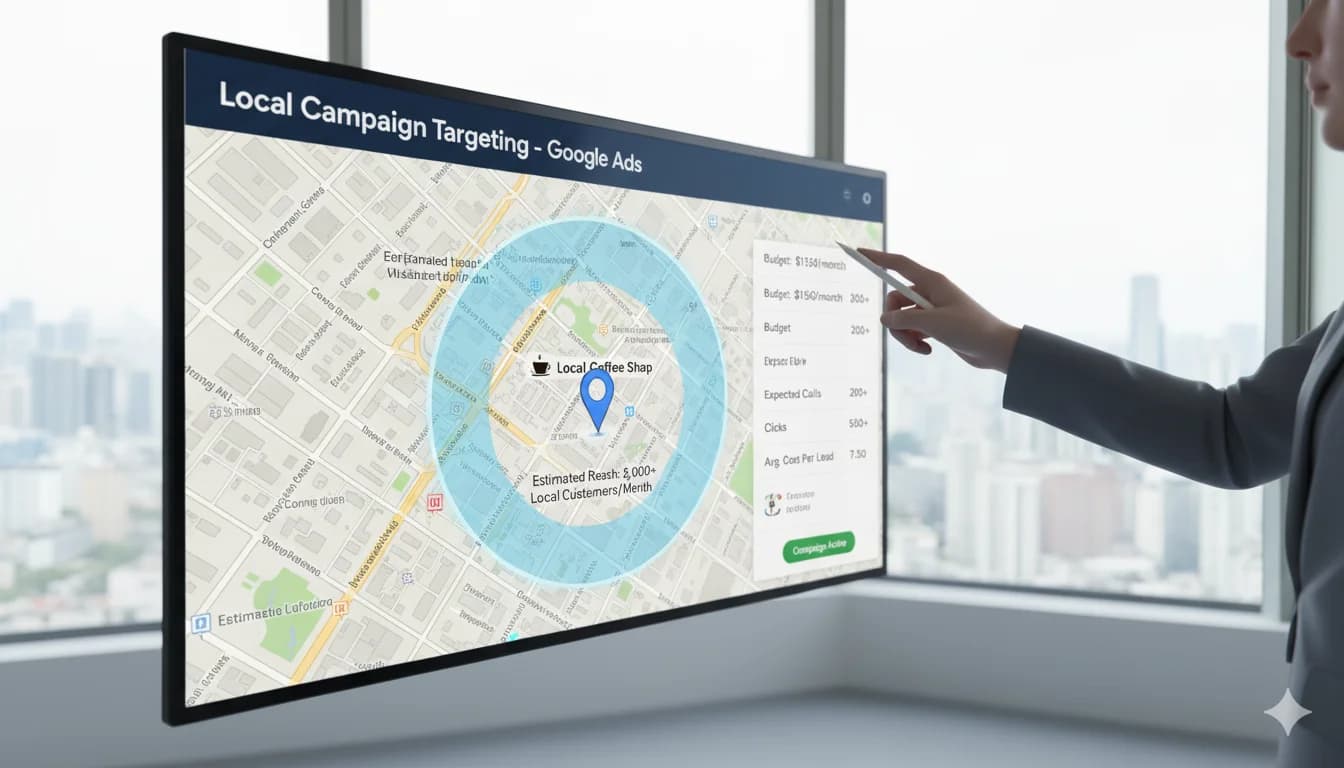
- ✅ Geo-Targeting: Only radius around your business (no waste)
- ✅ Mobile Dominant: most local searches happen on smartphones
- ✅ "Near Me": these searches often lead to a purchase quickly
Local industries that profit:
- Restaurants & cafés
- Retail (boutiques, bookstores, etc.)
- Fitness studios & wellness
- Local service providers (hair salons, dry cleaners, etc.)
- Contractors (electricians, plumbers, etc.)
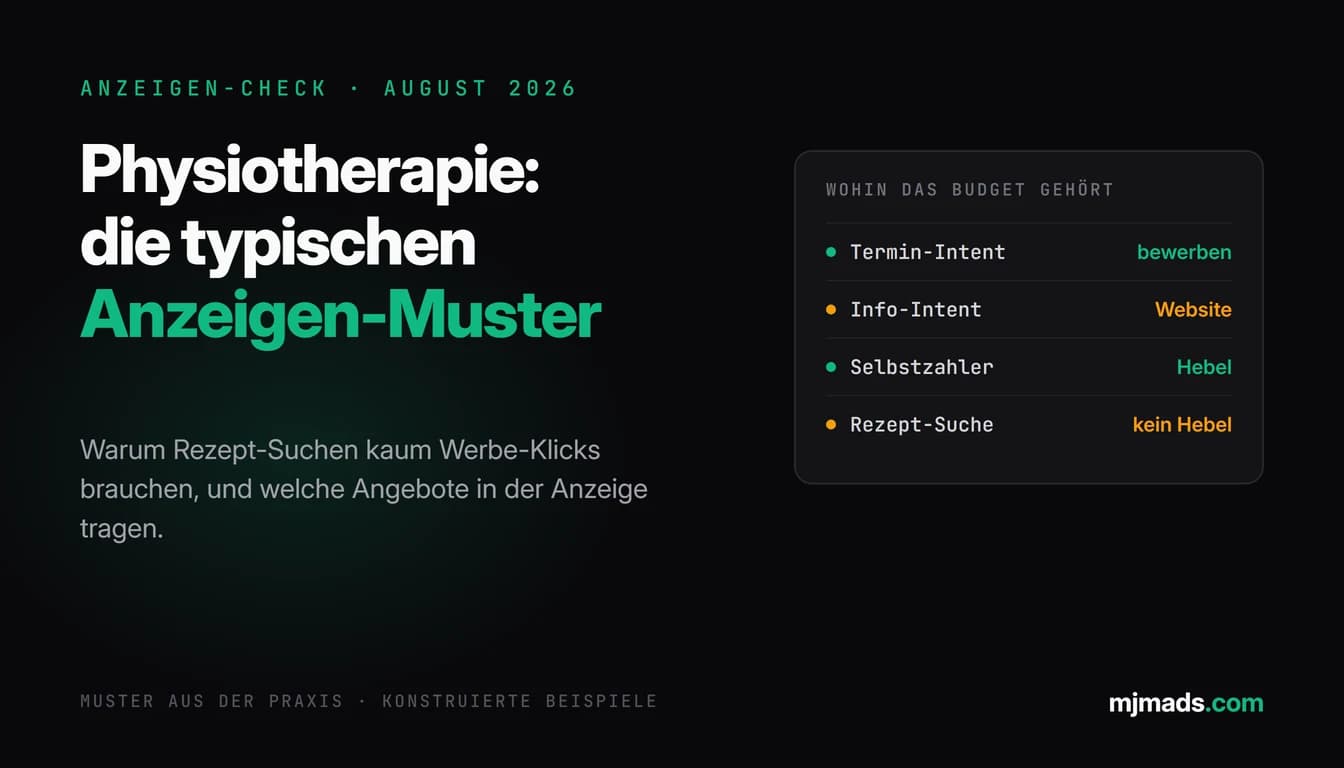
- Medical practices (doctors, dentists, physical therapy)
- Real estate agents (local)
The 8 Local Google Ads Strategies
Strategy 1: Optimize Radius Targeting
Problem: Too broad targeting = budget waste
Example mistake:
Café in Munich Schwabing
Geo-Targeting: "Munich" (entire city)
→ Ads also in Munich-Freimann (15km away)
→ Users won't travel that far for café
→ Budget wasted
Solution: Precise radius targeting
Setup:
Google Ads → Locations → Enter radius
→ Address: Leopoldstraße 100, Munich
→ Radius: 3km (for café/restaurant)
→ Radius: 5-10km (for hair salon/retail)
→ Radius: 20-30km (for contractors)
Distance-based bids:
0-1km: +60% (main area, walk-ins)
1-3km: +30% (by car/public transport)
3-5km: +0% (baseline)
5-10km: -40% (unlikely)
10km+: Exclude
Example calculation:
Average customer value: €25 (café)
Profit margin: 60%
Profit per customer: €15

0-1km: User likely to come (50%) → €7.50 Expected Value → CPC up to €3 ok
5km+: User unlikely (10%) → €1.50 Expected Value → CPC max €0.60
Pro tip: Separate campaigns per radius ring for better control
How tight that radius should be is decided by the location itself. In a valley city like Wuppertal customers move along the axis instead of in a circle, around Duisburg a wide radius quickly pulls in Düsseldorf clicks that are more expensive in my experience, and in Lübeck the season shifts demand more than any radius setting does. I have written those specifics down city by city, so the overview of all locations I actively serve is the quickest way to see how differently the radius logic plays out from one market to the next.
Strategy 2: "Near Me" & Location Keywords
Gold mine: Near-me searches have highest conversion intent!
In my experience:
- A large share of "near me" searches lead to a purchase (!)
- Most search on smartphone
- Many lead to a purchase within 24h
Near-Me Keyword Variants:
"[business type] near me"
"[business type] in the area"
"[business type] [neighborhood]"
"[business type] [city] [district]"
Examples by industry:
Restaurant:
"restaurant near me"
"italian restaurant munich schwabing"
"pizza near me"
"cafe leopoldstraße"
Retail:
"bookstore near me"
"organic market munich"
"sneaker shop schwabing"
Services:
"hair salon near me now"
"dentist munich emergency"
"gym schwabing"
Ad Structure:
Headline 1: "[Service] [Neighborhood]" (Keyword!)
Headline 2: "5 min from [Landmark]" (Orientation)
Headline 3: "Open now | Walk-ins welcome"
Description: "Right at [Subway/Train] [Station]"
Extensions:
- ✅ Location extension (address + map)
- ✅ Call extension (click-to-call)
- ✅ Snippet: "Mon-Fri 8am-8pm open"
Pro tip: Keyword "open now" = extra high intent!
Strategy 3: Google My Business + Google Ads Integration
Reality: GMB (Google My Business) + Ads = power combo!
Why?
- GMB shows hours, reviews, photos
- Integration → location extensions automatic
- Local Pack visibility (map + 3 businesses)
GMB Optimization Checklist:
Basic ✅:
- Name, address, phone (NAP) correct
- Category exact (most important ranking factor!)
- Hours current (incl. holidays!)
- Website link
Advanced ✅:
- 10+ high-quality photos (exterior, interior, team, products)
- Posts weekly (offers, events, news)
- Q&A answered (frequent questions proactively!)
- Attributes (e.g., "Wheelchair accessible", "WiFi", "Card payment")
Reviews ✅:
- Min. 20+ reviews
- Avg 4.2+ stars
- Respond to ALL reviews (even negative!)
- Actively ask for reviews (after purchase/visit)
Google Ads Integration:
Google Ads → Ads & Extensions → Extensions
→ Location extension → Link with Google My Business
Result: Ads automatically show:
- Address + distance ("2.1 km")
- Hours
- Reviews (★★★★★ 4.5/5)
- "Get directions" button
From my practice: ads with location extensions get noticeably more clicks in my accounts than the same ads without them.
Strategy 4: Mobile-First Optimization
Reality: most local searches happen on smartphones!
Mobile Optimization Checklist:
Ads ✅:
- Shorter headlines (mobile shows fewer characters)
- Call extensions prominent (click-to-call!)
- "Get directions" in description
Landing Page ✅:
- Loading time under 2 seconds (critical on mobile!)
- Phone number HUGE (60px+, clickable)
- Address + map above-the-fold
- "Get directions" button (opens Google Maps)
- Hours prominent
- No zoom needed (text min. 16px)
Bid Adjustments:
Google Ads → Devices → Adjust bids
Mobile: +40% (high conversion intent for local!)
Tablet: +10%
Desktop: Baseline
Click-to-Call Optimization:
Campaign only for call conversions:
- Device: Mobile only
- Call extension active
- Ad type: Call-Only Ads
- Schedule: During business hours
Example Call-Only Ad:
Hair Salon Schwabing | Walk-ins Welcome
Appointment free? Call now!
☎️ [CALL: 089-XXXXXXX]
Leopoldstraße 100 | Open today until 8pm
Strategy 5: Time-Based Targeting
Problem: Restaurants are full 12-2pm and 6-9pm. Why run ads at 3am?
Solution: Ads at peak times + shortly before
Example Restaurant:
Hours: 11:30am-2:30pm, 5:30pm-11pm

Ad Schedule:
10am-2:30pm: +50% (lunch search)
5pm-10pm: +60% (dinner search)
2:30pm-5pm: -50% (between times)
10pm-10am: -80% (almost closed/closed)
Example Retail:
Hours: Mon-Fri 10am-8pm, Sat 10am-6pm

Ad Schedule:
Mon-Fri 9am-8pm: +30% (during hours + 1h before)
Sat 9am-6pm: +40%
Sun: Paused (closed)
Evenings after 8pm: -70%
Analysis:
Google Ads → Reports → Time → Day of week
→ See: Which days/times perform best
→ Adjust bids accordingly
Pro tip for 24/7 businesses (emergency services, 24h gyms):
Separate campaign: "Emergency/24h"
Keywords: "dentist emergency", "gym 24h"
Schedule: 24/7, but higher bids at peak times
Strategy 6: Local Events & Seasonality
Strategy: Adjust ad budget to local events & seasons
Example Munich Café (near English Garden):
March-October (beer garden season): +60% budget
November-February (cold, less foot traffic): -40% budget

Oktoberfest (2 weeks): +120% budget
Christmas market (December): +40% budget
Event-specific campaigns:
Campaign: "Oktoberfest 2025"
Period: Sept 20 - Oct 5
Keywords: "restaurant near oktoberfest", "cafe theresienwiese"
Ad: "5 min from Oktoberfest | Quiet alternative"
Seasonal adjustments by industry:
Fashion Retail:
- Sale times (Jan, July): +80% budget
- Pre-Christmas: +100%
Gyms:
- January (New Year resolutions): +120% budget
- May-August (summer body): +60%
- December: -40%
Ice Cream Shops:
- March-September: 100% budget
- October-February: Paused
Setup:
Google Ads → Campaign settings → Start date & End date
→ For seasonal campaigns
Strategy 7: Local Competitor Targeting
Strategy: Bid on nearby competition
When sensible?
- ✅ Competitor has bad reviews (<3.5 stars)
- ✅ You have better offer (price, quality, service)
- ✅ Competitor is far away, you're closer
Example Keywords:
"[Competitor Name]"
"alternative to [Competitor]"
"[Competitor] reviews" (if they're bad!)
"cheaper than [Competitor]"
Ad Text:
Better Alternative to [Competitor]?
[Your Restaurant] - 4.8★ Reviews
Only 500m from [Landmark] | Reserve now
Geo-Conquesting:
Radius around competitor location:
- 500m radius around [Competitor address]
- Ad: "Closer & better: [Your Business]"
- Landing page: Side-by-side comparison (fair!)
Caution:
- Trademark issues possible (brand names)
- CPCs often higher (competitive)
- Only if real USPs present!
Strategy 8: Review Collection & Social Proof
Reality: many people trust online reviews much like personal recommendations!
Goal: Min. 20+ Google reviews, avg 4.5+ stars
Review Collection Process:
1. Timing (important!):
- Restaurants: Right after visit (email/SMS same evening)
- Retail: 24h after purchase
- Services: 24-48h after service
2. Review Request Methods:
Method A: QR Code:
[At counter/table]
QR Code → Direct link to Google Review
Text: "Did you enjoy it? Review us!"
Method B: Email/SMS:
Subject: How was your visit to [Name]?

Hello [Customer],

Thank you for your visit yesterday!
Were you satisfied? We'd appreciate a brief review:
[Link to Google Review]

As thanks: 10% discount on your next visit.

Best regards,
Your Team from [Business]
Method C: Ask directly (in person):
Cashier: "Was everything good? Would you review us on Google?
Here's the link/QR code"
3. Incentivization:
- ✅ "10% discount on next visit" (ok)
- ✅ "Free coffee next time" (ok)
- ❌ "Money for 5-star review" (NOT ok, against guidelines!)
4. Review Management:
- Respond to ALL reviews (even 5-star!)
- Negative reviews: Professional, offer solution
- Response template:
"Thank you for your feedback! We're glad you enjoyed [X].
We'd love to see you again soon!"
Google Ads Integration:
- Seller ratings (automatic from 150+ reviews, avg 3.5+)
- Extensions show stars (★★★★★ 4.5/5)
Effect: visible stars make the ad more credible and, in my experience, lift the click-through rate.
Budget Guidelines for Local Businesses
The click prices below are market observations from the accounts and offers I come across, not an official statistic. How many clicks, calls or bookings actually come out of a budget depends on competition, ad quality and your offer. You measure that in your own account after four to six weeks instead of promising it up front.
By Business Type:
Restaurants/Cafés (small town):
- Budget: €300-€1,000/month
- CPC (market observation): €0.50-€1.50
- What this makes possible: steady visibility in your immediate area during peak hours, plus enough traffic for first ad and keyword tests
Restaurants/Cafés (large city):
- Budget: €800-€2,500/month
- CPC (market observation): €0.80-€2.50
- What this makes possible: visibility across several districts and enough volume to test ads, offers and time of day control in parallel
Retail (local):
- Budget: €400-€1,500/month
- CPC (market observation): €0.30-€1.00
- What this makes possible: presence on product range and brand searches in your catchment area, plus room for seasonal promotions
Gym (local):
- Budget: €600-€2,000/month
- CPC (market observation): €1-€3
- What this makes possible: constant visibility on trial session searches and room to test different offers against each other
Hair Salon/Wellness:
- Budget: €300-€1,000/month
- CPC (market observation): €0.50-€1.50
- What this makes possible: visibility close to home during booking hours and tests of call and appointment booking ads
Contractor (local):
- Budget: €500-€1,500/month
- CPC (market observation): €2-€5
- What this makes possible: presence on emergency and quote searches in your catchment area, plus enough enquiries for a first cost per enquiry measurement
Rule of Thumb: Start with €15-€30/day (€450-€900/month), then scale
Local Google Ads Campaign Types
1. Standard Search Ads
Setup:
- Keywords: [service] + [city/neighborhood/near me]
- Geo-targeting: Radius around location
- Extensions: Location, call, sitelinks
Best for: All local businesses
2. Local Service Ads (LSA)
What: Premium placement for certain industries
Designed for:
- Contractors (plumbers, electricians, etc.)
- Locksmiths
- Moving companies
- Cleaning services
- HVAC
- etc.
Advantages:
- Position ABOVE all other ads
- Pay-per-lead (not per click!)
- Pre-qualified enquiries instead of raw clicks
Setup:
- Register Google Local Services
- License verification
- Background check
- Insurance proof
Important on availability: Local Service Ads only run in certain countries and trades, and the programme badges are not part of it everywhere. For the German market in particular, check inside your own Google Ads account whether your trade and your location are unlocked at all before you plan around them.
Cost per Lead: €15-€50 (depending on industry/city)
3. Performance Max (Local)
Setup:
- Asset group with local signals
- Location extension activated
- Feed with products/services
Best for: Multi-location businesses (chains with multiple locations)
4. Display Remarketing (Local)
Goal: Users who visited website but didn't convert
Setup:
- Audience: Website visitors (last 30 days)
- Geo-targeting: Local radius
- Ad: "Visit us in [neighborhood]!"
Budget: 10-20% of total budget
Performance Benchmarks (Local)
Search Ads:
- CTR: 4-10% (higher than e-commerce due to relevance!)
- Conversion Rate: 5-15% (calls/forms)
- CPC: €0.30-€3 (depending on competition)
Call-Only Ads:
- Call-Through-Rate: 10-25%
- Cost per Call: €2-€10
Local Service Ads:
- CTR: 10-20%
- Cost per Lead: €15-€50
- Lead Quality: High
Conversion Types:
- Calls: 40-60% (highest share!)
- Form inquiries: 20-30%
- Directions: 10-20%
- Website visits: 10-20%
Common Mistakes with Local Google Ads
Mistake 1: Too Broad Geo-Targeting
❌ Problem: Restaurant in Munich Schwabing, targeting "all Munich" ✅ Solution: Radius 3-5km around location
Mistake 2: No Mobile Optimization
❌ Problem: most traffic is mobile, but landing page not responsive ✅ Solution: Mobile-first design, click-to-call prominent
Mistake 3: GMB Not Optimized
❌ Problem: No photos, old hours, no reviews ✅ Solution: Fully optimize GMB (see Strategy 3)
Mistake 4: Ads Outside Business Hours
❌ Problem: Ads run 24/7, but closed at 10pm ✅ Solution: Adjust ad schedule to business hours
Mistake 5: No Location Extension
❌ Problem: Users see ad, but not where you are ✅ Solution: Location extension + GMB integration
Tools for Local Google Ads
Google My Business:
- GMB Dashboard (free) - Posts, photos, reviews
Review Management:
- GatherUp (from €50/month) - Automate review requests
- BirdEye (from €300/month) - Multi-platform reviews
Call Tracking:
- Google Ads Call Tracking (free, built-in)
- CallRail (from €45/month)
Local SEO:
- BrightLocal (from €29/month) - Local SEO audit
- Moz Local (from €14/month) - Citation management
Competitor Analysis:
- SEMrush (from €119.95/month)
- SpyFu (from €39/month)
Conclusion
Local Businesses + Google Ads = Perfect!
Start Checklist:
Week 1:
- ✅ Optimize Google My Business (photos, hours, categories)
- ✅ Collect reviews (goal: 20+ reviews)
- ✅ Google Ads account + conversion tracking
Week 2-3:
- ✅ First campaign: Local keywords + radius targeting
- ✅ Activate location extension + call extension
- ✅ Increase mobile bids (+40%)
Month 2:
- ✅ Time-based bidding (bids at peak times)
- ✅ Call-Only Ads for mobile
- ✅ Display remarketing
Month 3+:
- ✅ Seasonal adjustments
- ✅ Local Service Ads (if available)
- ✅ Continuous review collection
Realistic expectation: How many enquiries come out of this depends on your industry, your catchment area and your offer. The clean way: start with a test budget and measure your cost per enquiry after four to six weeks, instead of counting on fixed lead numbers up front.
FAQ about Google Ads for Local Businesses
What does Google Ads cost for local businesses?
Budget by business type: Restaurants/cafés: €300-€2,500/month (small to large city), €0.50-€2.50 CPC. Retail: €400-€1,500/month, €0.30-€1 CPC. Gyms: €600-€2,000/month, €1-€3 CPC. Contractors (local): €500-€1,500/month, €2-€5 CPC. Minimum: €450/month (€15/day) for meaningful results. Local CPCs are often LOWER than national/e-commerce due to less competition!
How large should my geo-targeting radius be?
Radius by business type: Restaurants/cafés: 3-5km (customers won't travel far for café). Hair salon/retail: 5-10km. Contractors/services: 20-30km. Special services (high ticket): 50km+. Rule of thumb: The lower the ticket value, the smaller the radius. Best practice: Distance-based bids (0-1km: +60%, 5km+: -40%) for optimal budget use. Too broad targeting = budget waste!
What are Local Service Ads and should I use them?
Local Service Ads (LSA) = premium ads for certain industries, appear ABOVE all other ads. They are designed for plumbers, electricians, locksmiths, cleaning, HVAC, moving and similar trades. Advantages: 1) Top position, 2) Pay-per-lead (€15-€50), not per click, 3) pre-qualified enquiries. Requirements: License check, insurance, background check. Important: the programme is not unlocked in every country or for every trade, and its badges are not part of it everywhere, so check availability in your own account first.
How important is Google My Business for local Google Ads?
EXTREMELY important! GMB + Google Ads integration is power combo. Why: 1) Location extensions automatic (address, distance, map), 2) Reviews show (★★★★★), 3) Local Pack visibility (map + top 3), 4) a higher click-through rate with location extensions in my experience. GMB essentials: Correct NAP (name, address, phone), exact category, current hours, 10+ photos, 20+ reviews (avg 4.5+), weekly posts. Without GMB optimization: Wasted potential!
Should I run my ads 24/7?
No! Time-based targeting saves budget and increases ROI. Setup: Ads at peak times + 1h before opening. Example restaurant: 10am-2:30pm (+50% bids, lunch), 5pm-10pm (+60%, dinner), nights -80% or paused. Retail: During business hours +30%, evenings/nights -70%. Exception: 24/7 businesses (gyms, emergency services) - here 24/7, but higher bids at peak times. Analysis: Google Ads → Reports → Time → Optimize by performance.
How do I collect more Google reviews?
Systematic review process: 1) Timing: 24-48h after purchase/visit (still fresh in mind), 2) Methods: QR code at counter, email/SMS with direct link, ask personally, 3) Incentive: 10% discount on next visit (ok), no money for reviews (against guidelines!), 4) Review management: Respond to ALL, even 5-star. Tools: GatherUp (from €50/month), BirdEye (from €300/month). Goal: Min. 20+ reviews, avg 4.5+ stars. Effect: visible stars lift the click-through rate in my experience.
What's better: Desktop or Mobile for local ads?
Mobile! Most local searches happen on smartphones, and many "near me" searches lead to a purchase within 24h. Mobile optimization: 1) Bids: Mobile +40%, 2) Click-to-call prominent (☎️ button), 3) Landing page: Phone number HUGE (60px+), under 2 sec load time, 4) Call-Only Ads for mobile-only campaigns. Desktop has space, but mobile has intent for local searches! Budget split: 70% mobile, 30% desktop.
How do I measure success of local Google Ads?
Most important local metrics: 1) Store visits (Google measures when smartphone comes to store), 2) Calls (call tracking!), 3) Directions (Google Maps clicks), 4) Form inquiries, 5) Cost per conversion (goal: under 20% of avg customer value). Setup: Google Ads conversion tracking + activate store visit conversions. Don't just measure clicks! Local business = offline conversions are most important metric.

Mijo Jurisic
Google Ads consultant & founder of MJ Marketing. Five-plus years of hands-on practice: from a self-taught start to the Google Premier Partner programme with 500+ direct Google Ads clients and €20M+ in managed media spend.
Share this article: