In September 2026, Google upgraded Search campaigns to AI Max. It did not upgrade whole accounts, but individual campaigns: those that used automatically created assets, and those with the campaign-level broad match setting, called the broad match setting from here on. Either setting was enough. According to the Google Ads Developer Blog, the migration ran from 1 to 30 September, rolling out progressively over the whole month. If you are reading this, it is done.
So the question is no longer whether AI Max is coming, but what it changed in your campaigns and what you should check now. Dynamic Search Ads are not affected yet, Google names February 2027 for them. The facts in this article come from the Developer Blog, the Google blog post on the upgrade and Google Ads Help, each linked where it applies. Where I add my own assessment, I say so.
What Google upgraded and what it did not
The upgrade covered two legacy settings in Search campaigns:
- Automatically created assets (ACA): Google generates additional headlines and descriptions from your website and your ads. In AI Max, this feature is now called text customization.
- Campaign-level broad match setting: the option to run all keywords in a campaign as broad match keywords.
In the email to advertisers that Search Engine Roundtable quoted on 7 August 2026, Google talks about campaigns using automatically created assets "and/or" the broad match setting. Campaigns without these settings were not touched. That is the point many summaries miss: there was no switch for the whole account.
According to the Developer Blog, the upgrade happened in place. The campaign stays the same, with its history, and receives the equivalent AI Max settings. Since 3 August 2026, the legacy settings can also no longer be created, not in the interface, not in Google Ads Editor and not through the API.
Dynamic Search Ads (DSA) were not part of the September wave. According to the Developer Blog, they follow their own timeline:
- Since September 2026: in-account banners with a voluntary upgrade to AI Max, found in the campaign settings under the Dynamic Search Ads setting.
- 15 January 2027: reminder to all affected accounts.
- 1 to 28 February 2027: automatic upgrade. New DSA ad groups can no longer be created, and DSA campaigns that have not been upgraded become standard Search ad groups with AI Max enabled.
The Google Ads Help article on Dynamic Search Ads names the same start date. Google has moved the DSA date once already, though: according to the update to the Google blog post from 11 June 2026, the timeline was extended and now starts in February 2027. I plan for February, but I will check again beforehand whether the date still holds.
What AI Max actually changes
According to Google Ads Help, AI Max is not a separate campaign type, but an optimisation layer inside the Search campaign. It has three building blocks:
- Search term matching: AI Max extends reach through broad match keywords and keywordless matching, meaning search queries where Google considers your ads, assets and landing pages relevant, even without a matching keyword. This is controlled at ad group level.
- Text customization: Google creates additional headlines and descriptions from your landing page, your ads and your keywords. According to the Help article on text customization, these assets are refreshed at least every 48 hours and only serve when Google predicts better performance.
- Final URL expansion, called URL expansion from here on: Google sends users to the page on your website that best matches the search query when better performance is likely. URL expansion requires text customization.
Which building blocks are on after the upgrade depends on where the campaign came from. The first two columns come from the Developer Blog, the third from the Help article on setting up AI Max:
| Building block | Previously broad match setting | Previously automatically created assets | AI Max turned on yourself |
|---|---|---|---|
| Search term matching | on | on | on |
| Text customization | off | on | on |
| URL expansion | off | off | on |
Table scrolls sideways
For former broad match campaigns, the Developer Blog says existing brand inclusions and brand exclusions were carried over. New Search campaigns, by the way, start with AI Max turned on according to Google Ads Help. If you create a new campaign, look at the AI Max section on purpose instead of clicking straight through.
Google justifies the move with its own figure: according to Google, Search campaigns using AI Max see on average 7% more conversions or conversion value at a similar CPA or ROAS when all three building blocks are on, compared to using search term matching alone. The footnote says this is based on Google internal data from 2026 for non-retail advertisers. Two things belong with that figure. It is an average across many accounts, not a statement about yours. And the comparison is against search term matching alone, not against a campaign without AI Max. So the figure is mainly an argument for turning on text customization and URL expansion as well.
One detail only affects former broad match campaigns: keyword prioritisation. According to the Help article on the broad match setting, after you disable the setting or move to AI Max, broad match keywords are no longer treated as exact match keywords in prioritisation. If you want to keep that prioritisation, add exact match copies of the relevant keywords. Converting also works, but according to Google it removes the keyword's historical stats, so copy rather than convert. If the standard prioritisation of exact match keywords in AI Max works for you, Google says no action is needed.
How to tell whether your campaign was upgraded
Four places show you where you stand:
- Campaign settings: In the campaign settings there is a dedicated AI Max section with a toggle. If it is on, the campaign runs with AI Max. You will also find the settings for text customization and URL expansion there.
- Search terms report: Search terms that came in through AI Max show AI Max as their match type. If such entries appear from a certain day onwards, that gives you a good indication of the upgrade date.
- Asset overview: According to Google Ads Help, a dedicated column shows whether an asset was added by you or automatically. That is how you find the texts that text customization created.
- API and scripts: If you analyse the account via the API, the Developer Blog says the fields
campaign.aca_migration_date_timeandcampaign.broad_match_migration_date_timehold the exact upgrade time for each campaign.
I could not confirm in Google's documentation whether the upgrade also appears as an entry in the change history. I would not rely on it and would take the date from the search terms report or the API instead.
Which controls you have
AI Max is not an all-or-nothing switch. According to Google Ads Help, you have these levers:
- URL exclusions at campaign level: pages Google should not expand to, such as careers, legal notice, blog or offers you do not want to advertise. According to the setup article, URL exclusions require text customization and URL expansion to be on.
- URL inclusions at ad group level: they define which pages are eligible for an ad group.
- Brand inclusions at campaign and ad group level, brand exclusions at campaign level only. Inclusions at ad group level take precedence over those at campaign level.
- Locations of interest at ad group level, to tie serving to search queries about specific locations.
- Text guidelines (Beta): According to the Help article on text guidelines, up to 25 term exclusions and up to 40 messaging restrictions per campaign. Text customization must be on. This lets you block wording that has no place in your ads.
- Negative keywords: According to the AI Max FAQ, AI Max still respects them. Your keyword exclusions keep working.
- Turning it off: Possible via the toggle in the AI Max section. It turns off all AI Max settings for the campaign. According to the FAQ, all AI Max features stop, including brand exclusions, and Google points out that performance may change. If you turn AI Max back on, your previous settings are kept.
What I could not confirm: whether turning it off brings back the old broad match setting. Since Google has not allowed the legacy settings to be created since 3 August, I would not count on it.
On top of that, the Help articles list four limitations that belong in every decision:
- Pinned assets: According to the FAQ, AI Max does not respect pinned headlines and descriptions when text customization and URL expansion are both on, and the same applies with URL inclusions. If you secure mandatory wording through pinning, you need to know this.
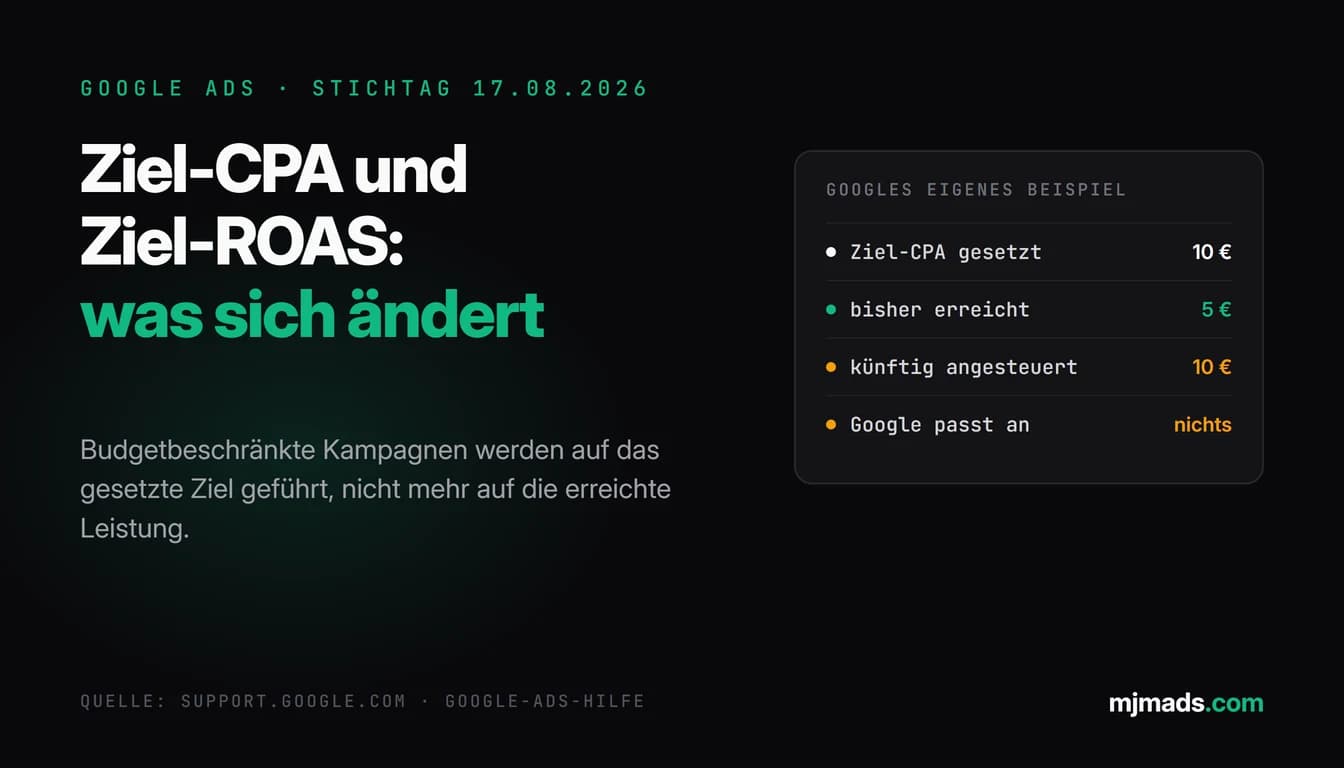
- Bid strategy: According to Google, search term matching, URL expansion and text customization need conversion-based Smart Bidding to work effectively. With manual CPC, the FAQ says AI Max's capabilities are limited. How Google has handled target-based strategies under budget limits since August is covered in my post on the bid strategy deadline of 17 August.
- Budget: "AI Max will not be effective if campaigns are limited by budget," Google writes in its Help documentation.
- Performance Max: If a search query is eligible for both AI Max and a Performance Max campaign, the FAQ says the one with the higher Ad Rank serves.
Evaluating results: search terms report and AI Max data
The most important place to evaluate AI Max is the search terms report. According to the Help article on AI Max reporting:
- Search terms from AI Max show AI Max as their match type. You can also add a source column.
- If you filter on AI Max, other search terms that are not listed individually drop out of the view. Totals then look lower. That is a filter effect, not a loss in performance.
- A separate view of search terms and ad combinations, formerly search terms and landing pages from AI Max, shows the search term, the headline that served and the landing page together.
- From the report, you can add a search term as a negative keyword or a landing page as a URL exclusion.
Google recommends waiting at least two weeks after turning it on before making changes. That matches my experience: the first few days tell you little.
How I read the numbers after that is my practice, not a Google requirement:
- Quality over quantity: More conversions are only good if they are the right ones. For lead campaigns, I check whether enquiries from AI Max search terms close as well in sales as those from keywords. You will not find that in the account, but in the CRM or in a conversation with the sales team.
- Overlaps: I check whether AI Max is picking up search terms that used to run through exact match keywords or Performance Max. In that case it is not new demand, just redistributed demand.
- Brand: If brand terms, your own or competitors', show up in the AI Max search terms, they belong in the brand lists if you do not want them there.
- Landing pages: As soon as URL expansion is running, I check every landing page Google has chosen. In my experience, an enquiry about service A that lands on the page for service B costs more than it brings in.
My checklist for the first 30 days
This is how I work through upgraded campaigns. The order is my practice, not a Google requirement.
- Take stock. Which campaigns were upgraded, from which setting, and which building blocks are on now? The result goes into a table, together with the day AI Max search terms started to appear.
- Check tracking. AI Max optimises for conversions. Double-counted or wrongly weighted conversions send search term matching in the wrong direction.
- Review bid strategy and budget. Does the campaign run on conversion-based Smart Bidding? Is it limited by budget? According to Google, both affect whether AI Max can work effectively at all.
- Decide on URL expansion deliberately. After the upgrade it is off. If you turn it on, do it with URL exclusions for every page where no ad should land.
- Read the generated texts. Former ACA campaigns have text customization on. I read the generated headlines and descriptions and protect everything that must be exactly right through the text guidelines: prices, deadlines, qualifications, legal wording.
- Set brand lists. Include or exclude your own brand and competitor brands, depending on your strategy.
- Secure prioritisation. For former broad match campaigns, add the most important keywords as exact match copies if the old prioritisation mattered to you.
- Check the search terms report weekly. Filter on AI Max, exclude unsuitable terms, exclude unsuitable landing pages as URLs. In the first two weeks, do only that, no bigger rebuilds.
- Evaluate after about 30 days. Compare cost, conversions and lead quality of the AI Max search terms against the rest of the campaign. Then decide: keep, restrict or turn off. With low volume this takes longer, and then waiting beats guessing.
- Plan DSA before February 2027. If you still run Dynamic Search Ads, decide beforehand whether to upgrade voluntarily or wait for the automatic upgrade.
For a clean comparison, Google offers AI Max experiments: a control arm without AI Max and a trial arm with it. The Help article lists exclusions, though, including campaigns with text customization already on, with a portfolio bid strategy or shared budget, targeting Display, and campaigns that already have an experiment running. That rules out an experiment for former ACA campaigns, because text customization is already on there.
If you want a second pair of eyes when taking stock: the Google Ads audit (from €500) checks exactly this kind of change, and in ongoing Google Ads management (from €1,000 per month) the weekly look at the search terms report is part of the job anyway.
My take: test in a controlled way instead of accepting blindly
The idea behind AI Max is not new. Covering search queries nobody created a keyword for was already the job of Dynamic Search Ads, and Google explicitly describes AI Max in the FAQ as an evolution of them. What is new is that Google no longer offers the upgrade, it carries it out.
In my practice, the benefit varies a lot. In accounts with clean tracking, a clear page structure and enough conversions, the extended matching can find demand that keywords miss. In accounts with thin data, many similar service pages or claims that must be exactly right, it tends to create wasted spend and ad texts you would never have written yourself, in my experience.
So my position is this: the upgrade is neither a reason to panic nor a reason to celebrate. It is a reason to take a thorough look at the affected campaigns, set the controls and then decide based on data. How I deal with Google's automation in general, meaning what I leave to Google and what I control myself, is covered in my post on AI and automation in Google Ads 2026.
Sources
- Google Ads Developer Blog, migrating campaign-level broad match and automatically created assets to AI Max (12 Aug 2026): ads-developers.googleblog.com
- Google blog, upgrading Dynamic Search Ads to AI Max (15 Apr 2026, updated 11 Jun 2026): blog.google
- Google Ads Help, how AI Max works: support.google.com/google-ads/answer/15910187
- Google Ads Help, setting up AI Max: support.google.com/google-ads/answer/15909989
- Google Ads Help, AI Max FAQ: support.google.com/google-ads/answer/15913066
- Google Ads Help, AI Max reporting: support.google.com/google-ads/answer/16470459
- Google Ads Help, campaign-level broad match setting: support.google.com/google-ads/answer/13389795
- Google Ads Help, text customization: support.google.com/google-ads/answer/11259373
- Google Ads Help, text guidelines (Beta): support.google.com/google-ads/answer/16489313
- Google Ads Help, AI Max experiments: support.google.com/google-ads/answer/16450159
- Google Ads Help, Dynamic Search Ads: support.google.com/google-ads/answer/2471185
- Search Engine Roundtable, report on Google's upgrade email (7 Aug 2026, secondary source): seroundtable.com
As of: 29 September 2026