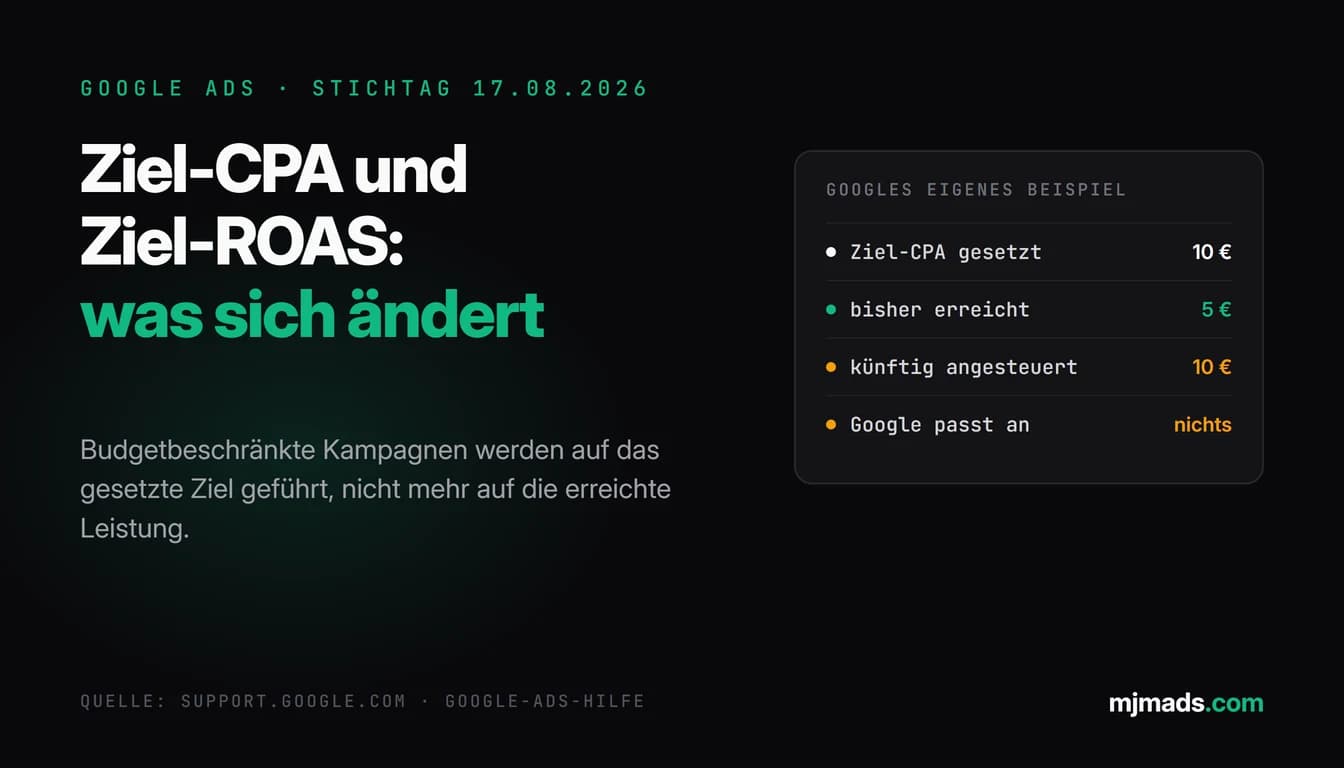
On August 17, 2026 Google is changing how target-based bidding strategies deal with the budget. In short: campaigns with a bid target such as Target CPA, Target ROAS or Target CPC (Demand Gen only) that are limited by their budget could exceed their targets until now, and exactly that head start will in future be aligned more consistently with the bid target you set.
Google's own example makes it tangible: a campaign with a Target CPA of 10 euros that actually achieves a CPA of 5 euros will be aligned more closely with the 10 euros on file after the update. So if you have been sitting below your target for months and take that for granted, read this article to the end. All facts come from the Google Ads Help article on changes to target-based bidding strategies and from the associated FAQ. Where I add my own read, I say so.
What changes on August 17, 2026
Until now the rule was: a budget-limited campaign with a target could exceed that target. Google describes this in the Help as a cause of performance fluctuations, because the values actually achieved could shift whenever budgets were adjusted. From August 17, 2026 such campaigns will be aligned more consistently with the bid target you set, including when the budget is adjusted.
The direction matters here. For Target CPA, exceeding the target means: cheaper than the value on file. For Target ROAS it means: higher than the value on file. So the update does not take away something that was broken, it turns the target value you entered into the governing figure. Anyone who regularly landed below their Target CPA had a quiet bonus that is no longer guaranteed in that form.
What Google explicitly does not do: adjust targets and budgets automatically. Nothing is being switched off either, no bidding strategy disappears. The decision about what happens to the target value on file stays entirely with the advertiser. If you want to refresh the basics of the individual strategies first, I sorted them out in the complete guide to Google Ads bidding strategies.
Who is affected and who is not
The restriction is the most important sentence in the whole announcement, and it gets lost in many summaries: this affects only campaigns with a target-based bidding strategy that are limited by budget. Google names Target CPA, Target ROAS and Target CPC here, with Target CPC applying only to Demand Gen campaigns. Not all Smart Bidding campaigns, not all accounts, not every campaign with a target value across the board.
Limited by budget means: the campaign could serve more than the daily budget allows. Demand in the auction is larger than the money released, so the brake is the budget and not the bid target. Exactly this constellation is what produced the effect of a campaign exceeding its target. A campaign whose budget is never exhausted does not belong in this group.
On August 17 the behavior changes for these campaign types: Search, Shopping, Performance Max, Demand Gen and Travel. The FAQ page adds Demand Gen campaigns that are managed in Display & Video 360.
Display and Hotel campaigns need a caveat, and it is easy to miss: Google writes that the new bidding behavior is already available for them. So there is nothing to wait for on August 17, the behavior described here is already in effect in those campaigns. Anyone running Display or Hotel campaigns should therefore compare target value and actual performance now instead of waiting for a change on the key date. Not affected at all are app campaigns, video campaigns focused on reach and video view campaigns.
Two things Google names explicitly as not affected, and they take a lot of the unease out of this topic: manual CPC and the "Target impression share" strategy. Anyone steering with those does not have to touch anything on August 17.
And now the practical part: you do not have to guess. Since July 6, 2026 the bid target adjustment tool has been available in the Google Ads account. It shows the affected campaigns and their previous performance. What it says there is more binding than any assessment from a blog article, mine included.
Why this is more than a technical footnote
From my own practice I know two patterns that make this change uncomfortable. Both are my assessment, not a statement from Google.
First: in many accounts the Target CPA field holds a number that was set months or years ago. Back then it was plausible; since then the margin has changed, the offer, the competition, the conversion definition. As long as the campaign came in well below the target, this never stood out, because the result looked good. If the target value becomes the steering figure more consistently in future, an old gut number suddenly turns into an effective specification.
Second: many accounts run the target value and the actual performance as two separate worlds. The report holds the real CPA, the campaign setup holds the target value, and nobody puts the two side by side. That is exactly the homework now. How I set up reports so that gaps like this show up is something I described in the guide to Google Ads reports and analysis.
What I explicitly do not claim: that click prices will rise, that conversions will collapse or that revenue will shift by a specific percentage. I have no solid figures on that, and Google names none in the Help. Anyone promising you a concrete percentage for the impact right now is guessing.
The five options Google names, and when each one fits
Google names five options for reacting to the change. The description of the options comes from the Help; the recommendation on when each one fits is my view from practice.
Keep the current target. No change is needed if the target still reflects your business goals. In other words: you know what a conversion is worth, and the Target CPA reflects that. Then it is no problem if the campaign moves closer to that number, because the number is right. This option is the correct one for everyone who set their target deliberately and reviewed it recently.
Align the target to current performance via "Apply". Google offers a button that sets the target value to the performance actually achieved. Fits if the current performance is what you want to keep and the value on file only exists for historical reasons. In Google's example this would be the step from a Target CPA of 10 euros to 5 euros, because 5 euros is what the campaign actually delivers. In my view this is the most obvious route for everyone who is happy with the status quo and does not want a rebuild.
Change the target to a custom value. Fits if neither the old value nor the current performance is the right answer. A typical case from my practice: the calculation has changed, or you are deliberately steering between volume and efficiency. Then you recalculate the target value and enter it instead of taking one of the two values on offer.
Switch the bidding strategy. Google names switching to "Maximize conversions" or "Maximize conversion value" as a way out of steering by a fixed target. In my view this fits if a fixed target value is not what you want any longer and you would rather take everything you can get within the budget. How I distribute budget between campaigns without wrecking the learning phase is in the post on Google Ads budget allocation.
Increase the budget. Raising the daily budget is Google's fifth option, and it is not an emergency fix: the point Google makes is that campaigns can be scaled after the change without the performance fluctuations that budget adjustments used to bring. Fits if the target value is right, the campaign really is limited by budget and you want more volume at the same efficiency.
One thing is missing from Google's list, and that is deliberate: not looking at all. It is allowed, but it is a decision, not a pause. Anyone doing nothing decides that the old value on file will apply more precisely in future, without having checked whether it still fits.
My checklist before August 17
This is how I would work through it. For a small account that is one to two hours, for a large one half a day.
- Open the tool. Call up the bid target adjustment tool in the Google Ads account and export or screenshot the list of affected campaigns. That is your working basis, not your gut feeling.
- Check tracking before you touch targets. A target value is only as good as the conversion data underneath it. Double-counted conversions or missing values make every target adjustment worthless. The basics are in the guide to conversion tracking.
- Put target and performance side by side. For every affected campaign, write down the target value on file and the value actually achieved. Choose the period deliberately, at least the last 30 days, and keep the conversion delay in mind: the most recent days are not complete yet.
- Re-check the calculation. What may a conversion cost today? Not what it was allowed to cost last year. Only that number decides which of the five options fits.
- Decide per campaign and document it. Date, old value, new value, reason. That sounds like bureaucracy, but it is the only way to still know in September what you changed in August.
- Do not rebuild everything at once. Adjusting target values while changing budgets, structure and ads in the same move makes the later evaluation impossible. For Shopping and feed campaigns that goes double, because the feed comes in as an extra variable.
- Schedule the review. August 17 is a Monday. I would put the review in the week before, not on the weekend immediately preceding it.
If you do not want to do this yourself or need a second pair of eyes on the account: that is exactly what the Google Ads audit is for (from €500), and ongoing Google Ads management covers changes like this anyway. Because I work in Google Ads accounts every day, I follow announcements like this one closely, which helps with key dates like this one.
What happens afterwards and how to spot it
After August 17 nothing visible happens on its own. Google adjusts neither targets nor budgets automatically, your entered values stay as they are. What changes is how closely the campaign aligns with exactly those values.
The signal I would watch is the gap between the target value and the actual value. If a campaign with a Target CPA of 10 euros sat at 5 euros for months and that gap narrows after the change, the update is taking effect. For Target ROAS the same applies in the other direction: a real ROAS well above the target moves closer to the target.
Three things I would stop myself from doing. First: turning three days into a trend. Conversion delay and the weekly rhythm need time, and half of August is holiday season, which distorts comparisons further. Second: counter-steering in a hurry. Every target change is an intervention that the system has to process first. Third: confusing the effect of the change with the effect of your own edits. Anyone who changes the target value and raises the budget on the same day cannot say afterwards which one worked. The change history in the account is your best friend here, because it records both interventions with a date.
And if you find that the numbers in the account do not match the reality of the business anyway: then the target value is not the actual problem, the data foundation is. That is worth clearing up before August 17, not after.
Sources
- Google Ads Help, changes to target-based bidding strategies: support.google.com/google-ads/answer/17061251
- Google Ads Help, FAQ on the changes to target-based bidding strategies: support.google.com/google-ads/answer/17125145
As of: August 2026