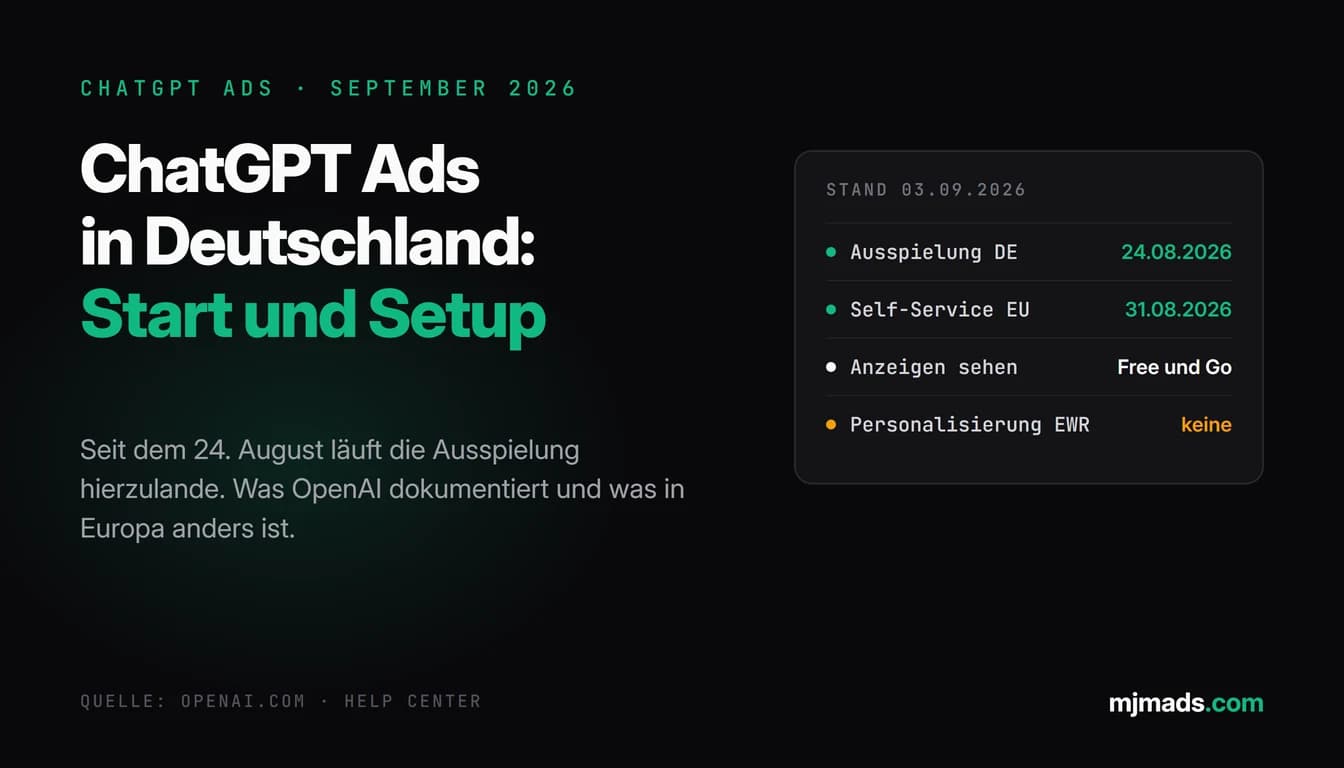
Since 24 August 2026, ads have been running in ChatGPT in Germany too, and since 31 August you can book them yourself in the Ads Manager. For online shops the more interesting news is a different one: OpenAI offers campaigns built from product feeds, and OpenAI officially announced a dedicated Shopify app on 16 September. Both sound like Google Shopping inside the chat. For shops in Germany it is not quite there yet, and that is exactly what this article is about.
I will show you what OpenAI has documented as of 29 September 2026, which parts already apply to a shop in Germany today and where the documentation is still open. The basics of the channel itself, such as who sees the ads and how the auction works, are in the overview of ChatGPT Ads in Germany. All sources are linked at the end.
What is confirmed as of today
The timeline for shops is short:
- 2 June 2026: According to a report by PPC Land, feed management in the ChatGPT Ads Manager becomes publicly visible. According to an industry source cited by Digiday, the system handles up to one million items per advertiser. That is a media report, not OpenAI documentation.
- 24 August 2026: HORIZONT and OnlineMarketing.de report the first placements in Germany.
- 31 August 2026: Self-service in the Ads Manager opens in all 31 European markets. The availability help page lists Germany as available.
- 16 September 2026: OpenAI announces the integrations with HubSpot as its first CRM partner and Shopify as its first ecommerce partner.
Important for context: product feed campaigns are documented in the Help Center, but OpenAI itself still calls them a beta there. According to OpenAI, products from your feed only appear in ads during this phase, not in ChatGPT's regular answers.
How product ads work in ChatGPT
According to the Help Center, the process in the Ads Manager has seven steps. In short, there are three levels:
- Create and fill the feed. In the Ads Manager under Tools and Feeds. You can import via CSV or TXT upload, via a hosted URL or via SFTP. Depending on feed size, processing takes a few minutes to a few hours, and errors show up in the Upload History.
- Campaign of the type Product feed. You set budget, objective and targeting as with any campaign. According to OpenAI, new feed campaigns only allow geographic targeting and exclusions at country level. According to the developer docs, mode, objective and linked feed cannot be changed after creation.
- Ad group with product filters and one ad template. With filters you decide which products the group may use, according to the developer docs for example by brand, category or price range. One template per ad group is enough, and it serves as the base for all products that pass your filters. In the Ads Manager you currently only select the image field in the template, and you check titles, descriptions and landing pages in the preview.
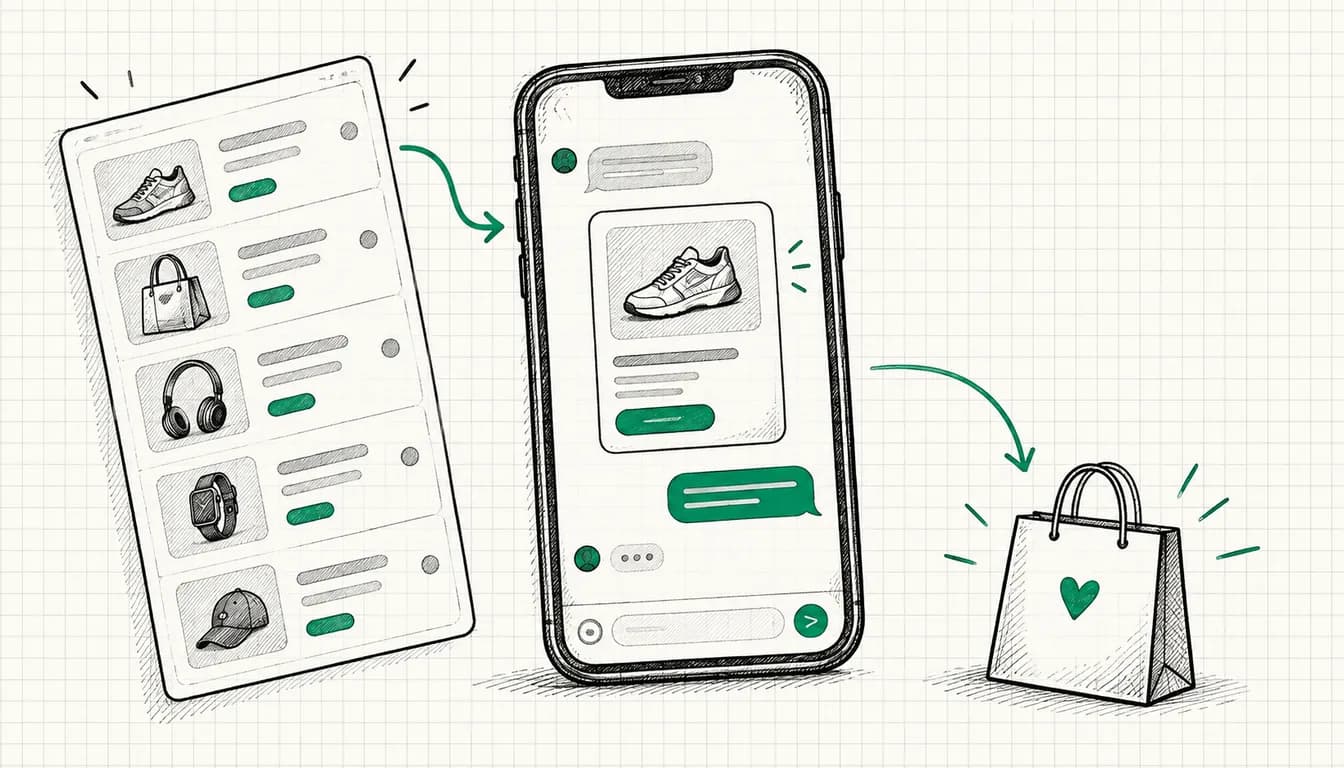
According to OpenAI, the finished ad shows product image, title, stars, price, sale price and your brand. That is closer to a Shopping ad than to the regular ChatGPT ad with title, text and image.
For bidding, "Maximize results" is preselected in new ad groups: ChatGPT Ads adjusts bids automatically to get as many clicks or conversions as possible within budget, depending on the campaign objective. According to the developer docs, feed campaigns can run on impressions, clicks or conversions.
If the filters are not enough, you add your own labels in the feed in the ads_metadata field, for example a bidding tier or a product line, and filter by them. OpenAI points out explicitly that a label only selects products. It does not control where the ad is delivered.
One detail that confuses people on their first look at the reports: the Products tab is a reporting view, not a list of your feed. According to the Help Center, a product only appears there once it has delivery data from an active campaign, up to seven hours after the start. Impressions, clicks and click-through rate refresh roughly every 15 minutes, spend with a delay of about seven to eight hours. How many products can actually serve is shown beforehand in the product count when you create the ad group.
What your feed needs at minimum
OpenAI uses its own specification for product feeds. Every row needs nine required fields:
| Field | Content |
|---|---|
| item_id | stable ID per item or variant, never reuse it |
| title | product name, for variants including the variant |
| description | factual product description as plain text |
| url | product page, ideally with the variant preselected |
| brand | brand as shown on the product page |
| seller_name | name of the seller |
| image_url | direct main image of the variant |
| availability | in_stock, out_of_stock, pre_order, backorder or unknown |
| price | regular price with currency code |
On top of that come details from the specification that are easy to miss:
- Price format. Amount with a decimal point, one space, three-letter currency code, no thousands separators. OpenAI's own example is 79.99 USD. A sale price goes into sale_price and must be lower than the regular price.
- Set availability explicitly. An empty or unrecognised value gets the row rejected. If you do not know the stock level, write unknown explicitly.
- Ad eligibility per item. With is_ads_eligible you decide which products are processed for ads. According to the Help Center, feeds you create in the Ads Manager are eligible by default unless an item is explicitly set to false. That is your lever for excluding products you are not allowed to or do not want to advertise, but only in the OpenAI format: with a Google-compatible feed, an uploaded is_ads_eligible does not override the registered feed settings, according to the specification.
- Freshness. According to the Help Center, items expire after two weeks. A one-off CSV upload is therefore not enough, and OpenAI recommends a hosted URL or automated SFTP uploads. Price and stock changes for individual items can also be pushed through a delta interface.
- Public pages. Product pages and images must be publicly accessible via HTTPS.
And then the point that matters most for German shops: the commerce specification says the standard upload "currently targets the US". The Ads feed guide in the developer docs uses a US catalogue in US dollars in its examples, but provides for countries and currency to match your catalogue and ad account. Whether feeds are served in Germany is not confirmed as of 29 September 2026. You clarify that in the Ads Manager or with OpenAI support before you put time into the feed.
If you already maintain a Merchant Center feed for Google: OpenAI knows a Google-compatible format with columns such as id, title, link and image_link. According to the specification, however, you only use it after OpenAI has confirmed it for your feed, and only as a TXT, TSV or CSV file. XML feeds, which many shop systems output for Google, are not supported on this path. Simply uploading the Google file and hoping for the best is therefore not the documented route.
Shopify: the app and the route without the app
According to the Help Center, OpenAI's "ChatGPT Ads" app connects your Shopify catalogue and your shop's commerce events to the Ads Manager. You install it, connect an existing ad account or create one, activate the OpenAI Pixel for Shopify and wait until the catalogue has synced into the product feed. After that you create campaigns directly in Shopify: name, budget, optimisation event, targeting and the choice between all products, a single product or the website. Results sit in the Analytics tab in Shopify, the details in the Ads Manager. According to OpenAI, the Ads Manager can do more than the app, for example freely chosen budgets instead of fixed steps.
On availability, the statements contradict each other:
- In its announcement of 16 September, OpenAI wrote that the app was available to US merchants immediately and would come internationally from 23 September to the markets where ChatGPT Ads run.
- The Help Center article on the app, last updated at the end of September, still says: available to Shopify customers in the US, further markets "shortly".
- According to PPC Land, OpenAI told a German merchant that the app would come to Germany "soon".
My position therefore: as of 29 September 2026, the Shopify app in Germany is not confirmed. If you can already install the app in your Shopify admin, check when connecting whether your ad account and your target market are offered, and do not rely on the announcement alone.
The route without the app: you export your catalogue from Shopify into the OpenAI feed format, create it as a feed in the Ads Manager and keep it current via a hosted URL. You connect the pixel or Conversions API separately. That is more manual work and depends on the same open question as above, whether your feed is served in Germany. What works as documented regardless of that is the regular ChatGPT ad with title, text, image and a landing page that points to a category or a single product. For a first test with a few strong products, that is a workable way in.
Tracking: measure orders, not clicks
For shops, the standard event order_created is the core. It carries the type contents and optionally amount and currency, and currency is mandatory as soon as you send an amount. checkout_started works as an intermediate step in reporting.
If you want to optimise a campaign for conversions, OpenAI requires exactly one active standard conversion event when you create it. According to the Help Center, billing runs either per valid click (oCPC) or per thousand impressions (oCPM), your choice, never per conversion. Objective and event cannot be changed afterwards, so decide beforehand what the campaign should learn on. For a shop that is almost always the order with its value.
How to set up the pixel and Conversions API, pass the click reference through cleanly, allow the OpenAI crawlers on your landing pages and handle consent is covered step by step in the article ChatGPT Ads tracking: setting up the pixel and Conversions API. With the Shopify app, according to OpenAI, the OpenAI Pixel for Shopify takes over this part.
Which product ranges are allowed
OpenAI's ad policies, last updated on 10 September 2026, focus on consumer goods in the initial phase: household and lifestyle, local services, travel and entertainment, digital products and education. For shops this means: home, kitchen, fashion, hobbies or gifts fit into this grid. Explicitly not allowed are, among others:
- alcohol above 0.5 percent as well as tobacco, e-cigarettes and nicotine products
- adult content and sexual health products. Lingerie, underwear and swimwear can be allowed in a normal fashion context.
- counterfeits and imitations of other brands
- intoxicating substances. CBD products without THC for external use can be allowed.
- gambling
- wellness products with unsupported health claims, such as diet pills or detox programmes
Regulated medical products and health services are restricted, and according to OpenAI ads for health services outside the US are generally not allowed. General fitness and wellness products without medical claims, on the other hand, can be allowed. According to OpenAI, shops whose core business falls into a restricted or prohibited category, such as weapons, can be excluded altogether.
The point mixed product ranges underestimate: OpenAI requires an ad to be consistent all the way to the landing page. An approved ad must not lead to a page that introduces disallowed content. OpenAI's own example is a food delivery ad that links to alcohol delivery. Applied to a delicatessen shop with a wine section, I would take the wines out of the campaigns via is_ads_eligible or product filters and check whether the advertised product pages prominently cross-sell alcohol.
Do the policy check before building the feed, not afterwards. Which conversation triggers, context hints and objectives suit shops is collected on the page ChatGPT Ads for online stores.
Next to Google Shopping and Performance Max, not instead
Google Shopping and ChatGPT product ads look similar but come from different directions. According to Google, Shopping ads use the product data from Merchant Center instead of keywords to match them to relevant searches, and they run through Shopping or Performance Max campaigns. Performance Max draws on the entire Google inventory, from Search through YouTube to Maps. The trigger is a search: someone types in a product or a category.
In ChatGPT the trigger comes out of the conversation. Someone describes a situation, compares options or looks for a gift, and the ad appears below the answer if your product fits the topic. According to OpenAI, personalised ads are not yet available in the EEA and Switzerland, which is why custom audiences are not supported for campaigns targeting the EEA or Switzerland. A remarketing logic as you know it from Google does not exist there.
| Google Shopping and Performance Max | ChatGPT product ads | |
|---|---|---|
| Data source | Merchant Center feed | own feed in the OpenAI format |
| Trigger | search query, with Performance Max the entire Google inventory | context of the ongoing conversation |
| Maturity | established | beta according to OpenAI |
| Status for Germany | available | feed delivery and Shopify app not confirmed |
Table scrolls sideways
My recommendation from working with Google accounts: do not take budget from Shopping or Performance Max for a ChatGPT test as long as those campaigns measurably pay off. Plan a separate, limited test budget with fixed stop criteria. How the two channels relate in principle is broken down in the comparison ChatGPT Ads vs. Google Ads. The Google side for shops is covered in the guide Google Ads for online shops.
When this can pay off for your shop
There are no reliable figures yet. OpenAI writes itself that there are no benchmarks across advertisers, industries or campaign types. That feed ads are among the strongest ads in the programme according to the Help Center is a vendor statement without published figures. What follows is therefore my assessment, not a forecast.
Rather a fit:
- Products that people seek advice on before buying: mattresses, prams, tools, outdoor gear, gifts with a fixed budget. Exactly the kind of questions people ask a chat.
- Product ranges that clearly sit within the permitted consumer categories.
- A clean, automatically updated feed and tracking that measures orders with their value.
- Enough margin to carry a test at click prices for which there is no official guidance in euros yet.
Rather wait:
- Product ranges in restricted categories, or mixed ranges you cannot separate cleanly.
- Shops without conversion tracking. Without measured orders you are only evaluating clicks.
- Shops whose Google Shopping account is not profitable yet. In my experience, the lever there lies in the existing channel first.
Conclusion
Product ads from the feed are documented in ChatGPT and technically close to Google Shopping. For shops in Germany, however, two things are open as of 29 September 2026: feed delivery in the German market and the Shopify app. What you can already do today: check your range against the policies, prepare the nine required fields, set up tracking on order_created with value and test small with regular ads to product pages while Google Shopping keeps running unchanged.
If you do not want to build this yourself: I usually set up ChatGPT Ads for your shop including tracking within seven days of the order and account access, setup from €1,500, ongoing management from €1,000 a month. If you want to know beforehand whether your range and setup fit at all, there is the audit from €500. ChatGPT Ads is a new channel for me too. What I bring is experience with auctions, product feeds and tracking from Google Ads, not a guarantee of results.
Sources
- OpenAI Help Center, "Create Campaigns from Product Feeds": help.openai.com/en/articles/20001268
- OpenAI Help Center, "Set up ChatGPT Ads for Shopify": help.openai.com/en/articles/20001523
- OpenAI Help Center, "Frequently asked questions": help.openai.com/en/articles/20001220
- OpenAI Help Center, "Ads Manager Availability": help.openai.com/en/articles/20001245
- OpenAI Help Center, "Conversion-optimized Campaigns": help.openai.com/en/articles/20001412
- OpenAI Developers, "Product Feeds": developers.openai.com/ads/product-feeds
- OpenAI Developers, product file specification: developers.openai.com/commerce/specs/file-upload/products
- OpenAI Developers, standard events: developers.openai.com/ads/supported-events
- OpenAI Developers, custom audiences: developers.openai.com/ads/custom-audiences
- OpenAI, "Reimagining advertising with AI", 16 September 2026: openai.com/index/reimagining-advertising-with-ai
- OpenAI, "ChatGPT Ads expands across Europe": openai.com/index/chatgpt-ads-expands-across-europe
- OpenAI, Ad policies, as of 10 September 2026: openai.com/policies/ad-policies
- Google Ads Help, Shopping ads: support.google.com/google-ads/answer/2454022
- Google Ads Help, Performance Max: support.google.com/google-ads/answer/10724817
- PPC Land, "ChatGPT Ads Manager now supports product feeds after checkout is killed": ppc.land
- PPC Land, "OpenAI lets advertisers run ChatGPT ads from HubSpot and Shopify": ppc.land
- HORIZONT, "OpenAI: ChatGPT zeigt Werbung jetzt auch in Deutschland": horizont.net/medien/nachrichten
- OnlineMarketing.de, "ChatGPT Ads ab jetzt in Deutschland": onlinemarketing.de/technologie
As of: 29 September 2026