Starting point: A large share of Google searches have local intent, and "near me" searches have grown strongly in recent years. That is exactly why local businesses benefit so much from Google Ads.
Why Google Ads is Perfect for Local Businesses
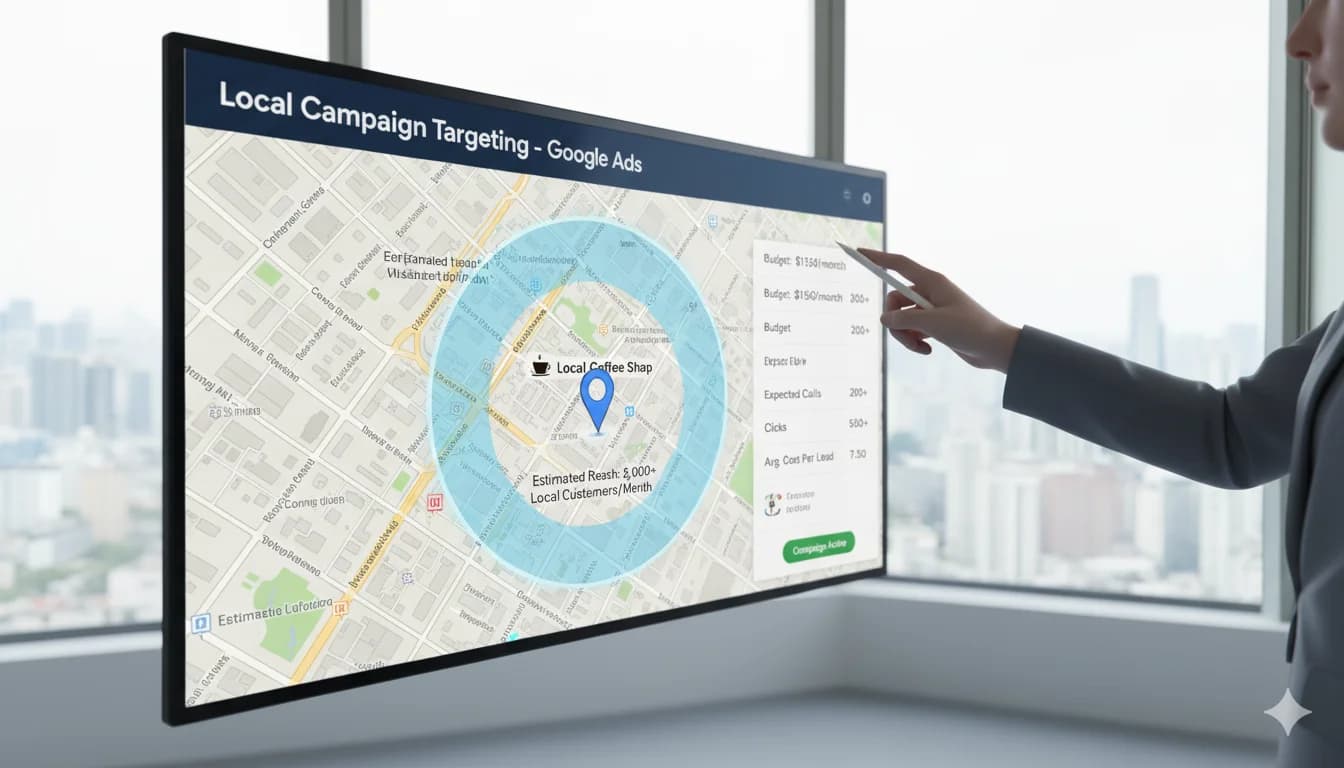
Worked example, a café in Munich (illustrative, not a real case study):
- Budget: €450/month
- CPC: €0.80
- Goal: additional guests from the immediate neighbourhood
- Metric to steer by: cost per guest, measured through calls, reservations and direction requests
Why local Google Ads works:
- High Intent: "restaurant munich downtown" = going to eat now
- Geo-Targeting: Only radius around your business (no waste)
- Mobile Dominant: most local searches happen on smartphones
- "Near Me": these searches often lead to a purchase quickly
Local industries that profit:
- Restaurants & cafés
- Retail (boutiques, bookstores, etc.)
- Fitness studios & wellness
- Local service providers (hair salons, dry cleaners, etc.)
- Contractors (electricians, plumbers, etc.)
- Medical practices (doctors, dentists, physical therapy)
- Real estate agents (local)
- Driving schools (typical ad patterns in the driving school ad check)
The 8 Local Google Ads Strategies
Strategy 1: Optimize Radius Targeting
Problem: Too broad targeting = budget waste
Example mistake:
Café in Munich Schwabing
Geo-Targeting: "Munich" (entire city)
→ Ads also in Munich-Freimann (15km away)
→ Users won't travel that far for café
→ Budget wasted
Solution: Precise radius targeting
Setup:
Google Ads → Locations → Enter radius
→ Address: Leopoldstraße 100, Munich
→ Radius: 3km (for café/restaurant)
→ Radius: 5-10km (for hair salon/retail)
→ Radius: 20-30km (for contractors)
Distance-based bids:
0-1km: +60% (main area, walk-ins)
1-3km: +30% (by car/public transport)
3-5km: +0% (baseline)
5-10km: -40% (unlikely)
10km+: Exclude
Example calculation:
Average customer value: €25 (café)
Profit margin: 60%
Profit per customer: €15

0-1km: User likely to come (50%) → €7.50 Expected Value → CPC up to €3 ok
5km+: User unlikely (10%) → €1.50 Expected Value → CPC max €0.60
Pro tip: Separate campaigns per radius ring for better control
How tight that radius should be is decided by the location itself. In a valley city like Wuppertal customers move along the axis instead of in a circle, around Duisburg a wide radius quickly pulls in Düsseldorf clicks that are more expensive in my experience, and in Lübeck the season shifts demand more than any radius setting does. I have written those specifics down city by city, so the overview of all locations I actively serve (in German) is the quickest way to see how differently the radius logic plays out from one market to the next.
Home care is a special case: relatives in other cities search too, so the home care ad check treats the location option differently for client acquisition and recruiting.
Strategy 2: "Near Me" & Location Keywords
Gold mine: In my experience, near-me searches carry especially high purchase intent!
In my experience:
- A large share of "near me" searches lead to a purchase (!)
- Most search on smartphone
- Many lead to a purchase at short notice
Near-Me Keyword Variants:
"[business type] near me"
"[business type] in the area"
"[business type] [neighborhood]"
"[business type] [city] [district]"
Examples by industry:
Restaurant:
"restaurant near me"
"italian restaurant munich schwabing"
"pizza near me"
"cafe leopoldstraße"
Retail:
"bookstore near me"
"organic market munich"
"sneaker shop schwabing"
Services:
"hair salon near me now"
"dentist munich emergency"
"gym schwabing"
Ad Structure:
Headline 1: "[Service] [Neighborhood]" (Keyword!)
Headline 2: "5 min from [Landmark]" (Orientation)
Headline 3: "Open now | Walk-ins welcome"
Description: "Right at [Subway/Train] [Station]"
Assets (formerly ad extensions):
- Location asset (address + map)
- Call asset (click-to-call)
- Snippet: "Mon-Fri 8am-8pm open"
Pro tip: Keyword "open now" = extra high intent!
Strategy 3: Google Business Profile + Google Ads Integration
Reality: Google Business Profile (formerly Google My Business) + Ads = power combo!
Why?
- Your Business Profile shows hours, reviews, photos
- Linking → location assets automatic
- Local Pack visibility (map + 3 businesses)
Business Profile Optimization Checklist:
Basic ✅:
- Name, address, phone (NAP) correct
- Category exact (helps decide which local searches you show up for)
- Hours current (incl. holidays!)
- Website link
Advanced ✅:
- 10+ high-quality photos (exterior, interior, team, products)
- Posts weekly (offers, events, news)
- Q&A answered (frequent questions proactively!)
- Attributes (e.g., "Wheelchair accessible", "WiFi", "Card payment")
Reviews ✅:
- Min. 20+ reviews
- Avg 4.2+ stars
- Respond to ALL reviews (even negative!)
- Actively ask for reviews (after purchase/visit)
Google Ads Integration:
Google Ads → Campaigns → Assets → Location
→ Link your Google Business Profile
Result: Ads can automatically show:
- Address + distance ("2.1 km")
- Hours
- depending on the format, the star rating from your Business Profile (★★★★★ 4.5/5)
- "Get directions" button
From my practice: ads with location assets get noticeably more clicks in my accounts than the same ads without them.
Strategy 4: Mobile-First Optimization
Reality: most local searches happen on smartphones!
Mobile Optimization Checklist:
Ads ✅:
- Shorter headlines (mobile shows fewer characters)
- Call assets prominent (click-to-call!)
- "Get directions" in description
Landing Page ✅:
- Loading time under 2 seconds (critical on mobile!)
- Phone number HUGE (60px+, clickable)
- Address + map above-the-fold
- "Get directions" button (opens Google Maps)
- Hours prominent
- No zoom needed (text min. 16px)
Bid Adjustments:
Google Ads → Devices → Adjust bids
Mobile: e.g. +20-40% if mobile converts better for you
Tablet: based on your own data
Desktop: Baseline
These are example values, not an industry rule. Whether mobile converts better for you shows up in Google Ads under Segment > Device. And with Smart Bidding (Target CPA, Target ROAS, Maximize conversions or Maximize conversion value) Google sets device bids itself. According to Google's help, only a -100% device adjustment (excluding a device) still applies, and with Target CPA a device adjustment shifts the CPA target instead of the bid.
Click-to-Call Optimization:
Campaign only for call conversions:
- Device: Mobile only
- Call asset active
- Ad type: Responsive search ad with call asset
- Schedule: During business hours
Call-only ads used to be the default choice here. Google is retiring the format: since February 2026 you can no longer create new call ads, and from February 2027 existing ones stop receiving impressions. The replacement is a responsive search ad with a call asset.
Example responsive search ad with call asset:
Hair Salon Schwabing | Walk-ins Welcome
Appointment free? Call now!
☎️ Call asset: 089-XXXXXXX
Leopoldstraße 100 | Open today until 8pm
How the call asset and ad schedule have to match real availability is something I show using vehicle damage reports in the damage assessor ad check. How to evaluate your ad schedule and limit the call asset to the hours when someone actually picks up is covered in my post on the Google Ads ad schedule.
Strategy 5: Time-Based Targeting
Problem: Restaurants are full 12-2pm and 6-9pm. Why run ads at 3am?
Solution: Ads at peak times + shortly before
Example Restaurant:
Hours: 11:30am-2:30pm, 5:30pm-11pm

Ad Schedule:
10am-2:30pm: +50% (lunch search)
5pm-10pm: +60% (dinner search)
2:30pm-5pm: -50% (between times)
10pm-10am: -80% (almost closed/closed)
Example Retail:
Hours: Mon-Fri 10am-8pm, Sat 10am-6pm

Ad Schedule:
Mon-Fri 9am-8pm: +30% (during hours + 1h before)
Sat 9am-6pm: +40%
Sun: Paused (closed)
Evenings after 8pm: -70%
Analysis:
Google Ads → Reports → Time → Day of week
→ See: Which days/times perform best
→ Adjust bids accordingly
Pro tip for 24/7 businesses (emergency services, 24h gyms):
Separate campaign: "Emergency/24h"
Keywords: "dentist emergency", "gym 24h"
Schedule: 24/7, but higher bids at peak times
Strategy 6: Local Events & Seasonality
Strategy: Adjust ad budget to local events & seasons
Example Munich Café (near English Garden):
March-October (beer garden season): +60% budget
November-February (cold, less foot traffic): -40% budget

Oktoberfest (2 weeks): +120% budget
Christmas market (December): +40% budget
Event-specific campaigns:
Campaign: "Oktoberfest 2025"
Period: Sept 20 - Oct 5
Keywords: "restaurant near oktoberfest", "cafe theresienwiese"
Ad: "5 min from Oktoberfest | Quiet alternative"
Seasonal adjustments by industry (example values as a starting point, your own prior-year data is the better yardstick):
Fashion Retail:
- Sale times (Jan, July): +80% budget
- Pre-Christmas: +100%
Gyms:
- January (New Year resolutions): +120% budget
- May-August (summer body): +60%
- December: -40%
Ice Cream Shops:
- March-September: 100% budget
- October-February: Paused
Setup:
Google Ads → Campaign settings → Start date & End date
→ For seasonal campaigns
Strategy 7: Local Competitor Targeting
Strategy: Bid on nearby competition
When sensible?
- Competitor has bad reviews (<3.5 stars)
- You have better offer (price, quality, service)
- Competitor is far away, you're closer
Example Keywords:
"[Competitor Name]"
"alternative to [Competitor]"
"[Competitor] reviews" (if they're bad!)
"cheaper than [Competitor]"
Ad Text:
Better Alternative to [Competitor]?
[Your Restaurant] - 4.8★ Reviews
Only 500m from [Landmark] | Reserve now
Geo-Conquesting:
Radius around competitor location:
- 500m radius around [Competitor address]
- Ad: "Closer & better: [Your Business]"
- Landing page: Side-by-side comparison (fair!)
Caution:
- Trademark issues possible (brand names)
- CPCs often higher (competitive)
- Only if real USPs present!
Strategy 8: Review Collection & Social Proof
Reality: many people trust online reviews much like personal recommendations!
Goal: Min. 20+ Google reviews, avg 4.5+ stars
Review Collection Process:
1. Timing (important!):
- Restaurants: Right after visit (email/SMS same evening)
- Retail: 24h after purchase
- Services: 24-48h after service
2. Review Request Methods:
Method A: QR Code:
[At counter/table]
QR Code → Direct link to Google Review
Text: "Did you enjoy it? Review us!"
Method B: Email/SMS:
Subject: How was your visit to [Name]?

Hello [Customer],

Thank you for your visit yesterday!
Were you satisfied? We'd appreciate a brief review:
[Link to Google Review]

Best regards,
Your Team from [Business]
Method C: Ask directly (in person):
Cashier: "Was everything good? Would you review us on Google?
Here's the link/QR code"
3. Nothing in return for reviews:
- ❌ "10% off your next visit for a review"
- ❌ "Free coffee if you review us"
- ❌ Money, vouchers or gifts for a review, no matter how many stars
- ✅ Politely ask for an honest review, via link or QR code
Why: Google prohibits incentives such as payment, discounts or free goods and services in exchange for reviews (or for changing or removing negative reviews). Such reviews count as fake content and get removed, and in serious cases your Business Profile can be restricted.
4. Review Management:
- Respond to ALL reviews (even 5-star!)
- Negative reviews: Professional, offer solution
- Response template:
"Thank you for your feedback! We're glad you enjoyed [X].
We'd love to see you again soon!"
Google Ads Integration:
- Local ads with a linked Business Profile can show your star rating and reviews from the profile (★★★★★ 4.5/5), for example on Google Maps
- Seller ratings, now called store ratings (the stars next to text ads), are something else: they don't come from your Business Profile but from Google Customer Reviews and approved review partners such as Trusted Shops or eKomi. According to Google, most merchants get a rating after about 100 reviews in the last 24 months, and text ads need an average of at least 3.5 stars. They are mainly designed for shops with real transactions
Effect: visible stars make the ad more credible and, in my experience, lift the click-through rate.
Budget Guidelines for Local Businesses
The click prices below are market observations from the accounts and offers I come across, not an official statistic. How many clicks, calls or bookings actually come out of a budget depends on competition, ad quality and your offer. You measure that in your own account after four to six weeks instead of promising it up front.
By Business Type:
Restaurants/Cafés (small town):
- Budget: €300-€1,000/month
- CPC (market observation): €0.50-€1.50
- What this makes possible: steady visibility in your immediate area during peak hours, plus enough traffic for first ad and keyword tests
Restaurants/Cafés (large city):
- Budget: €800-€2,500/month
- CPC (market observation): €0.80-€2.50
- What this makes possible: visibility across several districts and enough volume to test ads, offers and time of day control in parallel
Retail (local):
- Budget: €400-€1,500/month
- CPC (market observation): €0.30-€1.00
- What this makes possible: presence on product range and brand searches in your catchment area, plus room for seasonal promotions
Gym (local):
- Budget: €600-€2,000/month
- CPC (market observation): €1-€3
- What this makes possible: constant visibility on trial session searches and room to test different offers against each other
Hair Salon/Wellness:
- Budget: €300-€1,000/month
- CPC (market observation): €0.50-€1.50
- What this makes possible: visibility close to home during booking hours and tests of call and appointment booking ads
Contractor (local):
- Budget: €500-€1,500/month
- CPC (market observation): €2-€5
- What this makes possible: presence on emergency and quote searches in your catchment area, plus enough enquiries for a first cost per enquiry measurement
Rule of Thumb: Start with €15-€30/day (€450-€900/month), then scale
Local Google Ads Campaign Types
1. Standard Search Ads
Setup:
- Keywords: [service] + [city/neighborhood/near me]
- Geo-targeting: Radius around location
- Assets: Location, call, sitelinks
Best for: All local businesses
2. Local Service Ads (LSA)
What: Premium placement for certain industries
Designed for (a selection of the categories Google lists for Germany):
- Contractors (plumbers, electricians, roofers, carpenters etc.)
- Moving companies
- Cleaning services
- HVAC
- Pest control, landscaping and tree services
- etc.
Locksmiths are a special case: Google's ad policies currently don't allow locksmith ads in Germany at all, and in the US and Canada they require advanced verification.
Advantages:
- Prominent placement in Google Search, in a separate ad unit
- Pay-per-lead (not per click!)
- Pre-qualified enquiries instead of raw clicks
Setup (requirements depend on country and category; in Germany, per Google's help as of September 2026):
- Create a Local Services Ads account
- Business check (business registration)
- Proof of public liability insurance
- Business license where required by law
- A public, verified Google Business Profile
In the US and Canada, background checks can also apply.
Important on availability: Local Services Ads only run in certain countries and categories. Google's help currently has country versions for the US, Canada, the UK, Ireland, Germany, Austria, Switzerland, France, Italy, Spain and Belgium. Businesses that pass screening carry the "Google Verified" badge, which replaced the older badges such as "Google Guaranteed" in October 2025. Check Google's eligibility tool for your trade and location before you plan around it.
Cost per Lead: varies widely by trade and city, reliable numbers only come from your own account
3. Performance Max (Local)
Setup:
- Asset group with local signals
- Location assets activated
- Feed with products/services
Best for: Multi-location businesses (chains with multiple locations)
4. Display Remarketing (Local)
Goal: Users who visited website but didn't convert
Setup:
- Audience: Website visitors (last 30 days)
- Geo-targeting: Local radius
- Ad: "Visit us in [neighborhood]!"
Budget: 10-20% of total budget (a starting value from my practice)
Performance Orientation (Local)
Rough orientation from my practice, not an industry statistic: the ranges swing a lot by industry, location and competition. Your most important yardstick is your own account's numbers from previous months.
Search Ads:
- CTR: 4-10% (in my experience higher than in e-commerce)
- Conversion Rate: 5-15% (calls/forms)
- CPC: €0.30-€3 (depending on competition)
Calls from search ads (call asset, formerly call-only ads):
- Cost per Call: €2-€10
Local Service Ads:
- Billed per lead, cost depends on trade and location
- Lead Quality: high in my experience
Conversion Types:
- Calls: 40-60% (highest share!)
- Form inquiries: 20-30%
- Directions: 10-20%
- Website visits: 10-20%
Common Mistakes with Local Google Ads
Mistake 1: Too Broad Geo-Targeting
❌ Problem: Restaurant in Munich Schwabing, targeting "all Munich" ✅ Solution: Radius 3-5km around location
Mistake 2: No Mobile Optimization
❌ Problem: most traffic is mobile, but landing page not responsive ✅ Solution: Mobile-first design, click-to-call prominent
Mistake 3: Business Profile Not Optimized
❌ Problem: No photos, old hours, no reviews ✅ Solution: Fully optimize your Google Business Profile (see Strategy 3)
Mistake 4: Ads Outside Business Hours
❌ Problem: Ads run 24/7, but closed at 10pm ✅ Solution: Adjust ad schedule to business hours
Mistake 5: No Location Asset
❌ Problem: Users see ad, but not where you are ✅ Solution: Location asset + link to your Business Profile
Tools for Local Google Ads
Google Business Profile (formerly Google My Business):
- Managed directly in Google Search or Maps (free): posts, photos, reviews
Review Management:
- GatherUp (from €50/month) - Automate review requests
- BirdEye (from €300/month) - Multi-platform reviews
Call Tracking:
- Google Ads Call Tracking (free, built-in)
- CallRail (from €45/month)
Local SEO:
- BrightLocal (from €29/month) - Local SEO audit
- Moz Local (from €14/month) - Citation management
Competitor Analysis:
- SEMrush (from €119.95/month)
- SpyFu (from €39/month)
Conclusion
Local Businesses + Google Ads = Perfect!
Start Checklist:
Week 1:
- Optimize your Google Business Profile (photos, hours, categories)
- Collect reviews (goal: 20+ reviews)
- Google Ads account + conversion tracking
Week 2-3:
- First campaign: Local keywords + radius targeting
- Activate location asset + call asset
- Adjust mobile bids if your device data supports it
Month 2:
- Time-based bidding (bids at peak times)
- Mobile campaign with call asset (instead of the retiring call-only ads)
- Display remarketing
Month 3+:
- Seasonal adjustments
- Local Service Ads (if available)
- Continuous review collection
Realistic expectation: How many enquiries come out of this depends on your industry, your catchment area and your offer. The clean way: start with a test budget and measure your cost per enquiry after four to six weeks, instead of counting on fixed lead numbers up front.
FAQ about Google Ads for Local Businesses
What does Google Ads cost for local businesses?
Budget by business type (market observations from my practice, not an official statistic): Restaurants/cafés: €300-€2,500/month (small to large city), €0.50-€2.50 CPC. Retail: €400-€1,500/month, €0.30-€1 CPC. Gyms: €600-€2,000/month, €1-€3 CPC. Contractors (local): €500-€1,500/month, €2-€5 CPC. Rule of thumb from my practice: from around €450/month (€15/day) you get data you can evaluate. Local CPCs are often LOWER than national/e-commerce due to less competition!
How large should my geo-targeting radius be?
Radius by business type: Restaurants/cafés: 3-5km (customers won't travel far for café). Hair salon/retail: 5-10km. Contractors/services: 20-30km. Special services (high ticket): 50km+. Rule of thumb: The lower the ticket value, the smaller the radius. Proven approach: distance-based bids (example values: 0-1km: +60%, 5km+: -40%) that you adjust to your own data. Too broad targeting = budget waste!
What are Local Service Ads and should I use them?
Local Service Ads (LSA) = separate ads for certain industries with prominent placement in Google Search. The categories vary by country; in Germany they are mainly home services such as plumbers, electricians, roofers, cleaning, HVAC and moving. Advantages: 1) Prominent placement, 2) Pay-per-lead instead of per click (cost depends on trade and location), 3) pre-qualified enquiries. Requirements depend on country and category, in Germany: business check, public liability insurance, a license where required by law and a verified Business Profile (in the US and Canada, background checks can apply too). Businesses that pass get the "Google Verified" badge. Important: the programme is not unlocked in every country or for every trade, so check Google's eligibility tool for your location and trade first.
How important is Google Business Profile (formerly Google My Business) for local Google Ads?
EXTREMELY important! Business Profile + Google Ads integration is power combo. Why: 1) Location assets automatic (address, distance, map), 2) Reviews show (★★★★★), 3) Local Pack visibility (map + top 3), 4) a higher click-through rate with location assets in my experience. Profile essentials: Correct NAP (name, address, phone), exact category, current hours, 10+ photos, 20+ reviews (avg 4.5+), weekly posts. Without profile optimization: Wasted potential!
Should I run my ads 24/7?
No! In my experience, time-based targeting saves budget and improves ROI. Setup: Ads at peak times + 1h before opening. Example values for a restaurant: 10am-2:30pm (+50% bids, lunch), 5pm-10pm (+60%, dinner), nights -80% or paused. Retail: During business hours +30%, evenings/nights -70%. Exception: 24/7 businesses (gyms, emergency services): here 24/7, but higher bids at peak times. Analysis: Google Ads → Reports → Time → Optimize by performance.
How do I collect more Google reviews?
Systematic review process: 1) Timing: 24-48h after purchase/visit (still fresh in mind), 2) Methods: QR code at counter, email/SMS with direct link, ask personally, 3) No incentives: Google explicitly prohibits discounts, freebies or money in exchange for a review, and such reviews get removed, 4) Review management: Respond to ALL, even 5-star. Tools: GatherUp (from €50/month), BirdEye (from €300/month). Goal: Min. 20+ reviews, avg 4.5+ stars. Effect: visible stars lift the click-through rate in my experience.
What's better: Desktop or Mobile for local ads?
Mobile! Most local searches happen on smartphones, and "near me" searches often lead to a purchase quickly. Mobile optimization: 1) Bids: higher on mobile if your device data supports it (e.g. +20-40% as a starting value), 2) Click-to-call prominent (☎️ button), 3) Landing page: Phone number HUGE (60px+), under 2 sec load time, 4) Call assets in mobile campaigns (new call-only ads can no longer be created since February 2026). Desktop has space, but mobile has intent for local searches! Base your budget split on your own device data (Segment > Device), not on a fixed ratio.
How do I measure success of local Google Ads?
Most important local metrics: 1) Store visits (Google estimates them from anonymized, aggregated data of users with Location History turned on, then extrapolates), 2) Calls (call tracking!), 3) Directions (Google Maps clicks), 4) Form inquiries, 5) Cost per conversion (rule of thumb from my practice: under 20% of avg customer value, depending on your margin). Setup: set up Google Ads conversion tracking and use location assets with a verified Business Profile. You can't simply switch on store visit conversions: Google reports them automatically once your account meets the thresholds for clicks, impressions and foot traffic. The more locations you have, the more likely there is enough data. Don't just measure clicks! Local business = offline conversions are most important metric.