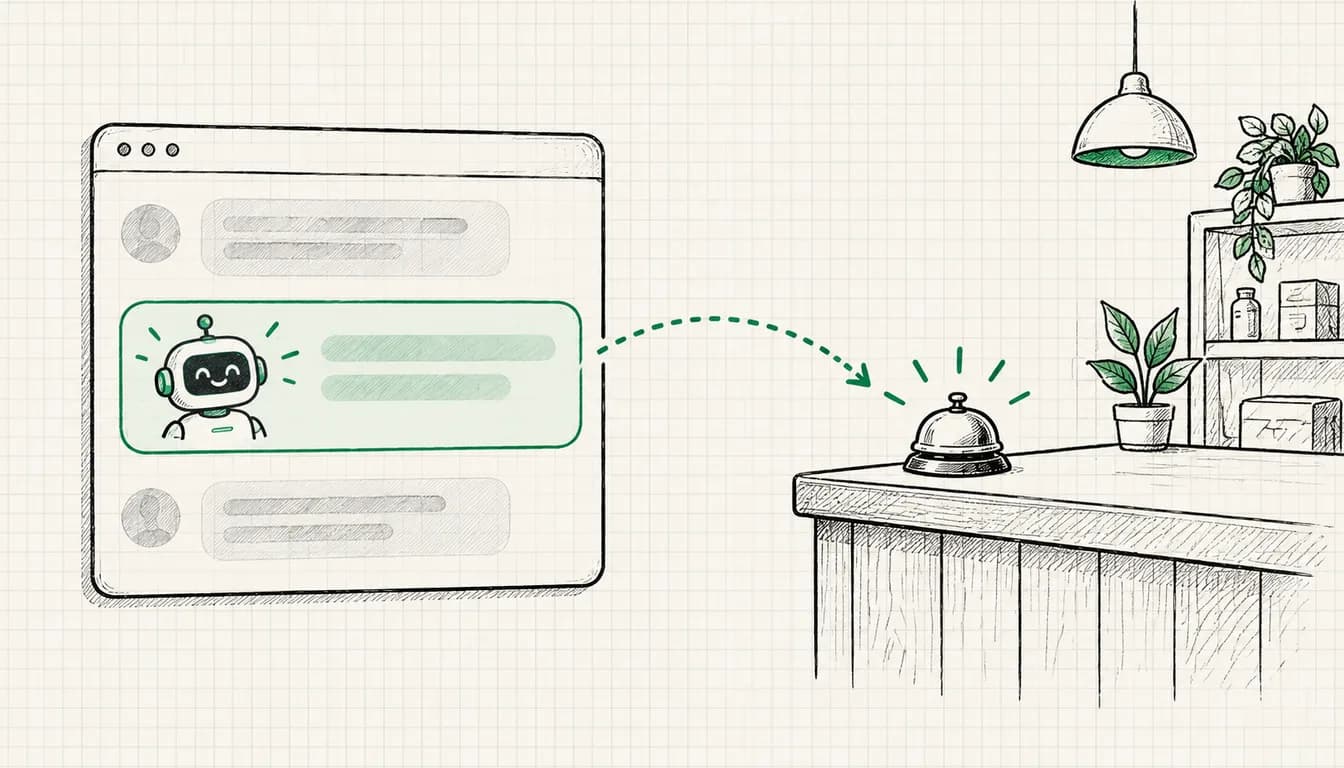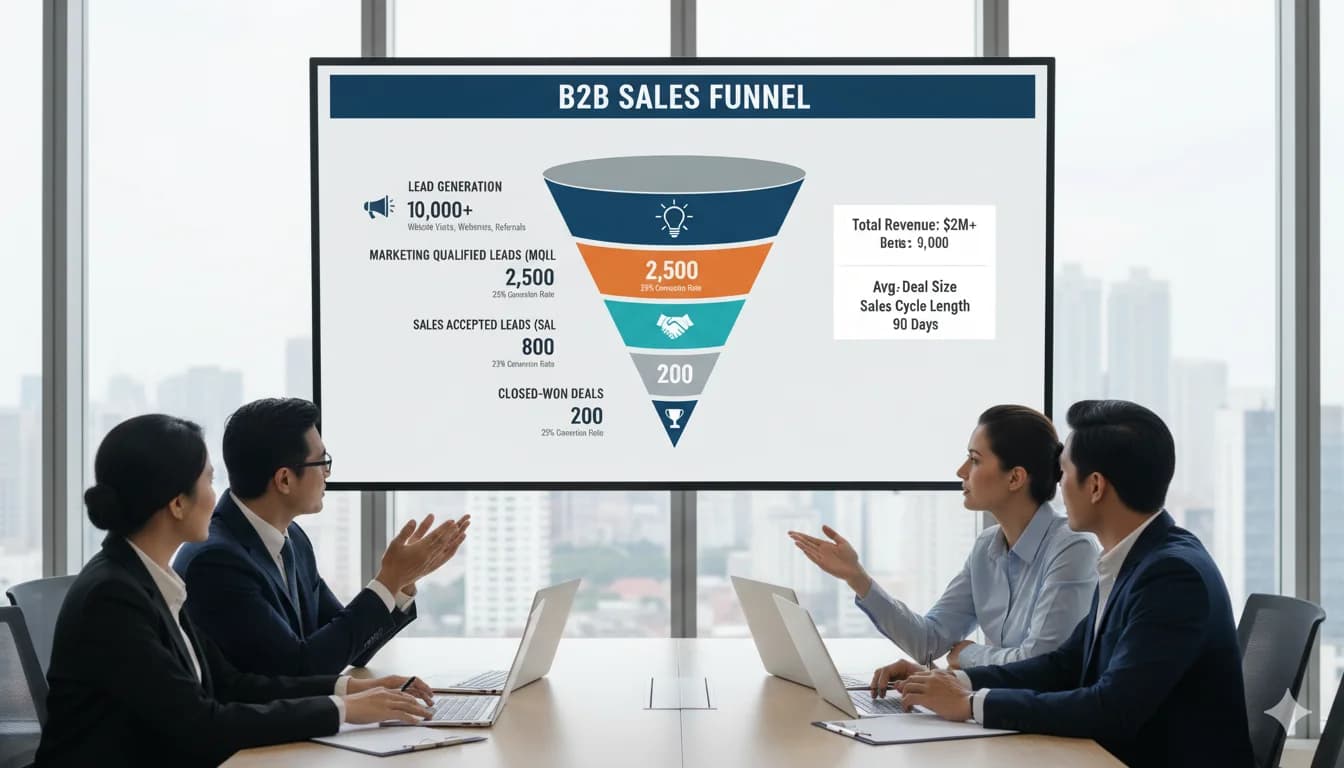
Reality: B2B Google Ads is completely different from B2C. Longer sales cycles, higher ticket prices, multiple decision-makers. This guide shows the specific strategies.
B2B vs. B2C: The Fundamental Differences
B2C Example (E-Commerce):
- User searches "nike running shoes" → clicks ad → buys (30 min)
- Decision-maker: 1 person
- Ticket: €80-€200
- Conversion: Instant purchase
B2B Example (ERP Software):
- User searches "erp software mid-market" → reads content → downloads whitepaper → talks to sales → requests quotes → presentation → negotiation → purchase (3-12 months!)
- Decision-makers: 3-7 people (IT, Finance, C-Level)
- Ticket: €50,000-€500,000+
- Conversion: Demo request, not purchase
Google Ads Consequences:
| Factor | B2C | B2B |
|---|---|---|
| Sales Cycle | Minutes-Days | Weeks-Months |
| Conversion | Purchase | Lead (Demo, Whitepaper, Consultation) |
| Ticket Size | €50-€500 | €5,000-€500,000+ |
| Decision-makers | 1 | 3-7 |
| Campaign Focus | Direct Response | Lead Nurturing |
| Most Important Metric | ROAS | Cost per SQL |
Table scrolls sideways
Why B2B Google Ads Often Fails
Typical Mistakes:
- ❌ B2C strategies applied to B2B (expecting immediate conversion)
- ❌ Too aggressive CTAs ("Buy now" instead of "Request demo")
- ❌ No lead nurturing (lead comes in, then nothing)
- ❌ Wrong metrics (ROAS measured after 2 weeks with 6-month cycle)
- ❌ Too generic keywords ("software" instead of "erp software mid-market production")
Example failed B2B campaign:
SaaS company "ProjectX":
Budget: €5,000/month
Duration: 2 months
Leads: 43
Cost per Lead: €233
Sales: 0 (!)
Why? No follow-up, no nurturing sequence, C-Level not involved
→ Campaign "failed" and cancelled
From my practice: A fair ROI evaluation in B2B needs at least one full sales cycle, which often means many months.
The 10 B2B Google Ads Strategies
Strategy 1: Funnel-Based Campaign Structure
Problem: B2C "bottom-of-funnel" approach doesn't work for B2B
Solution: Separate campaigns per funnel stage
The CPC ranges and budget shares in this guide are example values for orientation, not benchmarks. They vary a lot by industry and market.
TOFU (Top of Funnel) - Awareness:
Keywords: "what is [product category]", "benefits of X"
Example: "what is marketing automation"
Ad → Landing Page: Educational content (blog, guide)
Conversion: Newsletter, e-book download
CPC: Low (€1-€3)
Budget: 30% of total budget
MOFU (Middle of Funnel) - Consideration:
Keywords: "[product category] comparison", "best [product category]"
Example: "marketing automation software comparison"
Ad → Landing Page: Comparison content, case studies
Conversion: Webinar, demo request
CPC: Medium (€3-€8)
Budget: 40%
BOFU (Bottom of Funnel) - Decision:
Keywords: "[your product] price", "[competitor] alternative"
Example: "hubspot alternative", "salesforce price"
Ad → Landing Page: Product features, pricing, ROI calculator
Conversion: Sales call, quote request
CPC: High (€8-€25+)
Budget: 30%
Why separate?
- Different user intent
- Different landing pages
- Different bids
- Different success metrics
Strategy 2: Account-Based Marketing (ABM) with Google Ads
What: Focus on specific high-value accounts instead of broad lead-gen
Setup:
1. Create target account list (ICP - Ideal Customer Profile):
Companies with:
- Size: 500-2,000 employees
- Industry: Manufacturing
- Revenue: €50M-€500M
- Tech stack: SAP, Salesforce (indicates: already digitally mature)
2. LinkedIn Insight Tag + CRM integration:
- Identifies visitors from target accounts
- Retargeting to these accounts
3. High-quality custom landing pages:
- Personalized per target account
- Case studies from same industry
- ROI calculator with industry-specific data
4. Bring target accounts in via Customer Match:
Tools → Shared library → Audience manager → + → Customer list
→ Upload: email addresses, phone numbers or name + country + zip
  of contacts who gave you their details themselves
  (existing customers, trade fair, webinar, inquiry)
→ Company names or domains are not match fields
→ Start: "Observation" setting, evaluate the list's performance separately
What Google requires (per the Customer Match policy):
- Only customer data you collected yourself in a first-party context, no bought or third-party lists
- Your privacy policy must disclose the sharing, and where the law or Google's EU user consent policy requires it, you need consent
- "Targeting" and manual bid adjustments only with 90 days of account history and more than USD 50,000 lifetime spend; below that, only Observation and exclusions
- The list needs at least 100 members added or updated within the last 540 days
Example (fictional):
Target: Musterwerk GmbH and other manufacturers on your account list
Keyword: "production planning software"
List: contacts at these accounts from trade fairs, webinars and CRM
Setting: Observation, then compare the list's leads and closed deals
Bid: adjust only if your account and bid strategy allow it,
  base the size on your own deal values, not a flat markup
Landing Page: industry page with manufacturing case study
Budget: 20-40% for ABM (for high-ticket B2B)
Strategy 3: Lead Magnets instead of Direct Sale
Problem: B2B buyers not ready for sales call after first click
Solution: Give value upfront
Lead Magnet Hierarchy (by commitment):
Low Commitment (TOFU):
- Blog post (no form)
- Newsletter signup (email only)
- → CPC: €1-€3, Conversion Rate: comparatively high
Medium Commitment (MOFU):
- E-book/Whitepaper (name + email + company)
- Webinar (name + email + phone)
- ROI calculator
- → CPC: €3-€8, CR: medium
High Commitment (BOFU):
- Demo request (complete form)
- Sales call booking
- Free trial (with credit card)
- → CPC: €8-€25+, CR: lower, but the most valuable leads
Landing Page Example (MOFU):
[Headline]
"The Ultimate Guide: Marketing Automation for B2B SaaS"

[Subheadline]
"43 pages practical knowledge: Setup, best practices, benchmarks"

[Form]
- First name
- Last name
- Email
- Company
- Number of employees (dropdown)

[CTA]
"Download for free now"

[Trust]
"Already 2,500+ downloads"
After download: Automatic email sequence (nurturing!)
Strategy 4: Long-Tail Keywords for Niche Targeting
Problem: Broad keywords = expensive CPCs + unqualified leads
Broad keyword example:
"crm software"
CPC: €15-€40
Competition: Extreme (Salesforce, HubSpot, etc.)
Intent: Unclear (SMB? Enterprise? Which industry?)
Better: Long-Tail:
"crm software real estate agents mac"
CPC: €3-€8
Competition: Low
Intent: Very specific (real estate agents, uses Mac)
Relevance: High
Long-Tail Keyword Research:
1. Industry-specific:
- "[Product] for [industry]"
- "marketing automation for b2b saas"
- "time tracking software construction"
2. Role-specific:
- "[Product] for [job title]"
- "reporting tool for cfo"
- "project management software for architects"
3. Tech stack-specific:
- "[Product] salesforce integration"
- "analytics tool google cloud"
4. Problem-specific:
- "how to [problem] solve"
- "how to consolidate customer data"
Tool: Answer The Public, AlsoAsked for long-tail ideas
Budget Allocation:
- 40% long-tail (many keywords, low CPC)
- 40% medium-tail (moderate competition)
- 20% short-tail/brand (high CPC, but important for visibility)
Strategy 5: Remarketing with Content Levels
B2B Buying Journey (typical):
Visit 1: Blog post (awareness)
Visit 2: Case study (interest)
Visit 3: Pricing page (consideration)
Visit 4: Demo request (decision)
Remarketing Sequence:
Level 1: Blog visitors (last 30 days):
- Ad: "Whitepaper: Top 10 [topic] strategies"
- Goal: Newsletter/download
- Bids: Low
Level 2: Whitepaper downloaders (last 14 days):
- Ad: "Webinar: How [customer XY] achieved 300% ROI"
- Goal: Webinar registration
- Bids: Medium
Level 3: Webinar participants (last 7 days):
- Ad: "Free demo: See [product] in action"
- Goal: Demo booking
- Bids: High
Level 4: Demo-but-not-purchased (last 30 days):
- Ad: "Questions about [product] implementation? Talk to our expert"
- Goal: Sales call
- Bids: Highest. With manual CPC, use a bid adjustment on this audience and size it by your own deal values rather than a flat figure. With Smart Bidding (target CPA, target ROAS, maximize conversions), Google doesn't use manual bid adjustments, so you steer through the target of this stage's own campaign.
Setup:
- Audiences in Google Ads by URL visit
- Or: GA4 Audiences (e.g. "Whitepaper Downloaded")
- Separate display/search campaigns per level
Strategy 6: Competitor Conquesting
Strategy: Bid on competitor keywords
When sensible for B2B?
- When you have clear USPs (price, features, support)
- For customers willing to switch (common with SaaS)
- For "switch offers" (migration help, etc.)
Example Keywords:
"[competitor] alternative"
"[competitor] vs [your brand]"
"[competitor] too expensive"
"[competitor] problems"
"switch from [competitor]"
Ad Text:
HubSpot too expensive? Try [Your Product]
Same features, 40% lower price
Free migration + 3 months support free
[Request demo]
Landing Page:
- Side-by-side comparison (honest!)
- "Switch incentive" (€X discount, free migration)
- Testimonials from switchers
Caution:
- Trademark issues possible
- CPCs often significantly higher (competitive)
- Conversion rates lower (skeptical users)
Budget: 10-20% for competitor campaigns
Strategy 7: LinkedIn + Google Ads Combo
Problem: B2B decision-makers are on LinkedIn, not on Display Network
Solution: Multi-platform strategy
Approach 1: Google for Intent, LinkedIn for Targeting
Google Ads:
- Focus: High-intent keywords (BOFU)
- Budget: 60%
LinkedIn Ads:
- Focus: Job title + industry targeting (TOFU/MOFU)
- Budget: 40%
Remarketing Cross-Platform:
User sees LinkedIn ad → visits website
→ Google remarketing ad shows demo offer
→ Higher conversion rate (2nd touchpoint!)
Approach 2: LinkedIn leads + Google Customer Match
Setup:
- LinkedIn ads lead to your website with a form (whitepaper, webinar, demo)
- Whoever fills in the form lands in your CRM, with consent where required
- You upload these self-collected contacts to Google Ads as a Customer Match list
- Depending on what your account is eligible for, you use the list for observation, exclusion or targeting (see Strategy 2)
Important: per Google, Customer Match only allows customer data you collected yourself in a first-party context, for example via your website, your app or in store. Visitors who didn't fill in a form are reached via remarketing instead.
Why it works?
- LinkedIn: Better targeting (job title, company size, seniority)
- Google: Higher reach + in my experience lower CPCs than LinkedIn
Strategy 8: Value-Based Bidding instead of CPA
Problem: In B2B, not all leads are equally valuable
Example:
Lead A: CMO, 500-employee company
→ Ticket potential: €100,000+
→ Value: €100,000 × 20% close rate = €20,000

Lead B: Marketing Manager, 10-employee startup
→ Ticket potential: €5,000
→ Value: €5,000 × 20% = €1,000
Strategy: Different bids by lead quality
Setup:
1. Define conversion values:
Demo (SMB): €500 value
Demo (Mid-market): €2,000 value
Demo (Enterprise): €10,000 value
2. Conversion tracking with dynamic value:
// On demo request
gtag('event', 'conversion', {
  'send_to': 'AW-XXXXXXX/XXXXX',
  'value': calculatedValue, // based on company size
  'currency': 'EUR'
});
3. Bidding strategy: "Maximize conversion value"
4. Form qualification:
[Demo Form]
Number of employees:
- 1-10 (Lead value: €500)
- 11-50 (€1,000)
- 51-200 (€2,000)
- 201-500 (€5,000)
- 500+ (€10,000)
Result: Google automatically bids higher for valuable leads!
Strategy 9: Content Syndication Ads
What: Ads linking to high-quality content pieces
Problem: B2B buyers want to inform themselves (in my experience, much of the buying journey happens BEFORE sales contact!)
Solution: Provide valuable content
Content Types for Ads:
Research Reports:
- "State of [Industry] 2025 Report"
- Independent studies with data
- → Lead magnet: Email for download
Comparison Guides:
- "[Category] Comparison: Top 10 Tools 2025"
- Objective (mention your solution, but fair!)
- → No-gate or email-gate
ROI Calculators:
- Interactive tools
- "Calculate your savings potential"
- → Result for email
Case Studies:
- "[Customer XY] achieved 300% ROI in 6 months"
- Problem → Solution → Result
- → Gated for full case study
Webinars:
- Live or on-demand
- 30-45 min expert content
- → Registration with form
Ad Strategy:
Campaign: "Content Syndication - Whitepaper"
Keywords: MOFU (consideration stage)
Ad:
"[Free] Marketing Automation Guide 2025
43 pages practical knowledge for B2B SaaS
2,500+ downloads | Download now"
→ Landing Page: Whitepaper download for email
Budget: 30-40% for content syndication (TOFU/MOFU)
Strategy 10: Multi-Touch Attribution Setup
Problem: A B2B customer journey often has many touchpoints!
Example of a B2B customer journey (fictional):
Day 1: Google Search Ad → Blog read
Day 5: Display Remarketing → Whitepaper download
Day 12: LinkedIn Ad → Webinar registration
Day 18: Google Search (brand) → Pricing page
Day 25: Direct visit → Demo request
Day 60: Sales calls, presentation
Day 90: Closed Won! €80,000 deal
Last-Click Attribution Problem:
- With last click, Google Ads gives 100% credit to the last-clicked ad, here the brand search (Day 18); Google Ads doesn't count the direct visit, and GA4 also excludes direct visits from attribution
- Search Ad (Day 1) gets 0% credit
- → Wrong optimization!
Solution: Multi-Touch Attribution Model
Setup:
1. Activate GA4 data-driven attribution:
- GA4 → Admin → Attribution Settings → Data-driven
2. Google Ads attribution model:
- Google Ads → Goals → Summary → conversion action → Edit settings → Attribution model "Data-driven" (already the default for most conversion actions)
3. CRM integration (important for B2B!):
- Connect Salesforce/HubSpot + Google Ads
- Closed Won data back to Google Ads
- Upload "Offline Conversions"
4. Custom reporting:
- GA4: Path Exploration Report (see all touchpoints)
- Google Ads: Attribution Paths Report
Result: Correct budget allocation across touchpoints
Example Insight (fictional numbers):
Before (Last-Click):
- Brand Search: 80% credit → €4,000 budget
- Display: 5% credit → €500 budget

After (Data-Driven):
- Brand Search: 20% credit → €1,000 budget
- Display: 35% credit → €2,000 budget
B2B Lead Qualification
Problem: Many leads ≠ good leads
Solution: Lead scoring system
MQL (Marketing Qualified Lead) Criteria:
- Company size: 50+ employees
- Right job title (Manager+)
- Budget indication (form or behavior)
- Engagement (2+ pages, 3+ min on site)
SQL (Sales Qualified Lead) Criteria:
- Demo requested
- Concrete requirements stated
- Timeframe defined (<6 months)
- Budget confirmed
Lead Qualification Form:
[Demo Request]
- Name
- Email
- Phone
- Company
- Number of employees (dropdown)
- Industry (dropdown)
- "When do you want to start?"
  - Immediately
  - In 1-3 months
  - In 3-6 months
  - Just gathering info
- "What is your estimated budget?"
  - Under €10k
  - €10k-€50k
  - €50k-€100k
  - Over €100k
Lead Routing:
- SQL → Direct call from sales (within 5 min!)
- MQL → Nurturing sequence (email series)
- Unqualified → Newsletter
B2B Google Ads Benchmarks
There are no serious universal B2B benchmarks for CPL, conversion rates or CTR: the values vary so much with ticket size, market, lead definition and form length that other people's averages confuse more than they help. Calculating with your own numbers is more reliable.
The KPI chain:
Cost per SQL = Cost per lead / share lead → SQL
CAC          = Cost per SQL / share SQL → customer
Worked example (fictional numbers):
Cost per lead: €100
Lead → SQL: 25%      → Cost per SQL: €400
SQL → customer: 20%  → CAC: €2,000
Customer Lifetime Value: €12,000 → CLV:CAC = 6:1
Which CAC can you afford? Work backwards: Customer Lifetime Value × margin gives you the most a customer may cost. Multiply that by your SQL → customer rate and you have your maximum cost per SQL. Multiply that by your lead → SQL rate and you have your maximum CPL.
Your own benchmarks: Measure conversion rates per funnel stage (content download, webinar, demo) and CTR per campaign type over at least one full sales cycle. These values are your yardstick, not the average of other people's accounts.
Common B2B Google Ads Mistakes
Mistake 1: Too Quick Judgment
❌ Problem: "After 2 months no ROI → shut down campaign" ✅ Reality: B2B sales cycles often take many months ✅ Solution: Run at least one full sales cycle before you judge
Mistake 2: Direct Sales Pitch
❌ Problem: Ad → "Buy now" landing page ✅ Solution: Lead magnets, value upfront, nurturing
Mistake 3: No CRM Integration
❌ Problem: Leads come in, but no tracking to Closed Won ✅ Solution: Connect CRM + Google Ads, upload offline conversions
Mistake 4: Consumer Keywords for B2B
❌ Problem: "project management tool" (consumer intent) ✅ Solution: "project management software for agencies" (B2B intent)
Mistake 5: No Lead Nurturing
❌ Problem: Lead comes → one email → then nothing ✅ Solution: 6-12 email nurturing sequence (automated)
B2B Google Ads Budget Guide
By Company Stage (example values, not a forecast):
Startup (<€1M ARR):
- Budget: €2,000-€5,000/month
- Focus: Long-tail keywords, content syndication
- Worked example (assuming €100 CPL and 30% lead → SQL): 20-50 MQLs/month, 6-15 SQLs
Growth (€1M-€10M ARR):
- Budget: €5,000-€20,000/month
- Focus: Full funnel, remarketing, competitor
- Worked example (same assumptions): 50-200 MQLs/month, 15-60 SQLs
Enterprise (€10M+ ARR):
- Budget: €20,000-€100,000+/month
- Focus: ABM, multi-channel, brand
- Worked example (same assumptions): 200-1,000+ MQLs/month, 60-300+ SQLs
ROI Timeline (example path, depends on your sales cycle):
- Month 1-3: Investment (no returns)
- Month 4-6: First closed deals possible
- Month 7-12: Break-even to positive ROI possible
- Month 12+: Scaling
Tools for B2B Google Ads
Attribution:
- Google Analytics 4 (free)
- HubSpot Attribution
- Ruler Analytics
CRM + Marketing Automation:
- HubSpot
- Salesforce
- Pipedrive
Lead Enrichment:
- Breeze Intelligence (formerly Clearbit, now only available as a HubSpot add-on)
- ZoomInfo
- Leadfeeder (shows company visitors)
ABM:
- Demandbase
- 6sense
- Terminus
I deliberately don't list prices here: they change constantly, so check the current terms directly with each provider.
Conclusion
B2B Google Ads = Patience + Strategy
Start Roadmap:
Month 1-2:
- Set up funnel structure (TOFU/MOFU/BOFU)
- Create lead magnets (whitepaper, webinar)
- CRM + tracking setup
- First campaigns (long-tail keywords)
Month 3-4:
- Start remarketing
- Implement nurturing sequences
- Multi-touch attribution setup
Month 5-6:
- ABM for top accounts
- Competitor campaigns
- Scaling based on data
Month 6-12:
- First closed deals
- ROI evaluation
- Further scaling
Expectation: Nobody can honestly promise you a fixed lead output. Work it out yourself: budget / cost per lead gives you your MQL volume, and only your lead → SQL rate shows how much of it reaches sales.
FAQ about Google Ads for B2B
What does Google Ads cost for B2B?
B2B Google Ads budgets by company stage as example values, not a forecast: Startups (<€1M ARR): €2,000-€5,000/month. Growth stage (€1M-€10M): €5,000-€20,000/month. Enterprise (€10M+): €20,000-€100,000+/month. How many MQLs that produces comes down to budget / cost per lead, and you only know your CPL from your own data. B2B often needs higher budgets because of: in my experience significantly higher CPCs, longer sales cycles (often many months to ROI), fewer but more valuable conversions.
What is a good cost per lead for B2B?
Good CPL depends on ticket size, industry and lead definition, there are no universally valid reference values. Work your target backwards: affordable CAC = Customer Lifetime Value × margin. Maximum cost per SQL = affordable CAC × SQL → customer rate. Maximum CPL = maximum cost per SQL × lead → SQL rate. Important: Don't just measure MQL costs! Crucial: Cost per SQL (Sales Qualified Lead) and CAC (Customer Acquisition Cost). Common rule of thumb in SaaS: CAC should be < 1/3 of Customer Lifetime Value.
How long does it take for B2B Google Ads to become profitable?
Nobody can honestly promise you a fixed time to profitability. A typical example path: Month 1-3: Investment phase, generate leads, set up nurturing, no returns expected. Month 4-6: First closed deals possible (depending on sales cycle). Month 7-12: Break-even to positive ROI possible. Month 12+: Scaling. From my practice: Many quit after 2-3 months, even though B2B sales cycles often take many months. Run your campaigns for at least one full sales cycle before you judge.
Which keywords work best for B2B?
Best performing B2B keywords: 1) Long-tail: "[product] for [industry]" (e.g. "crm software real estate agents") - low CPCs, high relevance. 2) Intent keywords: "[category] comparison", "best [solution] for [use case]". 3) Problem keywords: "how to solve [problem]". 4) Competitor: "[competitor] alternative". Avoid: Too broad keywords ("software", "marketing") = expensive CPCs + unqualified leads. Focus: Specificity > volume!
Should I use Shopping or Search Ads for B2B?
Search Ads are the main focus for B2B! Shopping Ads are for e-commerce, not B2B services/SaaS. B2B campaign types: 1) Search Ads (80% budget) - high-intent keywords, 2) Display Remarketing (15%) - nurturing, 3) YouTube (5%) - brand awareness (optional). Performance Max only with caution for B2B - less control, better for direct response. LinkedIn Ads often better than Google Display for TOFU/MOFU (job title targeting!).
What are lead magnets and why do I need them for B2B?
Lead magnets = valuable content for contact data. B2B buyers are not ready for sales call after first click! Lead magnet types: TOFU: E-books, guides (email only). MOFU: Whitepapers, webinars, ROI calculators (email + company). BOFU: Demos, trials (complete form). Strategy: Give value upfront → build trust → nurturing → then sales. Without lead magnets, conversion rates in my experience stay low, because hardly anyone wants a demo on their first visit. With lead magnets, you also capture the visitors who are still researching.
What is ABM (Account-Based Marketing) and how does it work with Google Ads?
ABM = Focus on specific high-value target accounts instead of broad lead-gen. Setup: 1) Define ICP (e.g. manufacturing companies, 500-2,000 employees, €50M-€500M revenue), 2) Create target account list, 3) Google Ads Customer Match: upload email addresses or phone numbers of contacts who gave you their details themselves (domains are not a match field, consent where required), 4) Observe the list first; Google only allows targeting and bid adjustments with 90 days of account history and more than USD 50,000 lifetime spend, and you base the size on your own deal values, 5) Personalized landing pages per account/industry. Best for: High-ticket B2B (€50k+ deals), enterprise sales. Budget: 20-40% for ABM.
How do I measure B2B Google Ads success correctly?
B2B metrics (by importance): 1) Cost per SQL (Sales Qualified Lead) - most important metric! 2) CAC (Customer Acquisition Cost), 3) SQL → Customer Rate (compared with your own previous periods), 4) Lead Quality Score, 5) Customer Lifetime Value (CLV), 6) CLV:CAC Ratio (common rule of thumb: >3:1). DON'T just measure: MQL count (can be unqualified), ROAS after 2 weeks (sales cycle!). Critical: CRM integration for offline conversion tracking (Closed Won data back to Google Ads).