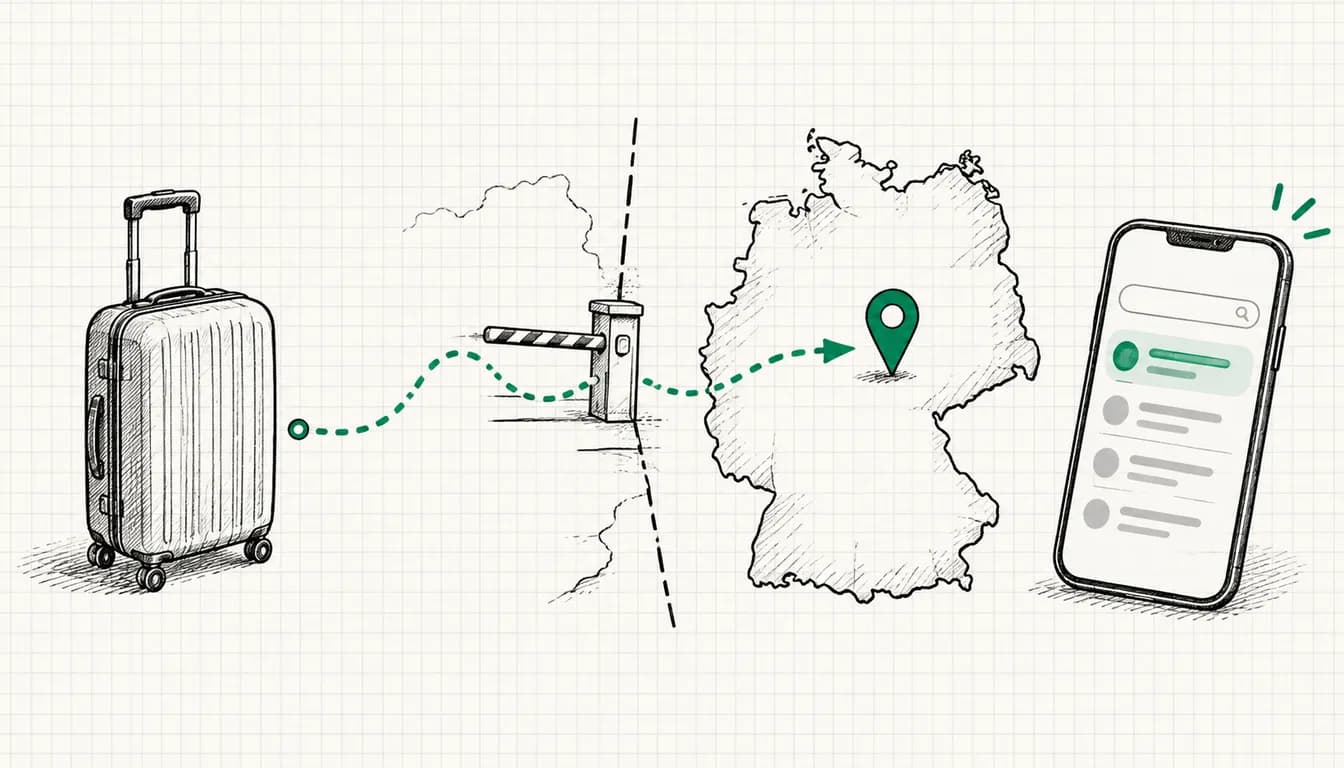


Customer Match means you upload your own customer data, such as email addresses, phone numbers or name plus postal address, to Google Ads. Google matches it against signed-in Google accounts, and you can then reach those people on Search, Shopping, Gmail, YouTube and the Display Network or exclude them. Every account with a clean policy and payment history may use it, but only for observation and exclusions. Google unlocks targeting and manual bid adjustments only after 90 days of account history and more than USD 50,000 in lifetime spend. Before you upload anything, settle the legal basis: for users in the EEA Google requires granted consent signals, and back in 2018 the Bavarian data protection authority prohibited the comparable customer list upload to Facebook without consent.
The difference from classic remarketing: there, a tag on your website collects visitors, while with Customer Match you bring the data yourself, for example from your CRM or shop. How to build visitor lists is covered in my guide to remarketing strategies.
As of: 08 October 2026. I checked requirements, menu paths and field names against the current Google Ads help and the Customer Match policy. Google renames menus regularly. If something is labeled differently in your account, the linked help page will show you the current state.
What Customer Match does and where it runs
According to its own help, Google uses your file only for matching and for checking policy compliance, does not build profiles from it and does not share it with third parties (Google help on data use). What remains is a segment of Google users who were on your list. According to the Google help on Customer Match, you can use this segment on Google Search, the Shopping tab, Gmail, YouTube and the Display Network. Since early March 2024 one restriction applies to lists from the EEA, the UK and Switzerland: they only run on Google's own properties, no longer on partner inventory.
One detail surprises many advertisers: Smart Bidding and optimized targeting automatically use all Customer Match lists in the account, including lists that are not attached to any campaign. If you do not want that, go to Admin > Account settings, open the "Customer Match" section and uncheck "Use all Customer Match lists in Smart Bidding or Optimized Targeting" (Google help). Lists you have applied to a campaign directly are not affected. This matters for your privacy notice, because by default even a pure exclusion list also feeds into bidding.
Requirements: who may use Customer Match
The Customer Match policy distinguishes two levels. The basic condition for both is a good history of policy compliance and payments.
| Feature | All accounts with a clean history | 90+ days of history and over USD 50,000 lifetime spend |
|---|---|---|
| "Observation" setting | Yes | Yes |
| Exclusions | Yes | Yes |
| "Targeting" setting | No | Yes |
| Manual bid adjustments | No | Yes |
Table scrolls sideways
Google converts spend in other currencies to US dollars at the average monthly exchange rate. On top of that come obligations that apply to every account:
- You only upload data you collected yourself (website, app, physical store, direct customer contact). Bought or rented address lists are off limits.
- Your privacy policy must disclose that you share customer data with third parties that perform services on your behalf.
- You obtain consent where the law or Google policies require it, explicitly including Google's EU user consent policy.
- No data from children under 13, no sensitive interest categories, no ads implying that you know personal information about the user.
- No overly narrow lists, for example a list combined with tight geographic limits so that the ad reaches only a small number of users.
According to the policy, matching on IP address and timestamp is not supported in the EEA, the UK or Switzerland. Google may review compliance and suspend access.
The customer list: columns, normalization, hashing
In my practice, upload problems are almost always formatting errors. The requirements according to the Google help on formatting:
- CSV file in ASCII or UTF-8, no UTF-16, no extra columns.
- Values separated by commas. Google does not accept semicolons or spaces as separators (Google help on troubleshooting). Excel in a German locale saves CSV with semicolons by default, a pitfall I see often.
- Column headers exactly in English, even in an account set to another language.
| Column | Content | Normalization | Hash? |
|---|---|---|---|
| Email address | lowercase, no spaces, for gmail.com and googlemail.com remove dots before the @ | yes, or Google hashes it | |
| Phone | Phone number | E.164 format with country code, e.g. +4915112345678 | yes, or Google hashes it |
| First Name | First name | lowercase, no title or prefix | yes, or Google hashes it |
| Last Name | Last name | lowercase | yes, or Google hashes it |
| Country | Country | two-letter code, e.g. de | never hash |
| Zip | Postal code | unchanged | never hash |
Table scrolls sideways
Address matching needs all four columns First Name, Last Name, Country and Zip. Email, Phone and Zip may appear more than once if a customer has several. Mobile device IDs go into a separate list with "Mobile Device ID" as the only column. A minimal file looks like this:
Email,Phone,First Name,Last Name,Country,Zip
anna.example@example.com,+4915112345678,anna,example,de,10115
max.sample@example.de,,max,sample,de,80331
If you want to hash yourself, normalize first according to the rules above and then create a hexadecimal SHA-256 hash (Google help on customer lists). Google detects automatically during upload whether values are hashed. According to Google, email addresses with accents or umlauts will not match, while accents in names are fine.
Upload paths at a glance
| Path | Suited for | Maintenance |
|---|---|---|
| Manual file upload in the Audience manager | getting started, small lists, tests | manual, you re-upload |
| Data manager with a data source (for example BigQuery, Salesforce, SFTP, Snowflake) | data already sits in a system | automatic via the connection |
| Partner integration such as Zapier | CRM, shop or newsletter tool | automatic for new contacts |
| Data Manager API | in-house development | automatic |
| Conversion-based customer lists | advertisers sending hashed user data with conversions | automatic per conversion goal |
Table scrolls sideways
For new technical integrations Google explicitly recommends Data Manager or the Data Manager API and advises against the Google Ads API. You enable conversion-based customer lists in your account settings with "Turn on conversion-based customer lists". They are built from the user data your conversion tags send, so they depend on clean consent on your website. How this works together with consent mode is explained in my article on Consent Mode v2. Google can also use GA4 audiences as a source once you link GA4 to Google Ads.
Data Manager is also how closed deals from your CRM get back into Google Ads as conversions, as I show in my post on offline conversions.
Match rate and list size
After the upload, Google shows the number of uploaded rows and the match rate as a percentage. The match rate is not the list size: Google shows the size rounded into ranges and separately per network. Google does not name a target rate, and neither do I, because it depends heavily on where the data comes from.
What affects the rate according to the Google help on troubleshooting:
- Activity: only people who were active on Google in the last 30 days are counted.
- Ad settings: anyone who has turned off personalized ads drops out.
- Data quality: formatting errors, missing country codes or values normalized incorrectly before hashing prevent a match.
- Number of match keys: Google recommends providing as many keys as possible, meaning email, phone and address.
- Freshness: memberships expire after 540 days at most.
- Consent: Google does not process EEA records without granted consent signals.
From my practice: business email addresses tend to match worse than private ones, because many people run their Google account on their private address. For B2B lists, the phone number is especially worth adding as a second key.
Minimum sizes according to the Google help on list sizes:
| Network | Minimum size |
|---|---|
| Search Network | 100 active users in the last 30 days |
| YouTube | 100 active users in the last 30 days |
| Display Network | 100 active users in the last 30 days |
| Gmail | no separate number in the help, size is shown separately |
| Lists last uploaded or refreshed before 1 February 2024 | 1,000 matched users |
According to Google, it takes 24 to 72 hours until a new list is fully processed.
What to use Customer Match for
Observation and targeting
In the "Observation" setting you see how your existing customers respond to running campaigns without limiting reach. With the "Targeting" setting you show ads only to people on the list, for example in a reactivation campaign for customers who have not bought in a while. Targeting requires the higher access level.
Excluding existing customers
The classic for every account: people who are already customers should not see new customer offers. Exclusions are allowed for all accounts with a clean history and save budget that would otherwise go to clicks from people who would buy anyway.
Audience signal in Performance Max and Demand Gen
In Performance Max you add customer lists as an audience signal per asset group: open the "Audiences" section, choose Select an Audience or Create an Audience, then add your data segments there (Google help on audience signals). The signal is a hint for optimization, not a boundary: Performance Max can also reach people outside the signal.
Lookalike segments in Demand Gen
In Demand Gen campaigns, which have also served on the Display Network since 2025, your customer list serves as a seed list for Lookalike segments. You can combine up to ten seed lists at ad group level. In the previous mode you choose reach with a slider set to Narrow, Balanced or Broad, which Google describes as 2.5, 5 or 10 percent of users in the target location, and the seed lists together need more than 100 active matched people. According to the Google help, Google is gradually moving Lookalike segments to a suggestion mode during 2026, available since March 2026. The list then acts as a signal rather than a hard constraint, and the minimum size of 100 no longer applies.
Bids and new customer acquisition
With the higher access level you can set manual bid adjustments for list members. Today the opposite route through customer lifecycle goals usually matters more (Google help). In the "Customer Acquisition" category you choose "New Customer Value" (higher bids for new customers), "New Customer Only" (bids only for new customers, recommended by Google mainly for lead generation or tight budgets) or "High Value New Customer". So that Google can tell new from existing customers, you define existing customers with customer lists plus your website tag. According to Google, a list with fewer than 1,000 members can mean that customer acquisition cannot be activated in the campaign (Google help on detection).
Data protection: what to settle before the upload
The GDPR does not prohibit Customer Match, but it requires a sound legal basis for every record on the list.
Legal basis: consent or legitimate interest
In theory two legal bases come into question: consent under Art. 6(1)(a) GDPR and legitimate interest under Art. 6(1)(f) GDPR (GDPR on EUR-Lex). In its guidance on direct marketing from February 2022 (in German), the German Data Protection Conference (DSK) accepts that direct marketing can be a legitimate interest. It does, however, demand a case-by-case balancing in which the reasonable expectations of the people concerned count. Mandatory information in your privacy policy explicitly does not expand those expectations.
On customer list uploads specifically, there is a clear regulatory position. The Bavarian data protection authority (BayLDA) (in German) prohibited an online retailer from using Facebook Custom Audience via customer list without consent. The Administrative Court of Bayreuth confirmed this in summary proceedings (decision of 8 May 2018, ref. B 1 S 18.105): uploading the list is a transfer of personal data that cannot be based on a balancing of interests and is only lawful with prior informed consent. The decision came shortly before the GDPR took effect, and the authority expected it to hold up under the GDPR as well.
One difference from Google matters: the court saw Facebook as a separate controller. Google classifies Customer Match as processing on your behalf in its contract terms (more on that below). Whether that changes the legal assessment for Google Ads has, to my knowledge, not been decided by a court. In practice Google largely makes the decision for you in the EEA: Google's EU user consent policy requires consent for the collection, sharing and use of personal data for ad personalization. Since March 2024 both signals ad_user_data and ad_personalization must be set to GRANTED for this. Google treats missing signals as consent not given and does not process that data (Google help on consent signals). The same help page states that only data collected with user consent may be uploaded manually.
For the consent itself, the DSK sets clear requirements: it must be informed, which means naming the type of advertising, the products advertised and the advertising companies. A newsletter consent therefore does not automatically cover an upload to Google. If you want to use customer data from orders that was collected only to fulfil them, that is a new purpose you should assess with your data protection officer. Other court decisions on tracking and advertising are collected in my timeline of tracking rulings.
Hashed does not mean anonymous
SHA-256 is a one-way function, but a deterministic one: the same normalized email address always produces the same hash. That is exactly why matching works. Legally, this is pseudonymisation within the meaning of Art. 4(5) GDPR, not anonymisation. In the proceedings mentioned above, the Bayreuth court explicitly held that SHA-256 is not suitable for anonymising personal data. Pseudonymised data remain personal data. "We only upload hashes" is therefore no substitute for a legal basis.
Processor or joint controller
Google lists "Google Ads Customer Match" as a processor service in its overview of processor services, with names, email addresses, addresses and partner-provided identifiers as data types. The contractual basis is the Google Ads Data Processing Terms. You are the controller, and Google processes the data as your processor on your instructions. The terms apply from the moment you click to accept them or from when they are otherwise agreed in the contract. Google's terms do not provide for joint controllership under Art. 26 GDPR for Customer Match. I cannot rule out that an authority might assess an individual case differently.
Information duties and the right to object
Under Art. 13 and 14 GDPR you inform people about purpose, legal basis, recipients and retention period. Google additionally requires your privacy policy to disclose that you share customer data with service providers. People can object to direct marketing at any time (Art. 21(2) and (3) GDPR), after which the data may no longer be processed for that purpose. According to Google's FAQ on consent for Customer Match, data uploaded with consent stays on the list until the membership expires or you remove it. A withdrawal or objection therefore means: actively remove the person from the list or replace the list.
Checklist: data protection before the upload
- Legal basis defined and documented per record, for EEA users with consent that names Google as advertising partner and the purpose
- Proof of consent stored (time, wording, channel), Google requires you to keep these records
- Consent signals ad_user_data and ad_personalization are sent as GRANTED with the upload, and the manual upload contains only consented records
- Privacy policy mentions Customer Match, Google as processor and sharing with service providers
- Google Ads Data Processing Terms accepted for the account
- No data from children under 13, no sensitive categories, no bought lists
- Process for withdrawal and objection in place: who removes the person from the list, and how fast?
- Membership duration set deliberately, deletion periods entered in your record of processing activities
- Decision made on whether all lists may flow into Smart Bidding automatically
This is not legal advice. If in doubt about how to assess the legal basis for your specific data, ask your data protection officer or a law firm specializing in data protection.
Step by step: uploading a customer list
This is how the manual upload works according to the Google help on customer lists and on consent:
- Click the Tools icon, then Shared library and Audience manager.
- Open the Your data segments tab at the top, click the plus button and select Customer list.
- Give the list a descriptive name, for example with source and date.
- Under "Data source" select Upload a file manually and click Continue.
- Under "Data type" select "Upload Emails, Phones, and/or Mailing Addresses".
- Upload the CSV via Drop file here or Browse.
- With Edit data use settings you decide which Google services use the list. By default it is all of them.
- Check the box "This data was collected and is being shared with Google in compliance with Google's Customer Match policies", but only if that is true.
- Set the membership duration. The policy limits membership to 540 days at most.
- Click Upload and create list. You can follow the progress under "Audience lists", which according to Google takes up to 48 hours. The confirmation then shows uploaded rows and the match rate.
If your data lives in a system such as BigQuery or Salesforce, select Connect a new data source under "Data source" instead. A segment you created earlier without a source is connected via Tools > Data manager > Connected products > + Connect Product.
Common mistakes and how to avoid them
| Mistake | Consequence | Fix |
|---|---|---|
| CSV with semicolons from Excel in a German locale | upload fails or columns are read incorrectly | open the file in Google Sheets and download it as comma-separated CSV, then check it in a text editor |
| Localized column headers such as "E-Mail" or "PLZ" | columns are not recognized | exactly Email, Phone, First Name, Last Name, Country, Zip |
| Phone number without country code or hashed zip code | no match | E.164 with +49, Country and Zip in plain text |
| EEA records without consent | Google does not process them, at worst a data protection breach | upload only records with documented consent |
| List uploaded once and forgotten | members expire, objections stay on the list | sync and clean up regularly |
| Small list plus tight location targeting | violation of the policy on overly narrow lists | grow the list or widen targeting |
Table scrolls sideways
Maintenance: keeping lists current
A customer list is a snapshot. New customers are missing, objections have to come off, and old memberships expire. The policy also requires that at least 100 members are added or updated within 540 days, otherwise the list is no longer eligible.
The most reliable option is automatic syncing through Data manager or a partner integration such as Zapier, which writes new contacts from your CRM or shop straight into the customer list. In Data manager you can also configure consent settings for the transferred data. If you work manually, in my practice you need a fixed rhythm, monthly for example, and you tie the clean-up to your CRM: anyone who objects there also disappears from Google Ads with the next sync. You can check whether your customer lists are set up correctly in the account with the audiences and first-party data section of my Google Ads audit checklist.
Conclusion
Customer Match puts your own data to work where it does the most in Google Ads: excluding existing customers, acquiring new ones and feeding Performance Max with real signals. The technical part is done quickly. The real work comes before it, with the legal basis, consent signals and a process for objections.
If you want to have it checked whether your lists, consent signals and conversion data work together cleanly, take a look at my Google Ads tracking setup. An audit of your account starts at €500. If you would rather hand over ongoing optimization, Google Ads management starts at €1,000 per month, with a 3-month starting phase and cancellable monthly after that.