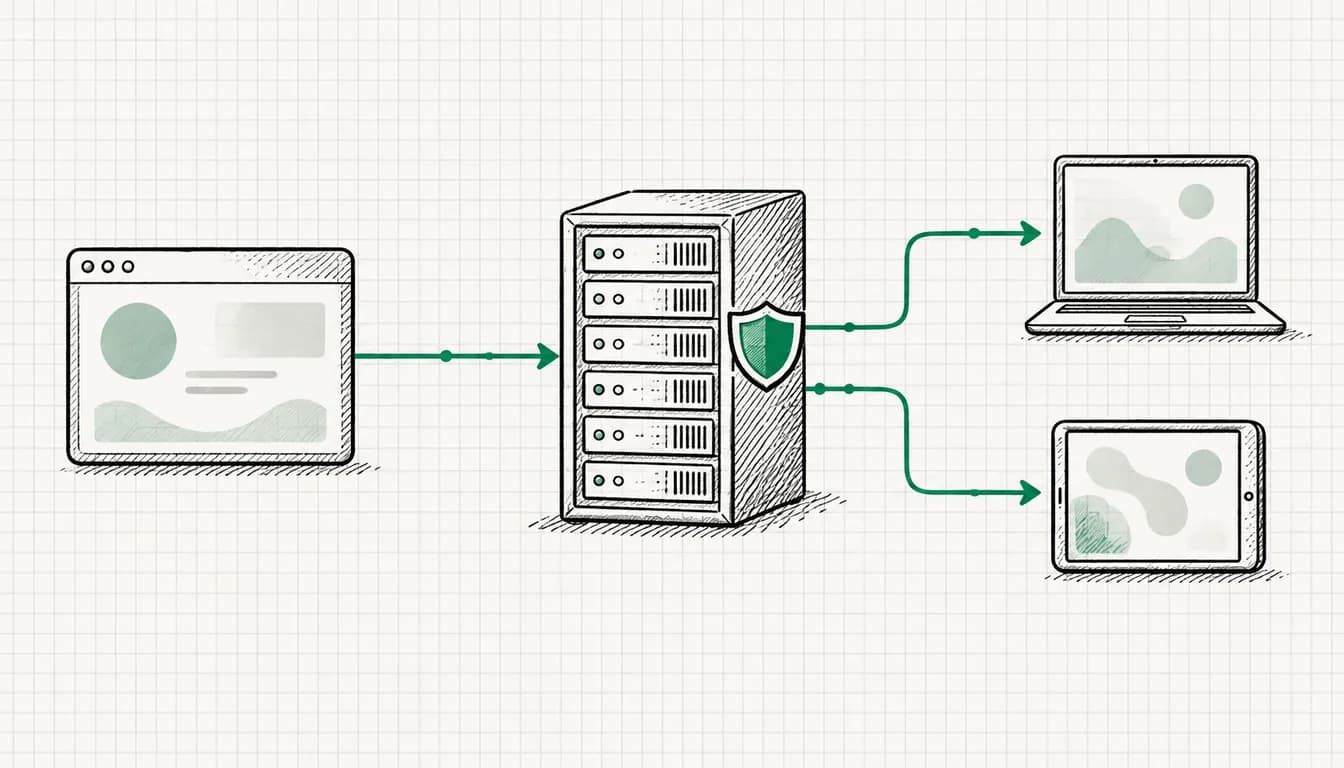
Quick context first: Since March 2024, Google requires Consent Mode v2 from all advertisers reaching users in the European Economic Area: without it, remarketing and personalized advertising simply stop working there. Yet in audits I regularly see setups where the cookie banner looks polished, but the consent signals never reach Google, or only after the tags have long since fired. This guide explains what Consent Mode v2 actually does, how Basic and Advanced mode honestly differ, and how to build and verify the setup cleanly with a CMP + Google Tag Manager.
What Is Consent Mode v2?
Consent Mode v2 is Google's interface between your cookie banner (the consent management platform, or CMP) and the Google tags on your website. For every single visitor, it answers the question: What are Google Ads and GA4 allowed to do with this user's data?
The answer travels through four signals:
| Signal | Controls | In practice |
|---|---|---|
ad_storage | Reading and writing advertising cookies | Click cookies for conversion attribution |
analytics_storage | Analytics cookies | GA4 session and user cookies |
ad_user_data | Sending user data to Google for advertising purposes | e.g. data for Enhanced Conversions |
ad_personalization | Personalized advertising | Remarketing lists, personalized ads |
Table scrolls sideways
Each signal can be granted or denied. Your CMP sets these values automatically, depending on what the user clicks in the banner.
What's new in "v2"? The first two signals have existed since 2020 (Consent Mode v1). With v2, ad_user_data and ad_personalization were added in November 2023 (per Google's developer docs). Since March 2024, Google has made them a condition for core advertising features for EEA traffic, more on that below. The background is the EU's Digital Markets Act (DMA): Google was designated a so-called gatekeeper and must demonstrate that user data from the EEA is only used for advertising with consent. Google passes this obligation on to you as the advertiser, technically, via these signals.
Important distinction: Consent Mode does not replace your cookie banner. It translates the banner's decision for Google. Whether and how you must obtain consent is governed by the GDPR and ePrivacy rules regardless. This article is hands-on tracking knowledge, not legal advice.
Why Consent Mode v2 Is Required for EEA Advertisers
"Required" deserves precision here: there is no law called Consent Mode. But since March 2024 (per Google's Analytics Help: "starting early March, 2024"), Google has made transmitting the v2 signals a condition for core advertising features in the EEA. Without correctly set signals, according to Google:
- Remarketing breaks: users from the EEA are no longer added to remarketing lists. Existing lists shrink over time because no new users flow in. Your remarketing strategies run on empty.
- Personalized advertising is blocked: audience features based on user data are unavailable for EEA traffic.
- Conversion measurement becomes less complete: without consent signals, you forgo conversion modeling, which Google uses to statistically close measurement gaps caused by declined consent. Smart Bidding then optimizes on a smaller data foundation, and makes worse decisions.
From my own client work: the cases where "remarketing suddenly stopped working" or conversions inexplicably dropped remarkably often share the same root cause: a missing or miswired Consent Mode. If you advertise in the EEA, there is no way around this topic.
New Since June 15, 2026: Consent Mode Also Controls GA4 Data for Google Ads
According to Google Analytics Help (as of September 2026), Google has restructured the data controls between GA4 and Google Ads. Until now, the collection of Google Ads cookies and IDs through the GA4 tag depended on two switches: Google signals in GA4 and your Consent Mode settings. Since June 15, 2026:
- Consent Mode is the single switch: Whether the GA4 tag collects Google Ads cookies and IDs is controlled by Consent Mode alone.
- Google signals gets smaller: The setting in GA4 now only controls whether GA4 data is associated with signed-in Google user information, for the behavioral reports in GA4.
- A clear split for linked properties: Google Ads settings exclusively control Google Ads data, including the data GA4 shares with Google Ads. GA4 settings only control the data used for behavioral reporting in GA4.
Google announces two more steps for later in 2026. The help page doesn't give an exact date yet:
ad_personalizationdecides on personalization: The signal is set to solely control whether GA4 data is used for personalized advertising in your Google Ads account.- Encrypted IP addresses: IP addresses automatically collected by the Google tag are set to flow, encrypted, to the linked Google Ads account and be used there according to your Google Ads settings.
What this means for you, and what it doesn't: The change affects the data GA4 collects and shares with linked Google Ads accounts, for example for audiences and personalization. The help page doesn't mention any change to conversion measurement by the Google Ads tag itself. The Conversions column in Google Ads still depends on the Google Ads tag and the consent signals, as described above. What matters in practice is something else: if you had deliberately switched off Google signals to limit how much GA4 data reaches Google Ads, you no longer have that switch for it. What counts now are the consent signals and the settings in your Google Ads account. A miswired Consent Mode therefore affects GA4 and Google Ads at the same time. From my own client work, this is a good reason to review the GA4 to Google Ads link and your privacy policy together with your data protection officer.
Basic vs. Advanced Mode: The Honest Comparison
Consent Mode v2 comes in two variants, and the choice is a genuine trade-off. There is no single "correct" answer:
| Basic mode | Advanced mode | |
|---|---|---|
| Tags without consent | Don't load at all | Always load, but only send cookieless pings |
| Data when declined | None, not even anonymous signals | Anonymous pings (no cookies, no user IDs) |
| Conversion modeling | Only at a general level (according to Google) | More detailed, because your own pings serve as the basis |
| Privacy assessment | Conservative, easy to defend | Contested: cookieless pings are not conclusively settled legally |
| Complexity | Low | Higher (ping behavior must be understood and documented) |
Table scrolls sideways
Basic mode is the conservative variant: if a user declines, nothing happens, no tag, no ping, no data. The price: Google can only roughly model the missing conversions, because no signals from these users exist at all.
Advanced mode always loads the tags and sends cookieless pings without user identifiers when consent is declined. Google models conversions more precisely from these. The catch: whether these pings are permissible without consent is disputed among legal experts, and data protection authorities have not taken a unified position.
My honest recommendation from practice: Basic mode is the safe default that rarely gets you into trouble. Advanced mode can be worthwhile if your decline rate is high and data quality for Smart Bidding matters to you, but only as a deliberate decision, aligned with your data protection officer or lawyer. Advanced "by accident", because the CMP suggests it as a preset, is the worst of all options.
Setup via CMP + Google Tag Manager
The prerequisites: an installed Google Tag Manager, working conversion tracking, and a CMP. Then it takes five steps:
Step 1: Choose a CMP and Configure the Banner
Use a CMP with native Consent Mode v2 support, ideally one from Google's CMP Partner Program. Widely used options include Cookiebot, Usercentrics, and Borlabs. Important for the banner configuration: declining must be as easy as accepting, and the categories (marketing, statistics) must be cleanly mapped to the consent signals.
Step 2: Define the Default State
Before any tag fires, all four signals must be set to denied for EEA visitors. With most CMPs, the template integration handles this automatically. Done manually, the default looks like this:
gtag('consent', 'default', {
  'ad_storage': 'denied',
  'analytics_storage': 'denied',
  'ad_user_data': 'denied',
  'ad_personalization': 'denied',
  'wait_for_update': 500
});
wait_for_update gives the CMP time (here 500 ms) to load an already stored consent before the tags fire, otherwise returning users with granted consent are wrongly counted as declined.
Step 3: Put the CMP Template on "Consent Initialization"
GTM has a dedicated trigger type: Consent Initialization, All Pages. It is guaranteed to fire before all other triggers. That is exactly where the CMP template (or your default snippet) belongs, not on the regular page view trigger. This is the most common wiring mistake.
Step 4: Enable the Consent Overview and Check Your Tags
In the GTM container settings, enable the consent overview (gear icon → "Enable consent overview"). It shows you per tag which consent checks are built in. Google tags (Google Ads conversion, GA4) come with the checks for ad_storage and analytics_storage out of the box. You usually don't need to configure additional consent requirements for them. For non-Google tags (Meta Pixel and the like), you define additional consent requirements manually.
Step 5: Verify the Update Behavior
When the user clicks accept in the banner, the CMP must send a consent update:
gtag('consent', 'update', {
  'ad_storage': 'granted',
  'analytics_storage': 'granted',
  'ad_user_data': 'granted',
  'ad_personalization': 'granted'
});
With template integrations, this happens automatically, but don't rely on it, test it (more on that in a moment).
How It Interacts with Enhanced Conversions and Server-Side Tracking
Consent Mode v2 is the foundation that other tracking building blocks sit on. The order is non-negotiable:
- Consent Mode v2 first: without clean consent signals, everything else lacks its foundation.
- Then Enhanced Conversions: hashed first-party data may only flow when
ad_user_datais set togranted. An Enhanced Conversions setup without consent wiring is a privacy problem, not a feature. - Then server-side: with server-side tagging, the consent state must be passed from the browser to your server container. Server-side is explicitly not a consent workaround: tracking fully server-side without consent is a violation, no matter where the data is processed. For the full picture, read the server-side tracking guide.
Reversing this order (buying server-side first, retrofitting consent someday) means building on sand. The complete technical foundation including GTM structure is covered in my tracking setup guide.
Common Consent Mode v2 Mistakes
Mistake 1: Default Signals Fire After the Tags
The classic. The CMP loads asynchronously somewhere in the page source while gtag or GTM have already fired. Result: the first hits run without a consent state, and Google treats them as non-consented when in doubt. Fix: put the default snippet or CMP template consistently on the Consent Initialization trigger.
Mistake 2: A Banner Without Wiring
The banner is displayed, users click away diligently, but the decision never reaches Google, because the Consent Mode integration in the CMP was never activated. From the outside everything looks correct; in Tag Assistant, default and update are completely missing. In my experience, one of the most frequent audit findings.
Mistake 3: Only v1 Signals Set
Older setups transmit ad_storage and analytics_storage, but not ad_user_data and ad_personalization. Consequence: remarketing for EEA users breaks even though "Consent Mode is running". Explicitly verify that all four signals are being sent.
Mistake 4: Duplicate Consent Logic
A hard-coded default snippet in the source code plus a CMP template in GTM, overwriting each other. Depending on load order, sometimes one wins, sometimes the other. The data becomes unpredictable. Decide on exactly one place where consent is set.
Mistake 5: Advanced Mode Active Unintentionally
Some CMPs enable Advanced as the preset. But if your privacy policy and your records of processing assume Basic, documentation doesn't match reality. Check the setting deliberately and document the decision.
Mistake 6: Returning Users Lose Their Consent
If wait_for_update is missing or set too tight, tags fire for returning visitors before the CMP has loaded the stored consent. The result is an unnecessary number of denied hits despite granted consent.
Verifying with Tag Assistant
This is how you verify the setup in roughly ten minutes:
- Open tagassistant.google.com and connect your domain (incognito window, so no old consent is stored)
- After the page loads, open the Consent tab on the left: there must be a default entry with all four signals set to
denied, before the first Google tag in the event list - Click accept in the banner: an update entry with
grantedmust now appear - Reload the page: the stored consent must take effect within the
wait_for_updatewindow on the next visit - Cross-check with decline (new incognito window): signals stay on
denied, and in Basic mode no Google tags may fire - Additionally, check in GTM preview mode per tag which consent state applied when it fired
It's also worth looking at Google Ads under Goals → Conversions → Diagnostics: Google flags problems with the consent signals there.
Conclusion: Consent Foundation First, Optimization Second
Consent Mode v2 is not a nice-to-have: since March 2024, it has been the entry ticket for remarketing and reliable conversion data in the EEA. The key points:
- Four signals, two new ones:
ad_user_dataandad_personalizationmake the difference between v1 and v2 - Basic vs. Advanced is a trade-off: privacy certainty versus data quality, decide deliberately, don't leave it to the CMP preset
- Order decides everything: default signals before all tags, update after the banner decision
- Test instead of hope: ten minutes in Tag Assistant uncover most mistakes
If you don't want to build this yourself or aren't sure whether your existing setup is wired cleanly: as part of my Consent Mode & cookie banner implementation, I set the whole thing up for a fixed price, CMP-agnostic, whether you use Cookiebot, Usercentrics, Borlabs, or another system.
FAQ on Consent Mode v2
Is Consent Mode v2 mandatory?
For advertisers reaching users in the EEA with Google Ads who want to use conversion measurement, remarketing, audiences, or personalized advertising: effectively yes. Since March 2024, Google requires the consent signals ad_user_data and ad_personalization: Without them, EEA users can no longer be added to remarketing lists and conversion measurement becomes less complete. There is no law called Consent Mode, though: the consent obligation itself comes from the GDPR and the ePrivacy rules, while Consent Mode v2 is Google's technical requirement on top.
What is the difference between Basic and Advanced Consent Mode?
With Basic mode, Google tags only load after consent is given. If a user declines, Google receives no data at all, not even anonymous pings. With Advanced mode, tags always load but only send cookieless pings without consent, which Google uses to model conversions. Advanced provides more data for modeling but is legally contested from a privacy standpoint. You should make this decision together with your data protection officer.
How do I set up Consent Mode v2 with Google Tag Manager?
The usual approach: a CMP with Consent Mode support (e.g. Cookiebot, Usercentrics, or Borlabs) sets the default signals to denied before any tag fires and updates them after the banner decision via a consent update. In GTM, you enable the consent overview, make sure the CMP template fires on the Consent Initialization trigger, and check the built-in consent checks for every Google tag. Then you test everything with Tag Assistant.
What happens if I don't use Consent Mode v2?
Without the v2 signals ad_user_data and ad_personalization, you can no longer add EEA users to remarketing lists or reach them with personalized advertising. Your audiences gradually empty out. On top of that, you forgo conversion modeling: conversions from users who decline are then completely missing from Google Ads, and Smart Bidding optimizes on a smaller data foundation. Since June 15, 2026, according to Google's help center, Consent Mode also solely controls whether the GA4 tag collects Google Ads cookies and IDs, so a mistake there hits GA4 and Google Ads at the same time.
How do I check whether Consent Mode v2 works correctly?
Open tagassistant.google.com, connect your website, and look at the Consent tab: on page load, all four signals must show a default of denied, before any Google tag fires. After clicking accept, a consent update to granted must follow. The order is the critical point: if the default signal only appears after the tags, the setup is broken. Additionally, GTM preview mode shows you per tag which consent state applied when it fired.