
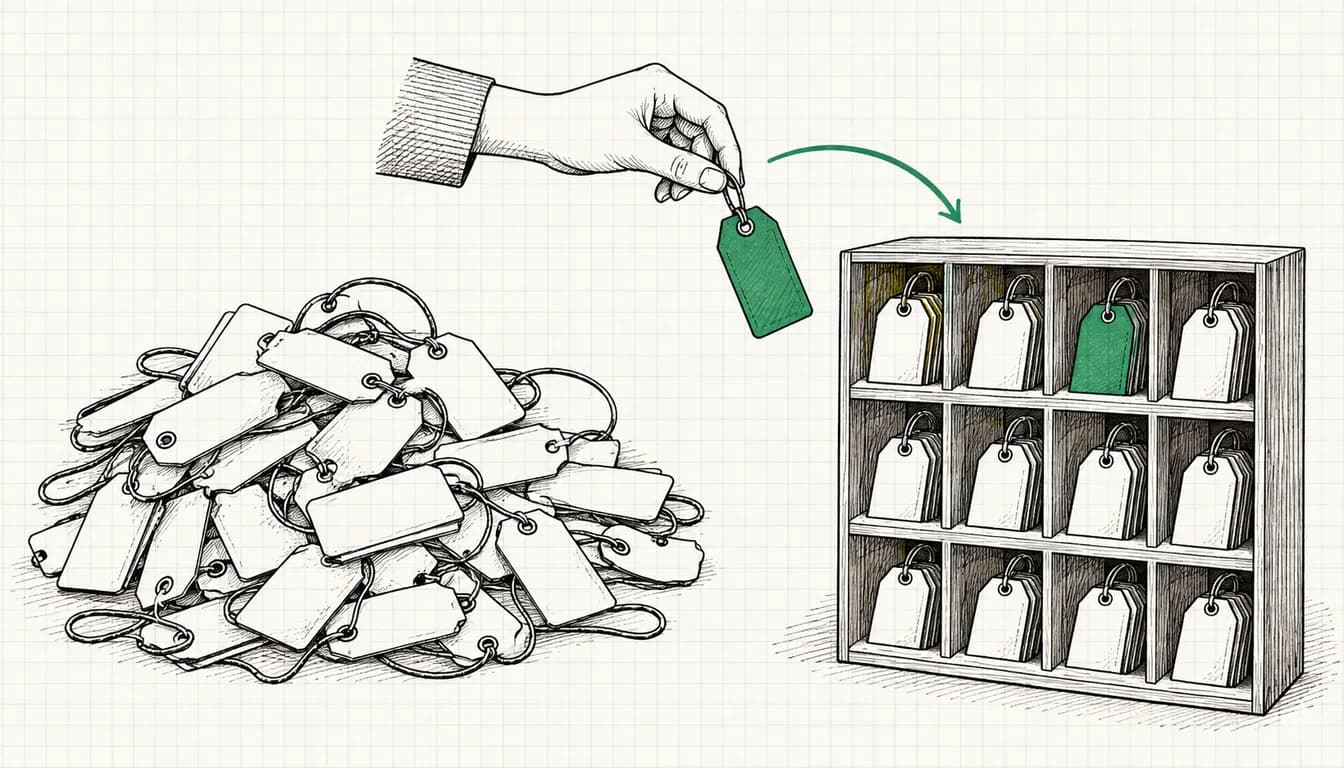
This post gives you a UTM convention a whole team can apply without asking questions, plus the template to go with it. The convention covers spelling, sets fixed value lists for utm_source and utm_medium and defines patterns for utm_campaign, utm_content and utm_id. For each medium value you'll see which channel of the Google Analytics 4 default channel group it lands in, derived from Google's own channel definitions. On top of that: the cases where you don't tag at all, common mistakes as wrong and right, and a formula that lets Excel or Google Sheets build the final URL for you. The convention is my practice, the GA4 rules are Google's. As of 08 October 2026.
- UTM parameters in GA4 Help
- 9
- 3 of them always required: source, medium, campaign
- parameters not reported
- 2
- utm_creative_format, utm_marketing_tactic
- channels in the default channel group
- 19
- plus Unassigned when no rule matches
- entries in Google's source list
- 819
- file dated 09 February 2023
- allowed values in my utm_medium list
- 13
- with the GA4 channel for each
- columns in the UTM plan
- 11
- 14 constructed example rows
How to use the template: Download the UTM plan and the value lists and put both into one shared spreadsheet your whole team can access. Delete what you don't use from the value lists. New values go into the value list first and only then into a link. The example rows are constructed, example.com and example.org are placeholders.
What UTM parameters are and which ones GA4 reports
UTM parameters are additions to a URL that tell Google Analytics where a visit came from. They come after the question mark and are separated by &:
https://www.example.com/black-friday/?utm_source=newsletter&utm_medium=email&utm_campaign=2026-11_de_sales_black-friday
GA4 reads source, medium and campaign from them and shows them in places like the traffic acquisition report. Google Analytics Help on UTM parameters lists nine parameters:
| Parameter | Required | Purpose according to Google | In my template |
|---|---|---|---|
| utm_source | yes | referrer, for example google, newsletter4 or billboard | yes, from the value list |
| utm_medium | yes | marketing medium, for example cpc, banner or email | yes, from the value list |
| utm_campaign | yes | product, slogan or promo code | yes, following the pattern |
| utm_id | no | campaign ID, the same as when uploading campaign data | yes, one ID per campaign |
| utm_term | no | paid keyword | yes, usually empty |
| utm_content | no | to differentiate creatives | yes, following the pattern |
| utm_source_platform | no | platform responsible for directing traffic to the property | no |
| utm_creative_format | no | type of creative, according to Google not currently reported | no |
| utm_marketing_tactic | no | targeting criteria, according to Google not currently reported | no |
Table scrolls sideways
Source: Google Analytics Help, article on URL builders and UTM parameters, accessed 08 October 2026.
Three points from that help page carry the whole convention. First, when you add parameters to a URL, Google says you should always use utm_source, utm_medium and utm_campaign. Second, parameter values are case sensitive: utm_source=google and utm_source=Google are not the same. Third, missing parameters show up as (not set) in reports.
You can skip utm_creative_format and utm_marketing_tactic as long as Google doesn't report them. I leave utm_source_platform out of the template because it adds nothing for newsletters, social and print. If you run campaigns through an intermediary platform, add a column.
How GA4 turns source and medium into a channel
Standard reports don't just show source and medium, they show the channel: Paid Search, Email, Organic Social and so on. That mapping comes from the default channel group. It's rule based, Google maintains it centrally and you can't edit it. Two sentences in the help matter for any convention: channel definitions aren't case sensitive, and they may evolve as the market changes.
For manually tagged traffic, GA4 mainly checks three things: whether the source is on one of Google's lists (search, social, shopping, video), whether the medium matches a pattern, and whether the campaign name contains certain words. The two most important patterns from the help:
Paid medium:              ^(.*cp.*|ppc|retargeting|paid.*)$
Shop in campaign name:    ^(.*(([^a-df-z]|^)shop|shopping).*)$
The first pattern means: anything that contains cp or starts with paid counts as paid. cpc, cpm and paid-social all qualify. Whether that becomes Paid Search, Paid Social, Paid Video or Paid Other depends on the source: google is on the search list, fb and linkedin on the social list, youtube on the video list. The second pattern fires when the campaign name contains shopping, or shop at the start, after a hyphen, underscore or digit, or after an e. That's why onlineshop triggers the rule and webshop and workshop don't. A campaign name that contains cross-network always lands in the Cross-network channel.
Google offers the source list as a download on the same help page. I counted it on 08 October 2026: 819 entries, by far most of them social networks. The file is dated 09 February 2023. Google doesn't say whether GA4 uses a newer version internally.
- Social592
- Search129
- Shopping52
- Video46
Source: Google, list of sources and categories (file dated 09 February 2023), counted on 08 October 2026
Data as table
| Category | Entries in Google's source list for the default channel group |
|---|---|
| Social | 592 |
| Search | 129 |
| Shopping | 52 |
| Video | 46 |
For your values this means: what's on the list lands in the matching channel, what isn't falls through. The hits and gaps that matter for teams in Germany:
- On the list: fb, facebook, ig, instagram, messenger, linkedin, xing, tiktok (filed under social in the file, even though Google's channel description names TikTok among video sites), twitter, t.co, whatsapp, pinterest, reddit, snapchat, youtube and vimeo (video), google, bing, duckduckgo and ecosia.org (search).
- Not on the list: meta, x, x.com, threads, telegram, chatgpt and ecosia without .org. Meta's abbreviations msg, th and an are missing too.
That leaves the order. Many combinations match several rules, fb with cpc for example matches Paid Social and Paid Other. For custom channel groups, Google states explicitly that the first matching channel in the current order wins. For the default group, the help doesn't say so in those words. My mappings follow the order in which Google lists the rules there. For new combinations, check the result in the report.
The convention: seven rules
- Everything lowercase. The channel rules don't care, your report does: Newsletter and newsletter are two rows there.
- Underscores between blocks, hyphens between words.
2026-11_de_sales_black-fridayhas four blocks, the last one made of two words. That way you can filter by block later without guessing. - Only a to z, 0 to 9, hyphen and underscore. Dots only in domain sources (example.org). No spaces, no German umlauts (ä becomes ae, ö becomes oe, ü becomes ue, ß becomes ss), no characters like
&,?,#,/or+. Spaces and umlauts have to be encoded in URLs, ü turns into%C3%BC. It works, but it's unreadable and goes wrong the moment someone types it off a flyer. - source and medium only from the value list. The fixed values are in English so teams in several countries use the same codes. Only the topic in utm_campaign and the variant in utm_content are free.
- Always source, medium and campaign, plus utm_id. Google asks for the first three, the ID makes campaigns traceable across channels.
- No words that make GA4 re-sort your traffic. shopping, shop at the start of a word or directly after an e (onlineshop) and cross-network don't belong in campaign names, unless you want exactly that channel.
- One spreadsheet, one person in charge. Every link lives in the UTM plan. One person approves new values for source and medium, not everyone who happens to be building a link.
utm_medium: which value lands in which channel
The medium has the biggest influence on the channel. My list has 13 values, each with the channel it lands in under Google's rules:
| utm_medium | Channel in GA4 | Use for | Watch out |
|---|---|---|---|
| cpc | Paid Search, Paid Social, Paid Video, Paid Shopping or Paid Other | paid clicks you tag yourself: Microsoft Ads without UTM auto-tagging, ChatGPT ads, fallback for Google Ads | the source decides: google gives Paid Search, chatgpt Paid Other |
| paid-social | Paid Social if the source is on the social list, otherwise Paid Other | paid social ads: Meta, LinkedIn, TikTok, Pinterest, Xing | msg, th and an land in Paid Other |
| display | Display | banners on portals and in third-party newsletters | don't use cpm |
| your own newsletters, mailings, signature | not newsletter as medium | ||
| social | Organic Social | organic posts, profile links, WhatsApp | paid posts get paid-social |
| video | Organic Video | links in video descriptions | only with youtube or vimeo, with linkedin it becomes Organic Social |
| referral | Referral | partner sites, directories, guest posts | source is the partner domain |
| affiliate | Affiliates | partner programmes with commission | |
| sms | SMS | links in text messages | pointless for WhatsApp, whatsapp with sms gives Organic Social |
| push | Mobile Push Notifications | push from an app or browser | source app or web-push |
| audio | Audio | podcast and radio ads | |
| organic | Organic Search | only the website link in your Business Profile, source google | never otherwise, GA4 detects organic search on its own |
| offline | Unassigned | flyers, posters, trade fairs, packaging, print ads | needs a custom Offline channel, see below |
Table scrolls sideways
Source: own mapping based on Google's default channel definitions and source list, as of 08 October 2026.
I tag the website link in the Google Business Profile with google and organic. That keeps it in Organic Search while you still see it as its own campaign. Five values are explicitly banned in the value list: newsletter (lands in Unassigned), social-paid (doesn't start with paid, so it counts as organic with social sources), cpm (counts as paid and gives Paid Search instead of Display with google), ai-assistant (GA4 sets this itself for referrals from AI assistants) and any capitalisation.
utm_source: the list
| Group | Values | Note |
|---|---|---|
| Search | google, bing | google only for the Business Profile and the Google Ads fallback, bing only without Microsoft's UTM auto-tagging |
| Meta | fb, ig, msg, th, an | the abbreviations Meta uses itself; msg, th and an aren't on Google's list |
| Social and messengers | linkedin, xing, tiktok, pinterest, reddit, snapchat, twitter, whatsapp | for X use twitter, because x isn't on the list |
| Video | youtube, vimeo | YouTube ads run through Google Ads with auto-tagging |
| AI | chatgpt | for ChatGPT ads, lands in Paid Other with cpc |
| newsletter, newsletter-b2b, email-signature | further lists following the pattern newsletter-name | |
| Partners | domain without www, for example example.org | for referral and affiliate |
| Audio | name of the show, for example podcast-name | |
| Push and SMS | app, web-push, sms | |
| Offline | flyer, poster, print-ad, business-card, packaging, event | always with offline |
Table scrolls sideways
Source: own convention; list membership according to Google's source list, counted on 08 October 2026.
With Meta you don't type the source by hand. Meta fills the placeholder {{site_source_name}} with an, fb, ig, msg or th, depending on where the ad was shown (Meta help on dynamic URL parameters). That way you see Facebook and Instagram separately, even though one ad set serves both. The ad's URL parameters field then gets something like:
utm_source={{site_source_name}}&utm_medium=paid-social&utm_campaign=2026-11_de_sales_black-friday&utm_content={{ad.name}}&utm_id=cmp-2026-031
Three notes from the same help page. Name-based placeholders such as {{campaign.name}} and {{ad.name}} keep the name the campaign or ad had when it was first published. According to Meta, changing URL parameters after launch can send the ad set back into the learning phase. And Meta says parameters can be added to ad traffic automatically, including the source facebook or instagram and the medium paid. So check in GA4 which values actually arrive.
utm_campaign: time, country, goal, topic
The campaign name has four blocks in a fixed order:
time_country_goal_topic

2026-11_de_sales_black-friday
2026-11_dach_leads_whitepaper-tracking
evergreen_de_traffic_business-profile
| Block | Allowed values | Example |
|---|---|---|
| Time | start month as yyyy-mm, or evergreen for permanent links such as profile and signature | 2026-11 |
| Country | de, at, ch, dach, pl, intl | de |
| Goal | awareness, traffic, leads, sales, recruiting, retention | sales |
| Topic | free, words joined by hyphens, roughly 30 characters at most | black-friday |
Table scrolls sideways
Time comes first so an alphabetical sort is also chronological. Country and goal sit in fixed positions so a GA4 exploration filter like “contains _leads_” catches all lead campaigns at once. Name your Google Ads campaigns after the same pattern. Auto-tagging brings them into GA4 with their name anyway, and then they fit the same filters.
utm_content and utm_term
utm_content separates links and variants within a campaign. Pattern: format_variant. The format comes from a short list (button, textlink, image, video, carousel, banner, qr), the variant is free: button_header, textlink_footer, image_a, qr_back. A newsletter with two links to the same page gets two rows in the UTM plan that differ only in utm_content. With Meta you can use {{ad.name}} if your ad names follow this pattern.
According to Google, utm_term is meant for the paid keyword. I leave it empty unless you tag paid search without auto-tagging. Microsoft's UTM auto-tagging fills it on its own. Some teams put the audience in there for social ads. That's fine as long as it's in the value list, but GA4 treats the value as a manual term, which is easy to confuse with keywords.
utm_id: one ID per campaign
Google describes utm_id as a campaign ID used to identify a specific campaign or promotion, and advises using the same IDs as when you upload campaign data. In its help on traffic-source dimensions, Google explicitly lists utm_id among the parameters you should set as soon as you set any UTM parameter at all. My rule: one ID per utm_campaign value, the same across all channels, never reused. Format cmp-yyyy-nnn with a running number, for example cmp-2026-031. The spreadsheet assigns the number, not the person who happens to be building the link.
What you don't tag
Internal links
Banners on your home page, teasers in your blog, buttons in your menu: these links don't get UTMs. UTM parameters describe where a visit comes from, and Google's help explicitly calls utm_source the referrer. Your own home page isn't an origin. A UTM on an internal link still reports a new origin to GA4, and that origin is your own website. Depending on the report and the attribution model, the conversion then shows up under “homepage / banner” instead of the newsletter that triggered the visit. Google doesn't phrase this as a ban, but the logic follows directly from GA4 treating UTM values as the traffic source. Measure internal clicks with an event instead, for example with a click trigger in Google Tag Manager.
Google Ads: auto-tagging instead of UTMs
With auto-tagging, Google Ads adds a GCLID to every click. According to Google Ads Help on auto-tagging, it's turned on by default for new accounts. You can check it under Admin, Account settings, Auto-tagging, checkbox “Tag the URL that people click through from my ad”. The same page says who wins when both are present: “in Google Analytics 4 (GA4), auto-tagging is prioritized over manual tagging due to the absence of an override option.”
Does that mean never use UTMs with Google Ads? Not quite. In its help on discrepancies between clicks and sessions, Google recommends UTMs as a fallback when campaigns show fewer sessions and more (not set), especially for campaigns where the privacy parameters WBRAID or GBRAID may be used. Google's example is ?utm_source=google&utm_medium=cpc&utm_campaign=DemandGenCampaignName. That fits the help on traffic-source dimensions: if GA4 can't use the GCLID as intended and any UTM parameter is present in the URL, GA4 derives all cross-channel traffic-source dimensions exclusively from the UTMs. So if you set fallback UTMs, set them completely: google, cpc, campaign name following the pattern, utm_id. How to check the link and whether the GCLID reaches your landing page is covered in my guide to linking GA4 with Google Ads.
Microsoft Ads: MSCLKID and UTM auto-tagging
Microsoft Ads adds a Microsoft Click ID by default, according to Microsoft's help on MSCLKID for conversion tracking with UET. GA4 Help, by contrast, lists auto-tagging only for Google platforms (GCLID and DCLID) and doesn't describe any processing of the MSCLKID. For GA4, you therefore need UTMs with Microsoft.
Microsoft can set them itself. With UTM auto-tagging at account level (“Add UTM tags to my destination URLs”), Microsoft sets utm_source=bing and utm_medium=cpc according to its help, plus the campaign name as utm_campaign, the ad group as utm_content and the keyword as utm_term. You choose whether existing UTMs are replaced or kept, with only the missing ones added. Microsoft warns that manual UTMs combined with auto-tagging can lead to duplicate parameters. My rule: either Microsoft's auto-tagging with campaign names following the pattern, or manual tagging from the value list, never both. On 08 October 2026, the help page showed an update date of 19 June 2026. After switching it on, check in GA4 which values arrive.
Common mistakes: wrong and right
| Wrong | What GA4 makes of it | Right |
|---|---|---|
utm_medium=newsletter | Unassigned, newsletter appears in no rule | utm_source=newsletter&utm_medium=email |
utm_source=Newsletter next to newsletter | same channel, but two rows in the report | always lowercase |
utm_source=facebook&utm_medium=social-paid | Organic Social, paid clicks count as organic | utm_medium=paid-social |
utm_source=meta&utm_medium=paid-social | Paid Other, meta isn't on the list | {{site_source_name}} or fb and ig |
utm_source=x&utm_medium=social | Organic Social only thanks to the medium, Paid Other with paid-social | utm_source=twitter |
utm_source=google&utm_medium=cpm for a banner | Paid Search instead of Display | utm_medium=display with the portal domain as source |
newsletter with utm_campaign=2026-11_de_sales_shop-relaunch | Organic Shopping instead of Email | 2026-11_de_sales_relaunch-onlinestore |
utm_campaign=Black Friday 2026 | spaces get encoded, spellings drift apart | 2026-11_de_sales_black-friday |
only utm_source=linkedin | (not set) for medium and campaign | all three required fields plus utm_id |
| UTM on a banner on your own home page | your own page overwrites the real source | no UTM, measure the click as an event |
Table scrolls sideways
Source: own examples, mapping based on Google's default channel definitions, as of 08 October 2026.
Custom channel group: Offline, Paid Social and ChatGPT ads
Four values on my list don't land where they belong in the default group: offline falls into Unassigned, and Meta clicks via msg, th and an go to Paid Other. The fix is a custom channel group. According to Google, standard properties allow two custom groups with up to 50 channels each. You need the Editor role or higher, and you'll find them under Admin, Data display, Channel groups. A new group starts as a copy of the default group, and here the rule is explicit: the first matching channel in the order wins.
- Create a new channel group. It starts as a copy of the default group.
- Add a new channel “Offline” with the condition: medium exactly matches offline. Move it to the top. Then it still applies if a campaign name does contain shop after all.
- Edit the Paid Social channel and add a second condition with OR: medium exactly matches paid-social. Because Paid Social sits above Paid Other, msg, th and an then land in Paid Social.
- Optionally create a channel “Paid AI” for source exactly chatgpt and medium exactly cpc, and move it above Paid Other. Clicks from ChatGPT Ads then get a row of their own instead of disappearing into Paid Other.
- Save the group and set it as the primary channel group if you want.
According to Google, a changed definition applies immediately to the underlying data in reports and explorations. In audiences it only applies going forward. So you can fix mistakes in the group after the fact, but not mistakes in the links.
The template in your team: spreadsheet, approval, short URLs, QR codes
The central spreadsheet
The UTM plan has eleven columns: destination URL, the six parameters utm_source, utm_medium, utm_campaign, utm_content, utm_term and utm_id, then final URL, owner, date and note. Every row is one link someone places somewhere. The template contains 14 constructed examples, from a newsletter with two links and Meta ads with placeholders to a QR code on a trade-fair flyer. The “Final URL” column holds the finished address as text, not as a formula. That way the file opens in any program without an error. For new rows, use the formula below.
The formula for the final URL
The formula appends the parameters to the destination URL in column A and skips empty fields. If the destination URL already contains a question mark, it starts with & instead of ?. For Google Sheets and Excel with English function names, row 2:
=A2&IF(ISNUMBER(FIND("?",A2)),"&","?")&"utm_source="&B2&"&utm_medium="&C2&"&utm_campaign="&D2&IF(E2="","","&utm_content="&E2)&IF(F2="","","&utm_term="&F2)&IF(G2="","","&utm_id="&G2)
If your colleagues in Germany use Excel with a German interface, the same formula uses WENN, ISTZAHL and FINDEN, with semicolons as separators:
=A2&WENN(ISTZAHL(FINDEN("?";A2));"&";"?")&"utm_source="&B2&"&utm_medium="&C2&"&utm_campaign="&D2&WENN(E2="";"";"&utm_content="&E2)&WENN(F2="";"";"&utm_term="&F2)&WENN(G2="";"";"&utm_id="&G2)
A few details. FIND rather than SEARCH, because SEARCH treats the question mark as a wildcard for any character and therefore always reports a match. Depending on the spreadsheet's locale, Google Sheets separates arguments with commas or semicolons. And destination URLs with an anchor (#) don't work with this formula, because the parameters have to go before the #. Since the convention only allows lowercase letters, digits, hyphens and underscores (plus the dot in domain sources), the formula doesn't need to encode anything. If you'd rather not rely on discipline, wrap the cell references in LOWER().
Approval
One person maintains the value lists. Anyone who needs a new value for source or medium enters it there with a reason, and only after approval does it go into a link. That sounds bureaucratic, but it takes minutes. Without it, after one quarter you'll have facebook, Facebook, fb and meta side by side in your report. A monthly look at the traffic acquisition report pays off: anything in Unassigned and any source that isn't on the list points to a link that bypassed the UTM plan.
Short URLs and redirects
Short URLs are handy for print, podcasts and presentations. The short URL redirects to the complete, tagged final URL. It gets critical when the tagged destination URL itself redirects again, say from http to https or to an address with a trailing slash. According to Google's help, appended UTM parameters can be lost with 301, 302 or JavaScript redirects. Google advises opening the landing page with ?utm_source=test appended and checking whether the parameter is still there after the redirect. That's why the destination URL column always holds the final address, exactly as the browser shows it in the end.
QR codes, print and offline
Every printed item gets its own row: the source is the carrier (flyer, poster, business-card), the medium is offline, and utm_content says where the code sits (qr_back, qr_front). The shorter the encoded address, the less dense the QR code. A short URL pointing to the tagged page is therefore often the better choice than the long final URL. Scan every code with two phones before printing and check in the realtime report that source and medium arrive. For radio or conversations at trade fairs without a code, a short, speakable path like example.com/fair that redirects to the tagged page helps.
The UTM generator for single links
For single links without a spreadsheet, use my UTM generator. It builds the URL in your browser and replaces spaces with hyphens. Two things it doesn't do: it doesn't lowercase values automatically, and it has no field for utm_id. Add both yourself following this convention. The quick-start preset for Instagram sets instagram as the source. If you follow my list, change that to ig so organic and paid Instagram clicks sit under the same source. The Google Ads preset sets google and cpc, which matches Google's fallback example.
Checklist: UTM hygiene
- Every link has utm_source, utm_medium and utm_campaign, plus utm_id.
- All values are lowercase, without spaces, umlauts or special characters, dots only in domain sources (example.org).
- source and medium come from the value list. New values go into the list first, then into the link.
- The campaign name follows the pattern time_country_goal_topic and contains neither shop at the start of a word or directly after an e (onlineshop) nor shopping or cross-network.
- Every campaign has exactly one utm_id, the same across all channels.
- Internal links, banners on your own site and menus have no UTMs.
- Google Ads runs with auto-tagging. UTMs only appear there as a complete fallback.
- Microsoft Ads runs either with UTM auto-tagging or with manual UTMs, never both.
- The destination URL is the final address without a redirect.
- Every link, QR code and short URL has been clicked or scanned once, and the parameters arrive on the landing page.
- After launch, GA4 has been checked: source and medium are right, no (not set), no Unassigned except offline.
- A custom channel group with Offline and paid-social in Paid Social is set up.
UTMs tell you where visits come from. Whether they turn into enquiries and sales only shows up with clean conversion tracking. How to set that up for Google Ads is covered in the guide to Google Ads conversion tracking.
Methodology
- Data basis
- Google Analytics Help on UTM parameters, the default channel group, custom channel groups and traffic-source dimensions; Google Ads Help on auto-tagging and on discrepancies between clicks and sessions; Microsoft Advertising Help on MSCLKID and UTM auto-tagging; Meta help on dynamic URL parameters.
- Channel mapping
- I checked every combination of source, medium and campaign name against Google's rules and the source list, in the order in which the help lists the rules. GA4 assigns Google Ads traffic with auto-tagging through the integration, not through these rules.
- Source list
- Google's download file dated 09 February 2023, counted on 08 October 2026: 819 entries, of which 592 social, 129 search, 52 shopping, 46 video.
- Language versions
- I read the Google Analytics help pages in English (the UTM parameter page also in German) and the Google Ads help pages in German, English and Polish.
- Convention
- Rules, value lists and patterns are my practice, not a Google requirement. The example rows in the UTM plan are constructed.
- As of
- 08 October 2026.
- Limits
- Google can change channel definitions and the source list at any time. For the default group, Google doesn't explicitly state the evaluation order. Whether Meta appends its own parameters depends on the setup and needs checking after launch.
Conclusion
A UTM convention is good when nobody has to ask how to tag a link anymore. Start with the value lists, delete what you don't need and set up the UTM plan as a shared spreadsheet. The custom channel group for Offline and paid-social takes ten minutes. After that, a monthly look at Unassigned and unknown sources shows you where someone linked past the spreadsheet.
If you want UTMs, GA4 and Google Ads conversions to work together cleanly, I set that up in my Google Ads tracking service. If you first want to know where things go wrong, I check tracking and campaign tagging in a Google Ads audit from €500.